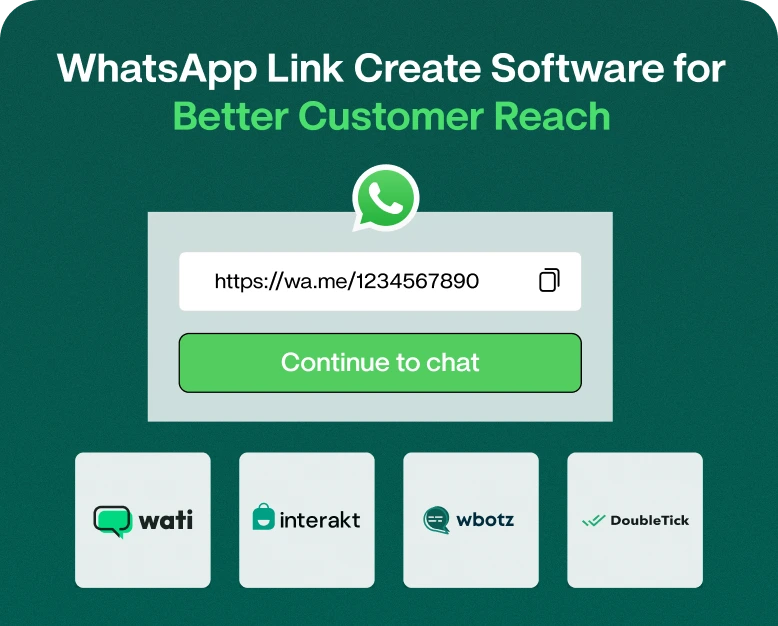
WhatsApp Link Create Software for Better Customer Reach
Now picture a prospect seeing your business on Instagram, Google, Facebook, or your website. They want to ask a quick question, check a product price, or get a quote. But instead of starting a conversation right away,…
Now picture a prospect seeing your business on Instagram, Google, Facebook, or your website. They want to ask a quick question, check a product price, or get a quote. But instead of starting a conversation right away, they have to save your number, open WhatsApp, find your contact, and then type a message.
That extra bit of effort can be enough to lose the lead.
Here is where WhatsApp link generating software and whatsapp link create tools can really make a difference. Your customers can start a chat with your business with just one click, thanks to a simple WhatsApp chat link. Add the link to your website, social media profiles, email campaigns, digital ads, product pages, and even printed marketing materials.
In this guide, you will learn what a WhatsApp link is, how a WhatsApp link generator works, how to create a WhatsApp link, where to use it, and how WhatsApp links can increase customer reach and generate more conversations.
What’s a WhatsApp Link?
A WhatsApp link is a clickable URL that opens a WhatsApp conversation with a specific phone number. Customers do not need to save the business number manually before starting a chat.
For example a business can create a link such as:
wa.me/919876543210
When clicked, it opens a WhatsApp chat with that number.
Businesses can also generate links with a pre-filled message. For instance, a customer clicking on a product promotion can be automatically given:
“Hi, I want to know more about your product.
It makes it so much easier to start a conversation.
A WhatsApp link generator or WhatsApp link create software helps businesses to generate these links quickly and without manually building the URL.
Why do businesses need a WhatsApp link generator?
It is often harder to get customers to contact you than just giving them your phone number.
Customers typically want convenience. If it takes a lot of steps to get to your business, they may leave the page or choose another company.
A WhatsApp link takes away a lot of that friction.
Customers can: Through a WhatsApp link:
- Start a conversation in one click
- Ask questions on the spot
- Enquire about product
- Request a quote
- Schedule an appointment
- Enquire about delivery
- Customer support needed
- Share their needs
- Call The Sales Team
This can convert website visitors and social media users to direct conversations for the businesses that are running the digital marketing campaigns.
How does WhatsApp Link Generator Software work?
A WhatsApp link generator tool usually makes it easier to create a clickable WhatsApp URL.
Instead of manually creating the link you input information such as:
- Your WhatsApp business phone number
- Country code
- Optional pre-filled message
- Information or software depending on Campaign or business.
Then the tool generates a WhatsApp link that you can use.
For example, a business that sells furniture might create a link that says:
“Hello, I am interested in your sofa collection. Kindly send me the available designs and prices.”
When the customer clicks the link, they can kick off the conversation with that message right away.
Simple WhatsApp Link Format
The normal format is:
https://wa.me/+phonenumbercountrycodeYour number should be entered with the country code, without spaces, brackets or any unnecessary symbols.
For example:
https://wa.me/919876543210The customer can click on this link from a website, mobile device, social media post or any other digital channel.
How to Create a WhatsApp Link: Step by Step Instructions
Creating a WhatsApp link doesn’t have to be difficult. Here are the steps to follow.
Step 1: Select your WhatsApp Business number
First, decide which WhatsApp number will receive the customer questions.
This could be your primary business number for WhatsApp if you’re a small business. Bigger businesses might have a sales or support line.
Step 2: Choose the Right Country Code
Add your country code before the phone number.
For Indian companies the country code is 91.
And I’m gonna tell a joke about how much he’s gonna get paid.
Step 3: Create Your WhatsApp Link
You can generate the link automatically using a WhatsApp link generator.
Type in your number. Include a message if you want. Make the URL.
Step 4: Insert a Pre-Filled Message
A pre-filled message can make the customer experience even easier.
For example:
Hello, I came across your business on the web and I want to know more about your services.
For an e-commerce shop you could use:
Hello, I am interested in this item. “I’d like to know the price and availability.”
Your message should be concise and relevant to the action you want your customers to take.
Step 5: Verify the link
Never share a WhatsApp link without testing it.
Click the link from various devices and verify:
- Is WhatsApp working properly?
- Have you got the right business number?
- Is the message pre-filled correct?
- Does the link work on a mobile phone?
- Pieces from your website, social media profiles?
Once it all works, you can publish it.
Where to Use a WhatsApp Link?
One of the biggest benefits of a WhatsApp link is its flexibility. The same link can be used across multiple marketing channels.
1. Site
Add a WhatsApp button to the main pages of your website.
For instance:
Talk to us on WhatsApp
Visitors can click the button and get in touch with your sales or support team.
This is useful especially on:
- Product page
- Pricing pages and
- Contact Us Pages
- Pages of service
- Landing page
- Pages for booking
2. Instagram biography
Instagram can drum up a lot of interest but translating that to conversations can be tough.
Adding a WhatsApp link to your profile gives your followers an easy way to contact your business.
3. Facebook
You can include your WhatsApp link in your business profile, posts, campaigns and any promotional content where it makes sense.
4. Email Marketing
You can also add a WhatsApp link to marketing emails.
For example:
Questions about this offer? Talk to our team on WhatsApp.
This gives email subscribers another way to get in touch with your business.
5. The Online Advertising
WhatsApp links are useful for campaigns that are meant to drive conversation.
Instead, you can send interested users to a WhatsApp conversation rather than a generic homepage.
6. Packing of the Product
You can print a QR code that connects to your WhatsApp link on your packaging, brochures, business cards and promotional material.
The customers can scan the code and start chatting.
Benefits of WhatsApp Link Creator Tool
Using WhatsApp links may be a small improvement, but it can make a meaningful impact on the way you communicate with customers.
More Rapid Customer Communication
Your number will be easily found by customers, without searching for it manually. One click and they’re on WhatsApp.
Lead Generation (Better)
A shorter path from interest to conversation can help businesses seize more potential customers.
Someone interested in a product may not fill out a long contact form. They might be much more inclined to send a quick WhatsApp message.
Easy to Share
You can integrate nearly any digital marketing channel with WhatsApp.
You can share it by:
- Web pages
- Social media
- Email advertising
- Blogging
- Landing pages
- Quick Response Codes
- Digital brochures
- More Convenient for Customers
People already know about WhatsApp. This will make your business more accessible by allowing them to connect through a platform they already use regularly.
Useful for Different Types of Business
WhatsApp links are useful in many industries such as:
- Ecommerce
- Health Care
- Restaurants
- Real Estate
- Education
- Travel
- Cars
- Commercial services
- Local businesses
- D2C brands
A Real-World Example: How a Small Business Can Use a WhatsApp Link
Imagine a local clothing store launching a festive collection.
The company posts product photos on Instagram. Instead of telling followers to call the store, it adds a WhatsApp link with a pre-filled message:
‘Hi, I’m looking for the holiday collection. “Please send us your latest design and price.”
Now the interested customer can click the link and start the conversation right away.
The sales team can reply with product photos, prices, sizes, availability, and payment information.
The same link can be added to the store’s website, Google Business profile where available, email campaigns and promotional materials.
This makes for a smooth trip from marketing to customer conversation.
How to Get Better Results From Your WhatsApp Link
A link is not enough on its own. And then you have to make it useful.
Make your call to action clear
Don’t use vague text to hide the link.
Instead of:
Click Here
Have a go:
Chat With Us on WhatsApp
or else:
Get Free Quote on Whatsapp
A clear CTA tells customers what happens after they click.
Use Different Messages for Different Campaigns
If you have more than one campaign going, you might want to set up different links or different ways of tracking, if your software will allow it.
For instance:
- Product query
- Sales enquiry
- Make an appointment
- Customer support
- Get pricing
This can help your team understand why customers are reaching out to you.
Make the link easy to find
If the WhatsApp link is crucial to your business, don’t bury it at the bottom of your website.
Consider adding a WhatsApp CTA to high-intent pages where your customers are likely to have questions.
Leave the Pre-Populated Message as Natural
Avoid sending long, auto-generated or confusing messages.
A simple message is more likely to work.
For instance:
“Hi, I want to hear more about your services.”
WhatsApp Link Generator vs Manually Creating a Link
You can technically create a basic WhatsApp link yourself. However, WhatsApp link creation software can be more convenient when you need additional features.
| Feature | Manual Link | Link Create Software |
| Basic WhatsApp link | Yes | Yes |
| Pre-filled message | Possible | Yes |
| Easy link generation | Limited | Yes |
| Multiple campaign links | Difficult | Easier |
| QR code support | Not always | Often available |
| Marketing workflow | Limited | Better |
| Business use | Basic | More flexible |
For a single personal link, manual creation may be enough. For businesses running multiple campaigns, products, teams, or lead-generation activities, dedicated software can save time.
How Sales and Marketing Can Benefit from WhatsApp Links
WhatsApp links can be used to connect different parts of your marketing funnel.
For example:
Advertisement → Landing Page → WhatsApp Link → Sales Talk → Follow-Up → Conversion
This is useful because the customer does not have to go through several communication channels.
A visitor who has already expressed an interest in buying can jump straight into a conversation with your business.
Your sales team can then qualify that lead, answer questions, share information and continue the follow up.
Common Mistakes That Should Be Avoided
Problems can occur even with a simple WhatsApp link if it is not set up properly.
Don’t make these mistakes:
- Using the incorrect country code
- Entering incorrect phone number
- Additional spaces or characters
- Posting a link that has not been tested
- Using blurred CTA text
- Redirecting customers to a non-active WhatsApp number
- Same generic message for all campaigns .
- The prefilled message is too long
- Adding the link without a clear reason for customers to click it
Always test your link before using it in a big marketing push.
Frequently Asked Questions (FAQ)
1. What Is a WhatsApp Link Maker?
A WhatsApp link generator is a tool that generates a clickable URL to initiate a WhatsApp chat. Usually you add your WhatsApp number and can pre-fill a message before making the link.
2. How to create a WhatsApp link for your business?
You are able to create a simple WhatsApp link using your business phone number and country code. Software designed to create a WhatsApp link can simplify the process and provide additional features such as pre-filled messages, QR codes, and campaign management.
3. How can I add a WhatsApp link to my website?
Yes. You can add a WhatsApp link to buttons, banners, contact sections, product pages, landing pages and other sections of your website where customers may want to contact your business.
4. Can we get a WhatsApp link with a pre-filled message?
Yes. You can set up a WhatsApp link with a message pre-filled so customers can start a chat with a suggested message. It can be used for product inquiry, quotation, appointment and customer support.
5. Can WhatsApp link software be used for lead generation?
Yes. A direct WhatsApp link reduces the number of steps your customers need to take before contacting your business. With the right calls-to-action and relevant campaigns, it can help businesses convert online interest into direct conversations.
Final Thoughts
People love convenience. If they want your product or service, they shouldn’t have to work hard to contact you.
A good WhatsApp link takes customers from interest to conversation with ease. Whether you are a small local business, online store, service or a growing company, a WhatsApp link generator can make your communication with customers faster and easier.
The real value is in using the link strategically. Put it on your website, social profiles, campaigns, landing pages and promotional materials. Use clear CTAs, relevant pre-filled messages and test every link before publishing it.
If you are looking to make WhatsApp communication a bigger part of your marketing strategy, you might want to consider using a WhatsApp link generator to help you generate, organise and use customer chat links more efficiently.
Ready to convert more visitors into conversations? Generate your WhatsApp links now and let your customers contact your business easily.
Written by
Kalpit Parmar
Part of the Wbotz team, writing about WhatsApp Business API, automation and the campaigns that actually convert.