







Skip to content

Click-to-WhatsApp ads that open a chat instead of a landing page

Turn Facebook and Instagram ads into live WhatsApp chats, no landing pages, no forms, no lost leads.

Drive Instant Conversions with Click-to-WhatsApp Ads

Trusted by growing businesses across India and beyond

  • ByteNAP Networks
  • ByteWeb
  • cardziAI
  • MG Hospital
  • Mohanlal Tea
  • Origo
  • System Solution
  • Tapect

Key features and functionalities of Click-to-WhatsApp Ads

A lead form asks a stranger to type their details and wait. A Click to WhatsApp ad opens a chat instead, and because the customer messaged first, your replies for the next 24 hours are free.

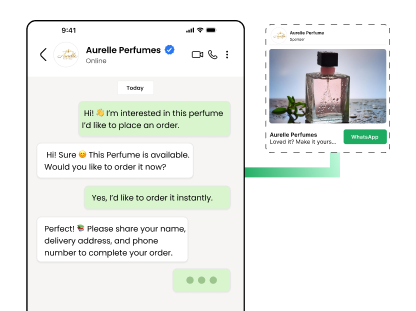
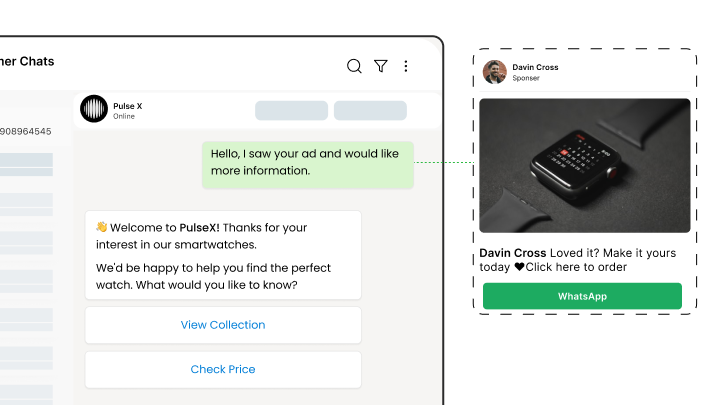
The ad opens a chat, not a form

One tap on Facebook or Instagram and the customer is in a conversation with your business, with their number already attached and nothing to fill in.

  • No form, no wrong numbers, no waiting for a callback
  • The greeting message goes out the second they arrive
  • You know which ad, campaign and product the chat came from
  • Replies inside the 24 hour window cost nothing
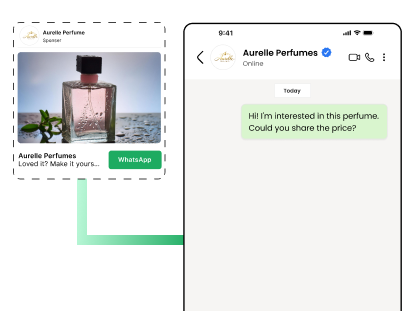
Facebook ad opening a WhatsApp conversation in one tap

Qualify while the interest is still warm

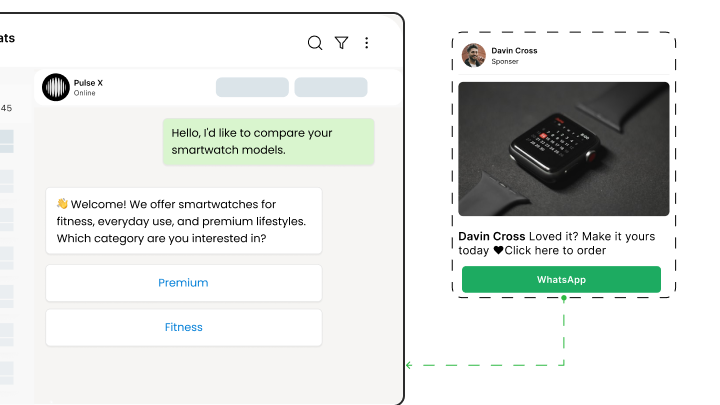
The bot asks what your sales team needs to know, then routes the conversation to whoever should own it, with the answers already collected.

  • Different qualifying questions per campaign
  • Route by product, city or language
  • Answers push into your CRM through the REST API
  • Unqualified traffic never reaches a rep
See WhatsApp lead capture
Chatbot qualifying an ad lead and assigning it to a rep

Follow up in the same thread

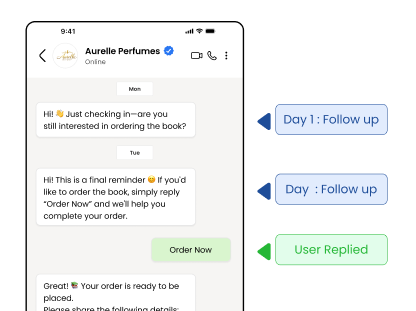
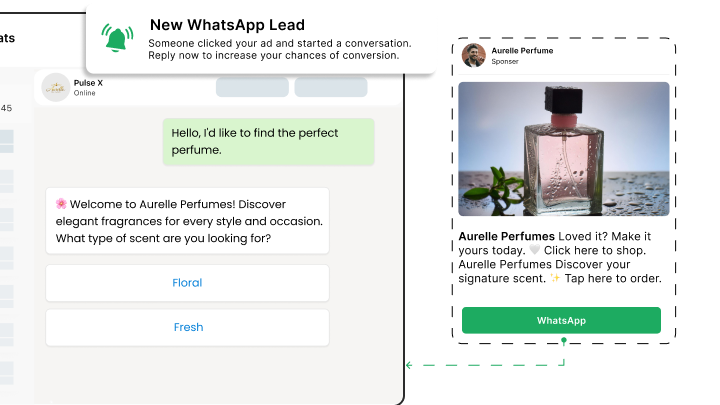
Most people do not buy on the first message. The follow up lands in the chat they already opened, not in an inbox they never check.

  • Schedule follow ups over days or weeks
  • Stop the sequence automatically when they reply or buy
  • Re engage old ad leads when something relevant launches
  • Every thread stays in one place for whoever picks it up next
See drip campaigns
Follow up sequence continuing an ad conversation days later

See which ads produce conversations, not just clicks

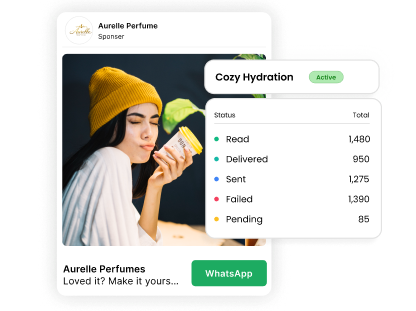
Click through rate stops being the measure. You can see which campaign produced replies, qualified leads and closed deals.

  • Every conversation carries its source campaign
  • Compare campaigns on replies and qualified leads
  • Spot the ads that bring volume but no intent
  • Export the numbers or read them in your own dashboard
See WhatsApp analytics
Report showing conversations and qualified leads per campaign

Benefits of using Click-to-WhatsApp Ads

What changes once this is running, as opposed to what it does.

  • Lower cost per conversation A tap opens a chat instead of a form, so the drop off between the click and the first reply mostly disappears.
  • Leads that arrive with context Every conversation carries the campaign and product that produced it, so nobody guesses which ad is working.
  • Replies that cost nothing The customer messaged first, so everything you send for the next 24 hours falls inside Meta free service window.
  • Follow up that actually lands The thread stays open, so a message three days later reaches somewhere the buyer already reads.

Why build Click-to-WhatsApp Ads with Wbotz

Plenty of platforms will sell you this feature. These are the four things that differ once you have signed.

No markup on your message charges

Meta charges ₹0.8631 for a marketing message to India and that is what reaches your invoice. We earn from the subscription, not from your volume, so a heavy month raises your Meta bill and leaves ours where it was.

See the rate table

Official Meta partner, not a workaround

Your number runs on the official WhatsApp Business Platform, is eligible for the green tick, and is not at risk of the bans that come with unofficial bulk senders.

See the WhatsApp Business API

Someone sets it up with you

An onboarding manager handles business verification and the green tick application, then runs live training for the people who will actually use it. That is included, not an upsell.

Talk to onboarding

Included on Starter, Growth, Enterprise

Not a module you buy separately. The CRM, chatbot builder, broadcasts and shared inbox come with every plan, from ₹1,000 a month billed annually, with unlimited contacts and conversations throughout.

Compare plans
24 hr
Window in which replying costs nothing
98 %
Messages opened, against roughly 20% for email
0 %
Markup Wbotz adds to Meta message charges

How it works

Four steps from a blank account to click-to-whatsapp ads running on your number. No developer needed.

  1. 01

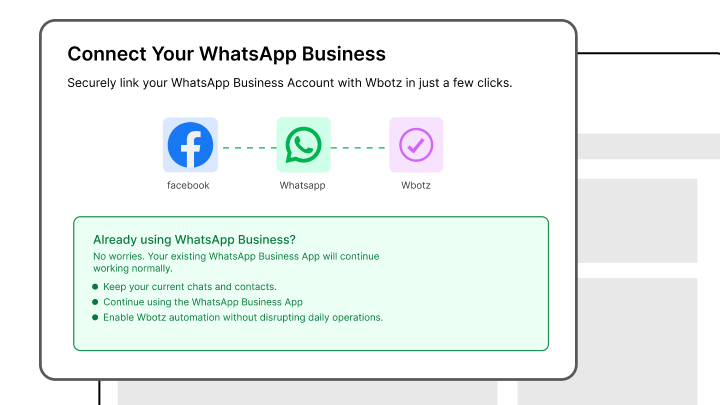
    Connect your Facebook page and ad account

    Link the assets to the same Meta Business Manager your WhatsApp number sits in.

    Wbotz embedded signup: Facebook, WhatsApp and Wbotz linked in one flow
  2. 02

    Build the greeting and the qualifying flow

    Write what the customer sees the moment the chat opens, then the questions that follow.

    Wbotz screen: ad greeting and qualifying flow builder
  3. 03

    Point the ad at your number

    Create the ad in Meta Ads Manager with WhatsApp as the destination, and choose the number.

    Meta Ads Manager: WhatsApp selected as the ad destination
  4. 04

    Watch the conversations arrive

    Leads land in the shared inbox tagged with their campaign, ready for a rep or the bot to work.

    Wbotz screen: incoming ad conversations tagged by campaign

Frequently asked questions

What's the difference between CTWA and regular Facebook ads?
CTWA ads direct users to WhatsApp conversations instead of websites, creating instant, personal engagement that leads to higher conversion rates.
Do I need a WhatsApp Business account for CTWA campaigns?
Yes, you need a WhatsApp Business API account connected to your Facebook Business Manager. Wbotz handles this entire setup process.
How much do Click-to-WhatsApp ads cost?
CTWA ads use standard Facebook advertising costs, but conversations are free for 72 hours after the initial interaction, making them highly cost-effective.
Can I automate responses to CTWA leads?
Absolutely! Deploy chatbots for instant qualification, FAQ responses, and lead nurturing while human agents handle complex inquiries.
Which campaign objective should I choose in Facebook Ads Manager?
Select “Engagement” or “Messages” as your campaign objective to enable WhatsApp messaging functionality.
How do I track ROI from CTWA campaigns?
Use Facebook Analytics combined with WhatsApp Business API data to track complete customer journeys from ad click to final conversion.
Can I run CTWA ads on Instagram and Facebook simultaneously?
Yes, campaigns can run across Facebook Feed, Instagram Stories, Facebook Marketplace, and other Meta placements for maximum reach.
What makes CTWA better than traditional landing pages?
CTWA eliminates page load times, form abandonment, and creates immediate personal connections, resulting in significantly higher conversion rates.

Connect everything you already use

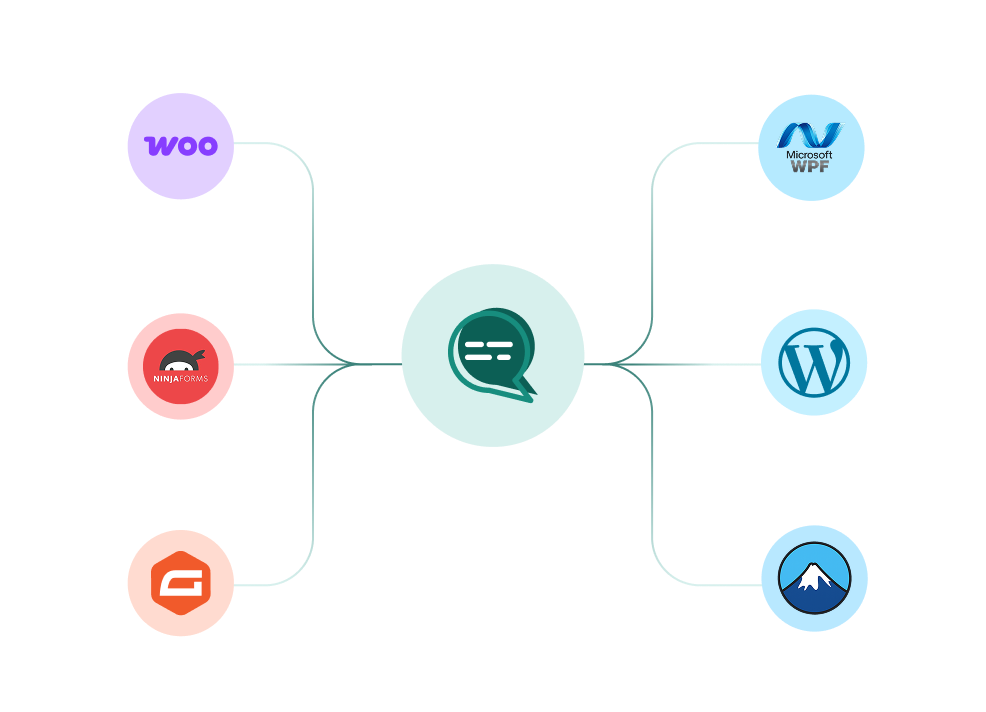
Your CRM, your store, your helpdesk and your forms, joined to the same WhatsApp number. Every plan also ships unlimited REST API calls and webhooks for anything not on the list.

WooCommerce, WordPress, Ninja Forms, Gravity Forms and more connected to a single Wbotz WhatsApp hub
  • WooCommerce
  • WordPress
  • Gravity Forms
  • WPForms
  • Ninja Forms
  • Contact Form 7
  • + REST API & webhooks
Conversations handled on Wbotz
100K+
Conversations answered by chatbots
10K+
Markup added to Meta message charges
0%

Start on WhatsApp without paying a markup on every message

Put your campaigns, chatbot and team inbox on one official WhatsApp number, and pay Meta rates for the messages you send. Setup and green tick support are included.

  • 14 day free trial
  • No credit card required
  • No markup on Meta message charges

Cookie preferences

Choose what we may store on this device. You can change this at any time from our cookie policy, linked in the footer of every page. Your choice is remembered for 180 days.

Questions about this? Email [email protected].