







Skip to content

WhatsApp lead capture from your ads, website and forms

Pull leads into WhatsApp from your website, ads, forms and apps, then segment and follow up automatically.

Capture Leads Efficiently with Wbotz WhatsApp Lead Capture

Trusted by growing businesses across India and beyond

  • ByteNAP Networks
  • ByteWeb
  • cardziAI
  • MG Hospital
  • Mohanlal Tea
  • Origo
  • System Solution
  • Tapect

Key features and functionalities of WhatsApp Lead Capture

A form collects a name and an email and hopes someone calls back in time. A WhatsApp conversation collects the same details and keeps the thread open, so the follow up lands somewhere the lead actually reads.

Turn every surface into an entry point

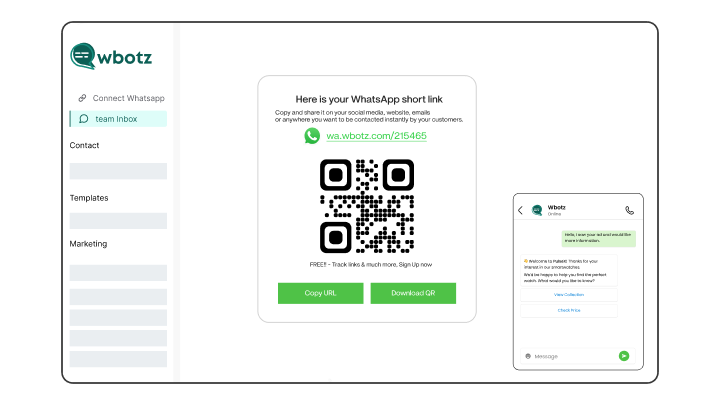
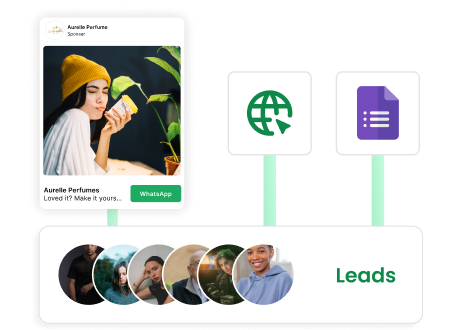
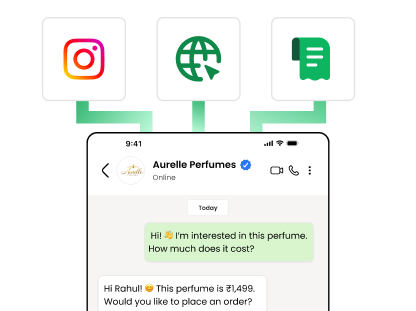
Your site, your ads, your store window and your invoices can all open the same WhatsApp conversation, and every lead arrives tagged with where it came from.

  • Chat widget and click to chat links for your site
  • QR codes for print, packaging, hoardings and counters
  • Click to WhatsApp ads from Facebook and Instagram
  • Each source is tagged, so you can compare them later
See Click to WhatsApp ads
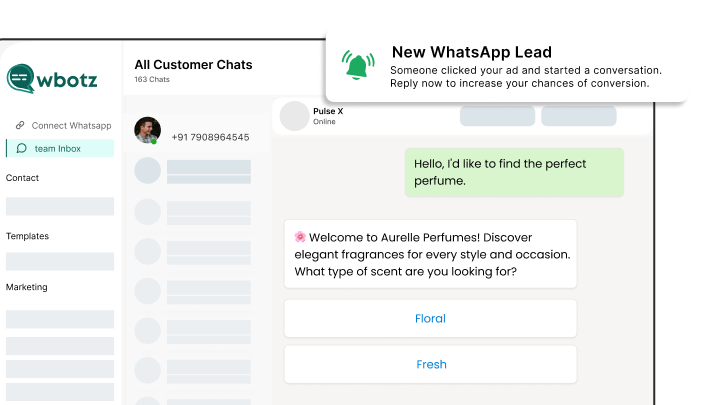
Website widget, QR code and ad all opening the same chat

Ask the qualifying questions automatically

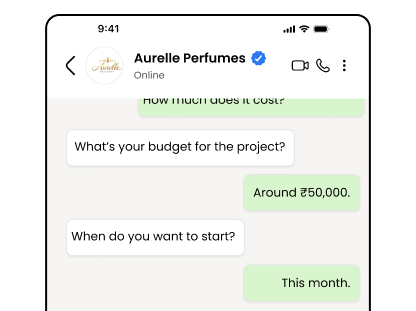
The bot collects budget, requirement, location or timeline the moment the lead arrives, while the interest is still there.

  • Branch the questions on the previous answer
  • Store every answer on the contact record
  • Separate buyers from browsers before a rep spends time
  • Ask in the language the lead wrote in
See the WhatsApp chatbot
Chatbot asking qualifying questions and storing the answers

Route to the right person the first time

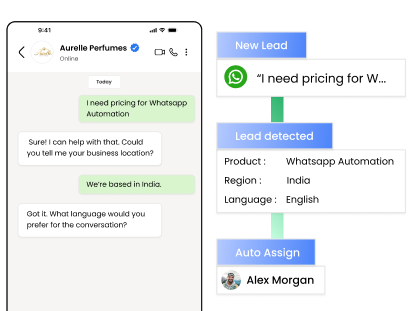
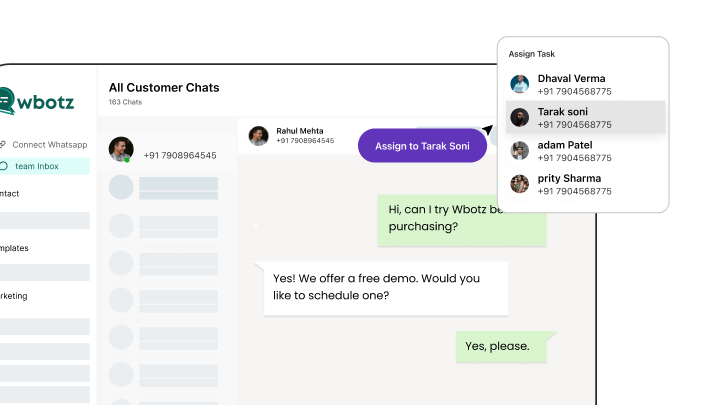
Leads reach the rep who owns that product, city or language, with everything the bot collected already attached.

  • Assign by product, region, language or round robin
  • Reassign when someone is off, without losing history
  • Managers see what is unclaimed and what is going cold
  • The rep opens a conversation that is already half done
See the team inbox
Lead being assigned to the right sales rep with context

Follow up until they answer or ask you to stop

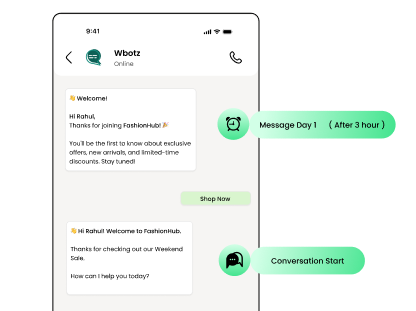
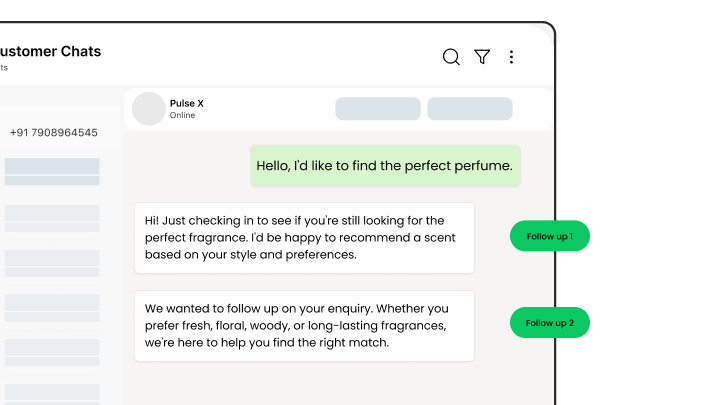
Most leads need several touches. Sequences run them for you and stop the moment the lead replies.

  • Schedule follow ups across days or weeks
  • Stop automatically on a reply, a purchase or an opt out
  • Re engage old leads when something relevant launches
  • Meta charges these at its own rate, passed through at cost
See drip campaigns
Automated follow up sequence pausing when the lead replies

Benefits of using WhatsApp Lead Capture

What changes once this is running, as opposed to what it does.

  • Reps spend their day on real buyers Qualifying questions run before a person is involved, so the conversations that reach sales are worth the call.
  • Fewer leads going cold The first reply goes out in seconds at any hour, which is usually the difference between a reply and a lost enquiry.
  • Every source measured the same way Ads, website, QR codes and forms all land in one pipeline, tagged, so you can compare them honestly.
  • Nothing sits unclaimed Routing and escalation rules mean a lead has an owner from the minute it arrives.

Why build WhatsApp Lead Capture with Wbotz

Plenty of platforms will sell you this feature. These are the four things that differ once you have signed.

No markup on your message charges

Meta charges ₹0.8631 for a marketing message to India and that is what reaches your invoice. We earn from the subscription, not from your volume, so a heavy month raises your Meta bill and leaves ours where it was.

See the rate table

Official Meta partner, not a workaround

Your number runs on the official WhatsApp Business Platform, is eligible for the green tick, and is not at risk of the bans that come with unofficial bulk senders.

See the WhatsApp Business API

Someone sets it up with you

An onboarding manager handles business verification and the green tick application, then runs live training for the people who will actually use it. That is included, not an upsell.

Talk to onboarding

Included on Starter, Growth, Enterprise

Not a module you buy separately. The CRM, chatbot builder, broadcasts and shared inbox come with every plan, from ₹1,000 a month billed annually, with unlimited contacts and conversations throughout.

Compare plans
98 %
Messages opened, against roughly 20% for email
24 hr
Window in which replying costs nothing
0 %
Markup Wbotz adds to Meta message charges

How it works

Four steps from a blank account to whatsapp lead capture running on your number. No developer needed.

  1. 01

    Put the entry points in place

    Add the chat widget to your site, generate QR codes for print and point your ads at WhatsApp.

    Wbotz screen: chat widget, links and QR code generator
  2. 02

    Write the qualifying flow

    List the questions your reps ask on every first call, then build them as a flow.

    Wbotz screen: qualifying flow with branching questions
  3. 03

    Set routing and ownership

    Decide who gets which lead, and what happens when nobody picks it up.

    Wbotz screen: lead routing and assignment rules
  4. 04

    Turn on the follow ups

    Enrol unanswered leads in a sequence and let it stop itself when they reply.

    Wbotz screen: follow up sequence and stop conditions

Frequently asked questions

What is WhatsApp lead capture and how does it work?
WhatsApp lead capture automatically collects contact details from web forms, ads, and chatbots, then imports them into your WhatsApp CRM for immediate follow-up and nurturing.
Do I need any coding skills to set up WhatsApp lead capture?
No. Wbotz provides ready-made integrations, a simple REST API, and no-code connectors (Zapier, Make) so you can start capturing leads without developer support.
Which sources can I capture leads from?
Capture leads from website sign-up forms, landing pages, Facebook and Instagram ads, offline CSV uploads, and any third-party tool that supports API or webhook integrations.
Can I qualify leads automatically as they’re captured?
Yes. Use forms and chatbots to ask qualifying questions (budget, timeline, preferences) and apply tags or custom attributes in real time for better lead prioritization.
How are captured leads organized and segmented?
Leads are automatically assigned to lists and tagged by source, behavior, or custom fields. You can filter by “High-Intent,” “New Inquiry,” or any custom tag for targeted campaigns.
Can I send automated messages to new leads?
Absolutely. Configure welcome messages, appointment reminders, or drip sequences to trigger instantly when a lead is captured, ensuring prompt engagement.
How do I integrate captured leads with my existing CRM?
Export lead data via CSV or use our REST API to sync contacts and custom fields with Salesforce, HubSpot, or any CRM, maintaining unified customer records.
Is WhatsApp lead capture GDPR and data-compliant?
Yes. Wbotz ensures all lead capture workflows comply with GDPR and local data protection regulations. You control consent, data storage, and deletion policies within the platform.

Connect everything you already use

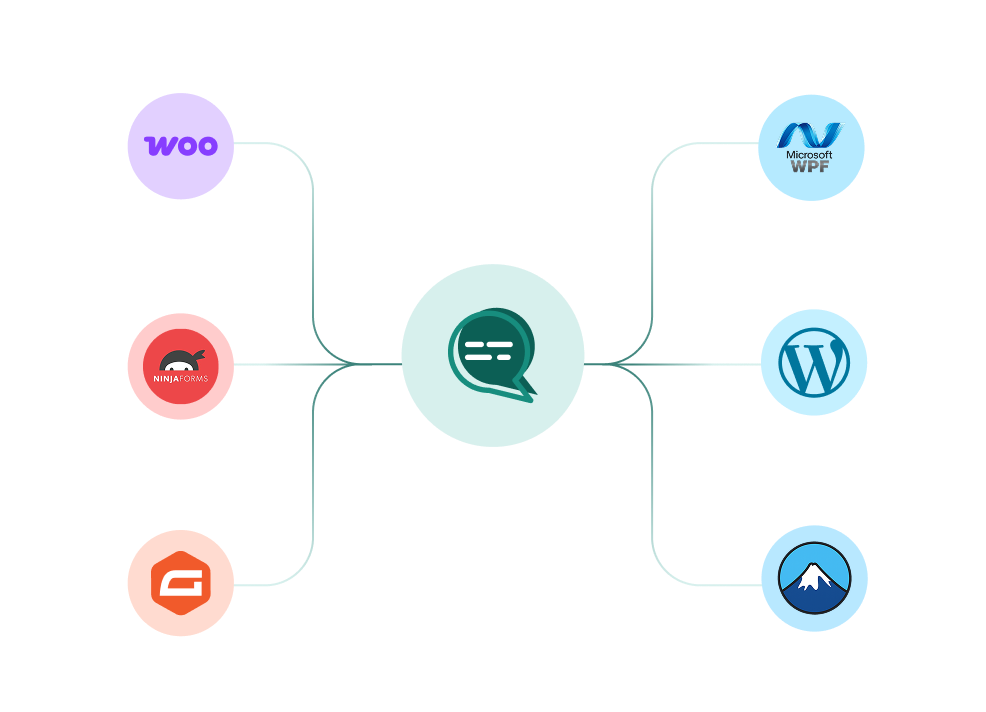
Your CRM, your store, your helpdesk and your forms, joined to the same WhatsApp number. Every plan also ships unlimited REST API calls and webhooks for anything not on the list.

WooCommerce, WordPress, Ninja Forms, Gravity Forms and more connected to a single Wbotz WhatsApp hub
  • WooCommerce
  • WordPress
  • Gravity Forms
  • WPForms
  • Ninja Forms
  • Contact Form 7
  • + REST API & webhooks
Conversations handled on Wbotz
100K+
Conversations answered by chatbots
10K+
Markup added to Meta message charges
0%

Start on WhatsApp without paying a markup on every message

Put your campaigns, chatbot and team inbox on one official WhatsApp number, and pay Meta rates for the messages you send. Setup and green tick support are included.

  • 14 day free trial
  • No credit card required
  • No markup on Meta message charges

Cookie preferences

Choose what we may store on this device. You can change this at any time from our cookie policy, linked in the footer of every page. Your choice is remembered for 180 days.

Questions about this? Email [email protected].