






Skip to content

WhatsApp transactional messages your systems send on their own

Send order updates, payment confirmations and appointment reminders the moment they matter.

Trusted by growing businesses across India and beyond

  • ByteNAP Networks
  • ByteWeb
  • cardziAI
  • MG Hospital
  • Mohanlal Tea
  • Origo
  • System Solution
  • Tapect

Key features and functionalities of Transactional Messages

Order confirmations, delivery updates, appointment reminders and payment receipts are the messages people open every time. Meta prices them as utility messages, which cost a fraction of a marketing message.

Updates that fire from your own systems

Your store, ERP or booking system already knows when an order ships or an appointment moves. It sends the message itself, over the API, the moment it happens.

  • ₹0.1150 per utility message at Meta's rate, passed through at cost
  • Trigger on any event your systems can post to a webhook
  • Personalise with order numbers, names, amounts and dates
  • Delivery and read status comes back to your systems
Reminders that cut no shows and late payments

A reminder in WhatsApp gets read. The same reminder in email does not, which is why appointments get missed and invoices sit unpaid.

  • Schedule reminders relative to the appointment or due date
  • Let customers confirm, reschedule or pay from the message
  • Stop the sequence automatically once they act
  • Cheaper to send than a call and faster than an email
See WhatsApp automation

One time passcodes that arrive

Authentication messages deliver where SMS gets filtered, and the customer is already in WhatsApp when they need the code.

  • Authentication templates approved once, then sent at volume
  • Priced by Meta as authentication messages, passed through at cost
  • No SMS gateway to maintain alongside it
  • Codes land in the same app the customer is already using

A reply lands in the inbox, not in a void

Customers answer notifications. When they do, the reply reaches a person in the shared inbox, and everything you send for the next 24 hours is free.

  • Replies open a free 24 hour service window
  • The agent sees the order the message was about
  • Route replies by order type, region or language
  • No dead end no reply numbers
See the team inbox

Benefits of using Transactional Messages

What changes once this is running, as opposed to what it does.

  • The cheapest message you can send Utility messages are a fraction of a marketing message, and they are the ones customers actually want.
  • Support stops answering "where is it" Status updates go out on their own, which removes the single most common reason people contact you.
  • Fewer no shows and late payments A reminder in WhatsApp gets read. The same reminder in email is why appointments get missed and invoices sit.
  • Replies reach a person Customers answer notifications, and those answers land in the shared inbox instead of a no reply void.

Why build Transactional Messages with Wbotz

Plenty of platforms will sell you this feature. These are the four things that differ once you have signed.

No markup on your message charges

Meta charges ₹0.8631 for a marketing message to India and that is what reaches your invoice. We earn from the subscription, not from your volume, so a heavy month raises your Meta bill and leaves ours where it was.

See the rate table

Official Meta partner, not a workaround

Your number runs on the official WhatsApp Business Platform, is eligible for the green tick, and is not at risk of the bans that come with unofficial bulk senders.

See the WhatsApp Business API

Someone sets it up with you

An onboarding manager handles business verification and the green tick application, then runs live training for the people who will actually use it. That is included, not an upsell.

Talk to onboarding

Included on Starter, Growth, Enterprise

Not a module you buy separately. The CRM, chatbot builder, broadcasts and shared inbox come with every plan, from ₹1,000 a month billed annually, with unlimited contacts and conversations throughout.

Compare plans
0.115
Rupees per utility message, at Meta rate
24 hr
Window in which replying costs nothing
0 %
Markup Wbotz adds to Meta message charges

How it works

Four steps from a blank account to transactional messages running on your number. No developer needed.

  1. 01

    List the events worth a message

    Order placed, shipped, delivered, appointment booked, payment due. Start with the ones support gets asked about most.

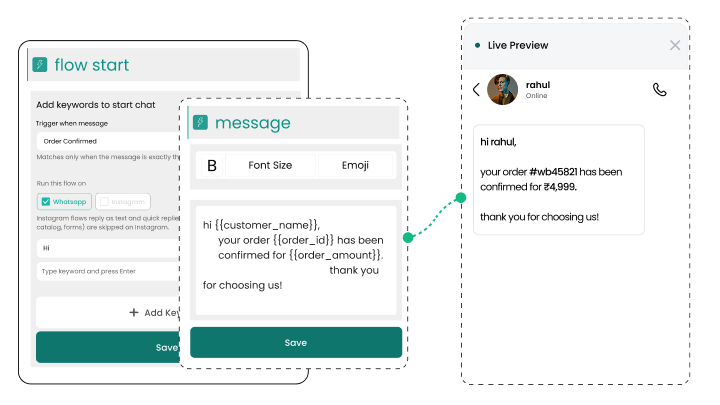
    Wbotz screen: choosing the events that trigger messages
  2. 02

    Write and submit the templates

    Write each message with its variables and submit it to Meta for approval from inside Wbotz.

    Wbotz screen: template editor with variables
  3. 03

    Connect the trigger

    Point your store, ERP or booking system at the API so the message goes out when the event happens.

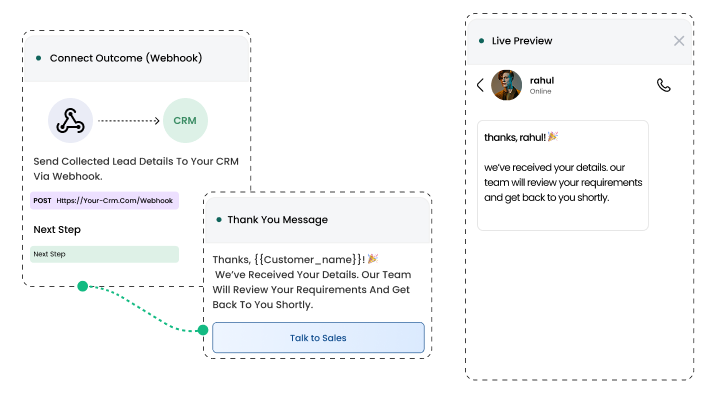
    Wbotz screen: webhook trigger connected to a template
  4. 04

    Watch delivery and replies

    Track delivered and read status per template, and handle the replies in the shared inbox.

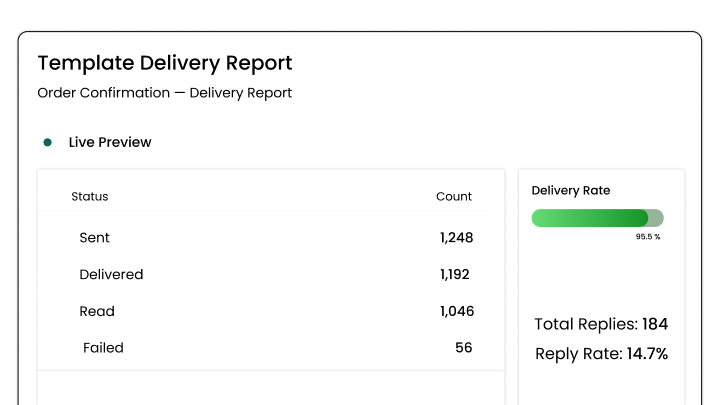
    Wbotz screen: template delivery report and replies

Frequently asked questions

What are WhatsApp transactional messages and how do they differ from promotional messages?
Transactional messages are automated and time-sensitive notifications triggered by user actions, such as purchases, payments, or account changes. Unlike promotional messages, they focus on delivering crucial updates, confirmations, or alerts without marketing content.
What types of transactional messages can businesses send via WhatsApp?
You can send payment confirmations, order and shipping updates, appointment reminders, account change alerts, support ticket status, cart abandonment nudges, and signup confirmations.
Do I need WhatsApp Business API to send transactional messages at scale?
Yes. The official WhatsApp Business API allows you to automate and send transactional notifications in bulk, with higher reliability and compliance.
Can messages be personalized for each customer?
Absolutely. Dynamic fields and templates allow you to include names, order IDs, appointment dates, payment amounts, and other unique details in every message.
How are transactional messages triggered automatically?
Integrate WhatsApp with your CRM, website, or e-commerce platform so notifications are sent instantly when actions, like purchases, bookings, or account updates, occur.
Are transactional WhatsApp messages secure and compliant?
Yes. These messages are end-to-end encrypted and can be configured to follow GDPR and local privacy regulations, ensuring your customers’ sensitive information is safe.
Can I track if customers receive and read transactional messages?
Yes. WhatsApp provides delivery and read receipts so you can monitor message status, track engagement, and refine template effectiveness.
How do transactional messages improve customer satisfaction?
Timely, relevant updates build trust and transparency, reduce confusion or support inquiries, and ensure customers always feel informed and valued throughout their journey.

Connect everything you already use

Your CRM, your store, your helpdesk and your forms, joined to the same WhatsApp number. Every plan also ships unlimited REST API calls and webhooks for anything not on the list.

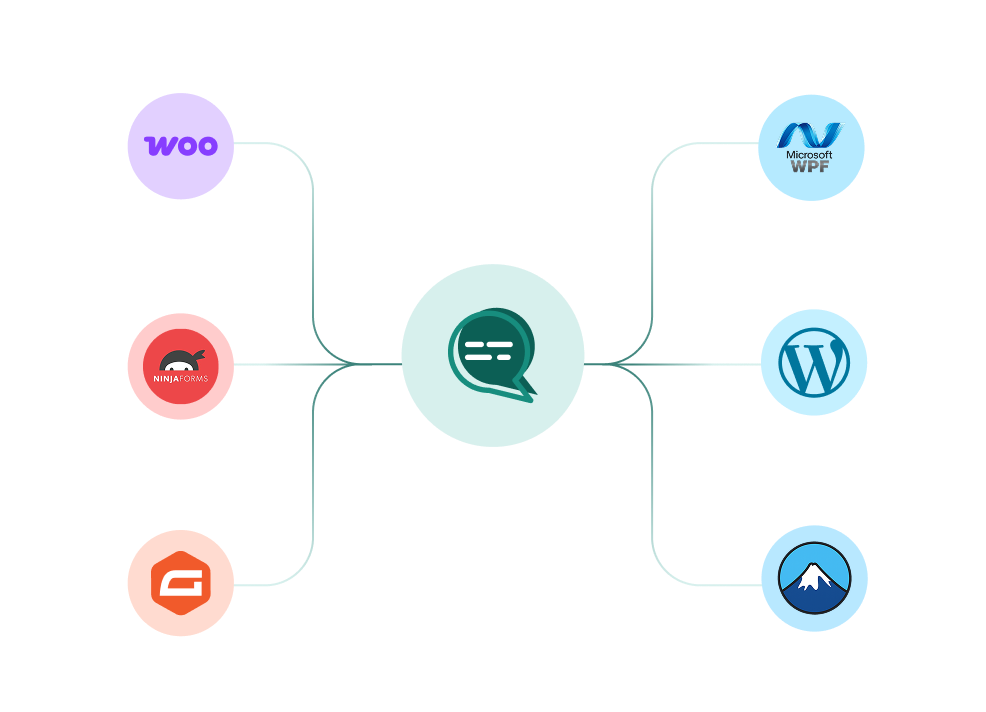
WooCommerce, WordPress, Ninja Forms, Gravity Forms and more connected to a single Wbotz WhatsApp hub
  • WooCommerce
  • WordPress
  • Gravity Forms
  • WPForms
  • Ninja Forms
  • Contact Form 7
  • + REST API & webhooks
Conversations handled on Wbotz
100K+
Conversations answered by chatbots
10K+
Markup added to Meta message charges
0%

Start on WhatsApp without paying a markup on every message

Put your campaigns, chatbot and team inbox on one official WhatsApp number, and pay Meta rates for the messages you send. Setup and green tick support are included.

  • 14 day free trial
  • No credit card required
  • No markup on Meta message charges

Cookie preferences

Choose what we may store on this device. You can change this at any time from our cookie policy, linked in the footer of every page. Your choice is remembered for 180 days.

Questions about this? Email [email protected].