







Skip to content

WhatsApp blue tick verification, applied for and tracked with you

Get verified faster, show your business name instead of a number, and earn customer trust from the first message.

Get WhatsApp Blue Tick Verification with Wbotz

Trusted by growing businesses across India and beyond

  • ByteNAP Networks
  • ByteWeb
  • cardziAI
  • MG Hospital
  • Mohanlal Tea
  • Origo
  • System Solution
  • Tapect

Key features and functionalities of WhatsApp Blue Tick

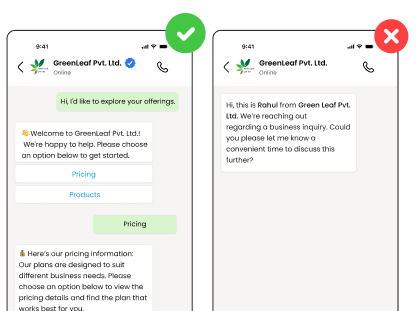
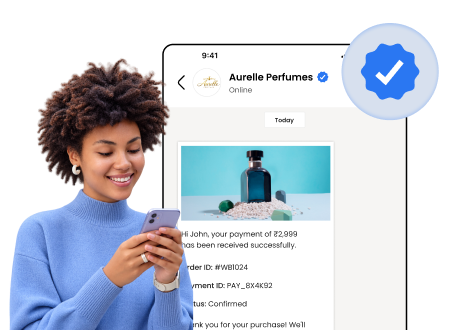
Verification is Meta confirming you are who you say you are. Your business name replaces the phone number, and the badge appears next to it in every chat, search result and forwarded message.

Your name instead of a number

An unsaved number is a stranger. A verified name is a business the customer already knows, which decides whether the first message gets opened at all.

  • Business name shows even when the customer has not saved you
  • The badge travels with forwarded messages
  • Your profile carries your address, hours, website and catalogue
  • One verified account per business name, so nobody can copy it
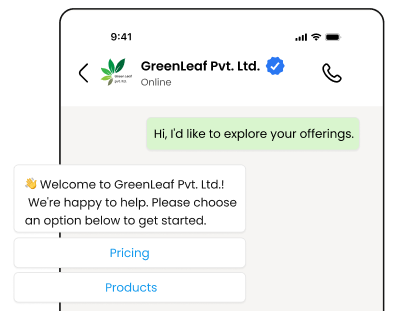
Verified business name and badge in a WhatsApp chat header

Protection from people pretending to be you

Impersonation is common in categories where money moves over chat. The badge is the difference a customer can actually check before they pay.

  • Customers can tell your account from a copy at a glance
  • Fewer disputes about whether a payment request was genuine
  • Report impersonators with a verified account behind you
  • Staff can point customers to one checkable identity
Verified account beside a fake lookalike account

We prepare the application with you

Most rejections are documentation problems, not eligibility problems. Wbotz assembles the file before it goes in and tracks it through review.

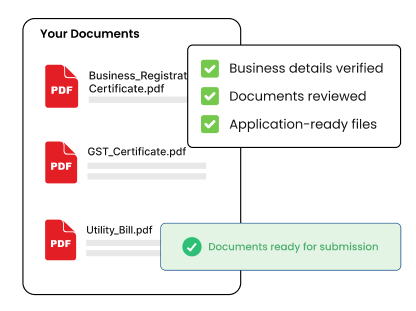
  • Registration documents, GST certificate and utility bills checked first
  • Media coverage collected and presented the way Meta expects
  • Application submitted and tracked by your onboarding manager
  • If it is rejected we fix the gap and reapply after the 30 day wait
Talk to onboarding
Verification document checklist in Wbotz onboarding

Benefits of using WhatsApp Blue Tick

What changes once this is running, as opposed to what it does.

  • Fewer messages ignored An unsaved number reads as a stranger. A verified business name is a sender the customer recognises before they open anything.
  • Fewer disputes about what is genuine When money moves over chat, customers ask whether a payment request is really you. The badge is the answer they can check themselves.
  • One identity your staff can point to Everyone on the team sends from the same verified profile, instead of a spread of personal numbers nobody can vouch for.
  • A profile that does some selling Address, hours, website and catalogue sit on the verified profile, so the first tap tells a customer what you are before anyone replies.

Why build WhatsApp Blue Tick with Wbotz

Plenty of platforms will sell you this feature. These are the four things that differ once you have signed.

No markup on your message charges

Meta charges ₹0.8631 for a marketing message to India and that is what reaches your invoice. We earn from the subscription, not from your volume, so a heavy month raises your Meta bill and leaves ours where it was.

See the rate table

Official Meta partner, not a workaround

Your number runs on the official WhatsApp Business Platform, is eligible for the green tick, and is not at risk of the bans that come with unofficial bulk senders.

See the WhatsApp Business API

Someone sets it up with you

An onboarding manager handles business verification and the green tick application, then runs live training for the people who will actually use it. That is included, not an upsell.

Talk to onboarding

Included on Starter, Growth, Enterprise

Not a module you buy separately. The CRM, chatbot builder, broadcasts and shared inbox come with every plan, from ₹1,000 a month billed annually, with unlimited contacts and conversations throughout.

Compare plans
5 to 7 days
Typical Meta review time once documents are in
3 +
Pieces of unpaid media coverage Meta looks for
0 %
Markup Wbotz adds to Meta message charges

How it works

Four steps from a blank account to whatsapp blue tick running on your number. No developer needed.

  1. 01

    Get on the official API

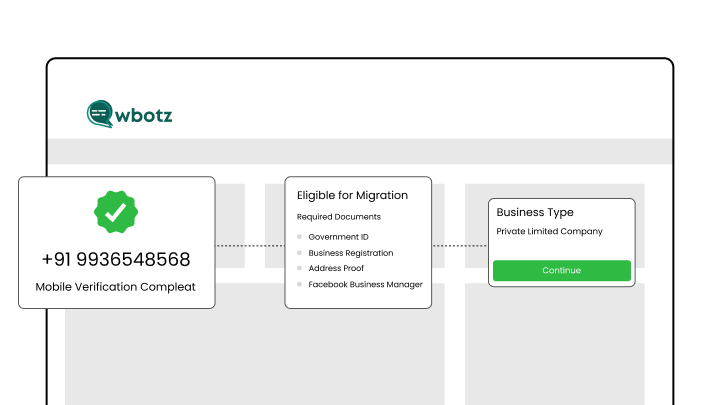
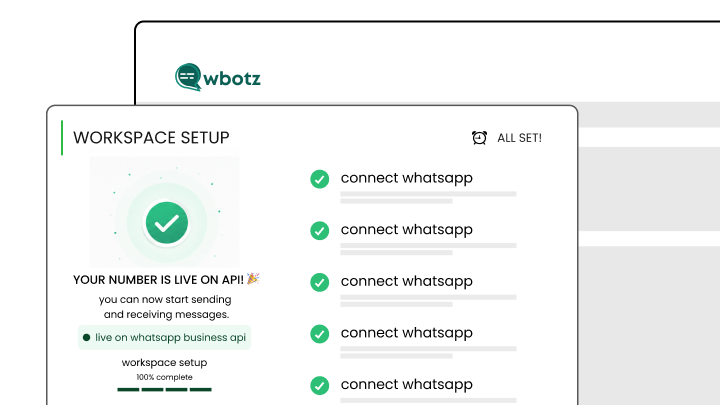
    Verification runs through the WhatsApp Business Platform, so the API account comes first. It is included in every Wbotz plan.

    Wbotz screen: API account connected and active
  2. 02

    Collect your documents

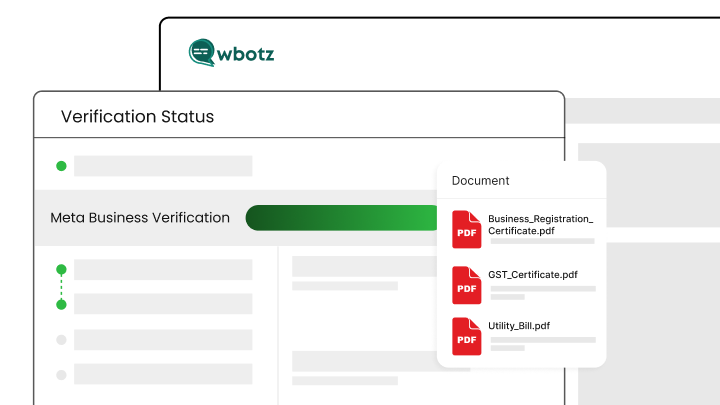
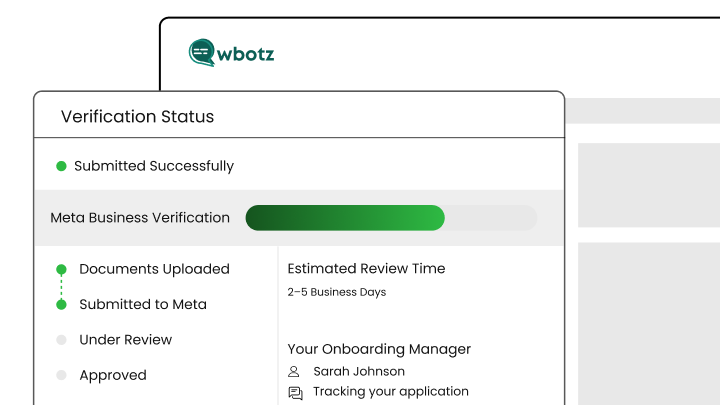
    Business registration, GST certificate, a utility bill in the business name and your unpaid media coverage.

    Wbotz screen: verification document upload
  3. 03

    Submit through Meta Business Manager

    Your onboarding manager files the application and answers Meta queries during review.

    Wbotz screen: verification application submitted
  4. 04

    Badge goes live

    Once approved the badge appears next to your business name in every conversation, with nothing to change on your side.

    Wbotz screen: verified badge live on the business profile

Frequently asked questions

How long does WhatsApp Blue Tick verification take?
The verification process typically takes 5-7 business days once all requirements are met, though it can take up to 14 days during high-volume periods.
Is WhatsApp Blue Tick verification free through the API?
Yes, verification through WhatsApp Business API is completely free, you only pay standard API messaging charges, with no additional verification fees.
What documents do I need for verification?
You’ll need business registration documents, utility bills, GST certificate (for Indian businesses), bank statements, and proof of organic media coverage.
Can I apply for Blue Tick if I currently have a Green Tick?
No action needed, existing Green Tick badges automatically convert to Blue Tick badges as part of Meta’s platform update.
What happens if my Blue Tick application gets rejected?
You can reapply after 30 days. Meta recommends building more media presence and ensuring all requirements are fully met before reapplying.
Do I need media coverage to get verified?
Yes, you need at least 3-5 pieces of organic (unpaid) media coverage from reputable publications or news outlets mentioning your business.
Can small businesses get WhatsApp Blue Tick verification?
Yes, both small and large businesses can get verified if they meet the requirements and have proper documentation and media presence.
Does Wbotz help with the entire verification process?
Yes, as an official Meta partner, Wbotz guides you through API setup, document preparation, and the complete verification application process to maximize your approval chances.

Connect everything you already use

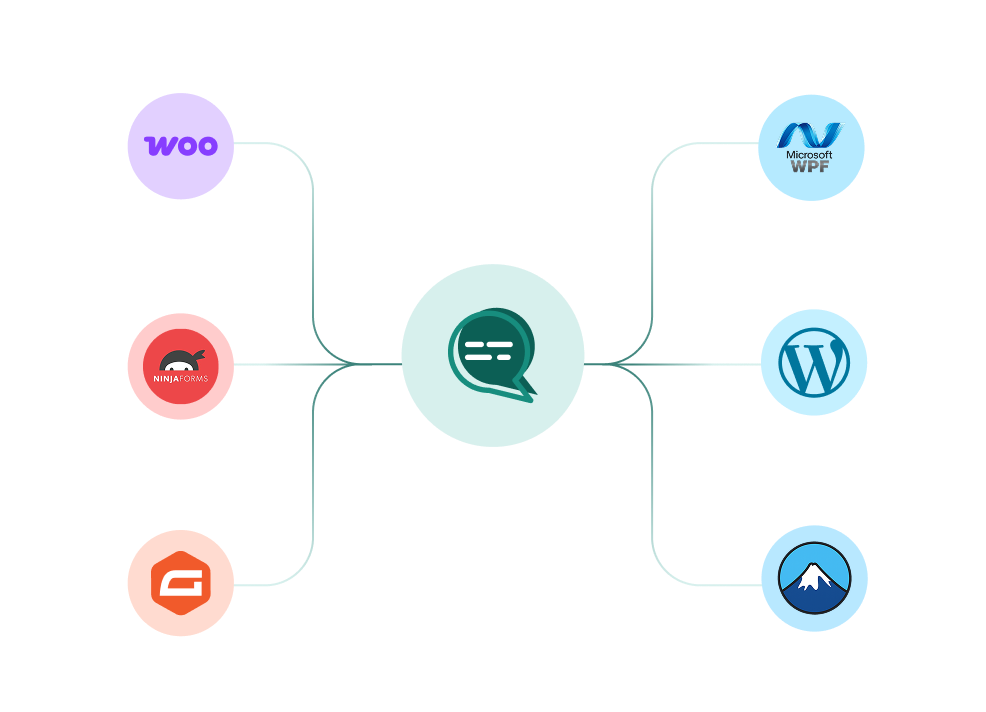
Your CRM, your store, your helpdesk and your forms, joined to the same WhatsApp number. Every plan also ships unlimited REST API calls and webhooks for anything not on the list.

WooCommerce, WordPress, Ninja Forms, Gravity Forms and more connected to a single Wbotz WhatsApp hub
  • WooCommerce
  • WordPress
  • Gravity Forms
  • WPForms
  • Ninja Forms
  • Contact Form 7
  • + REST API & webhooks
Conversations handled on Wbotz
100K+
Conversations answered by chatbots
10K+
Markup added to Meta message charges
0%

Start on WhatsApp without paying a markup on every message

Put your campaigns, chatbot and team inbox on one official WhatsApp number, and pay Meta rates for the messages you send. Setup and green tick support are included.

  • 14 day free trial
  • No credit card required
  • No markup on Meta message charges

Cookie preferences

Choose what we may store on this device. You can change this at any time from our cookie policy, linked in the footer of every page. Your choice is remembered for 180 days.

Questions about this? Email [email protected].