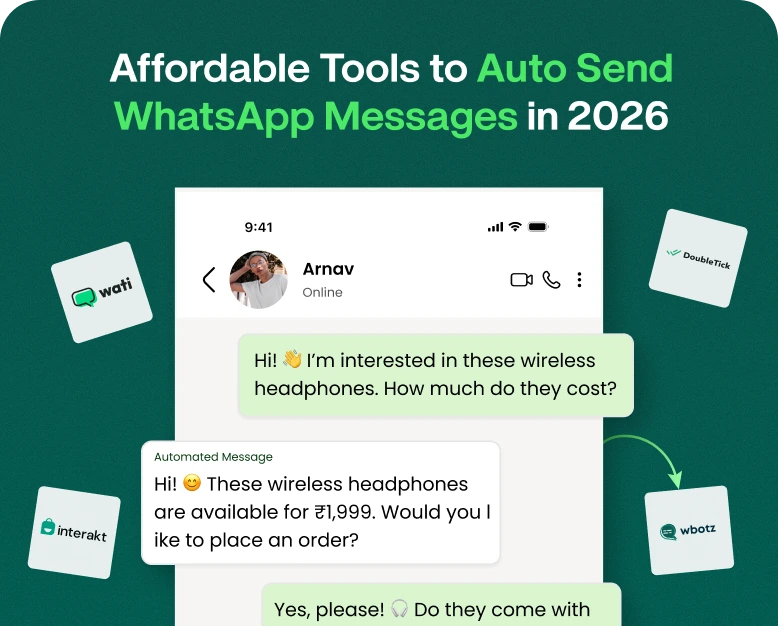
Affordable Tools to Auto Send WhatsApp Messages in 2026
Manually managing customer conversations can take up a big chunk of your day. You may need to send appointment reminders, confirm orders, follow up on leads, share payment updates or notify customers of special offers.…
Manually managing customer conversations can take up a big chunk of your day. You may need to send appointment reminders, confirm orders, follow up on leads, share payment updates or notify customers of special offers. When these tasks keep repeating themselves, it takes a lot of time to send each message separately and makes it easier to forget important follow-ups.
That’s where the auto send WhatsApp message tool can help. Businesses can schedule messages and automate routine notifications and follow up with customers without having to manually type out each message, with the right solution. This can enable teams to manage more conversations, enhance communication and save time.
However, not all WhatsApp automation tools have the same features or pricing. Some are aimed at simple scheduled messages, while others provide advanced automation, customer relationship management (CRM), team inboxes and campaign reporting. Choosing the wrong tool can mean paying for features you don’t need or choosing a solution that can’t support your business as it grows.
Discover cheap tools to send WhatsApp messages automatically in 2026,
how they work, compare the main features to consider and show you how to choose a solution that fits your budget and business goals.
What is Auto Send Messages Whatsapp?
Automatically sending WhatsApp messages means to use a feature or software integration to send messages according to a schedule, a customer action or a predefined condition.
You don’t send each message yourself. You create the message, choose the recipient or audience, and set the time or reason for sending it.
For example, a business might use automation for:
- Send a reminder for the appointment 1 day before the appointment.
- Send an order confirmation when a customer buys a product.
- Inform customers when their orders are ready to be delivered.
- A reminder that a payment is due.
- Follow up with a lead that has requested product information.
- Schedule promotional messages of a campaign in plan.
There are various methods to automate communication on WhatsApp. Some tools offer basic scheduling functionalities, while business-centric platforms leverage the official WhatsApp Business Platform to enable more complex workflows.
And it’s important to note that the features offered by the regular WhatsApp and WhatsApp Business app are not the same as full business automation software. Scheduling options may differ by app version, account, and region. To achieve reliable and scalable business messaging, make sure the tool uses supported WhatsApp integrations and complies with Meta’s messaging policies.
Why Do Businesses Need an Automatic WhatsApp Message Sender?
WhatsApp is handy for business communication as it enables customers to receive updates in a familiar messaging environment. Automation helps to manage these conversations when the customer volume and the number of messages per day is high.
1. Save Time on Repetitive Task
Many businesses send the same message over and over again. Manually writing appointment confirmations, order updates or standard follow-ups takes time away from employees who could be helping customers.
An automated WhatsApp message sender can take care of supported routine tasks with predefined templates and rules.
So, for example, a dental clinic may choose to use automatic appointment reminders that are sent once a booking is made, saving staff time on the phone with each patient.
2. Cut Missed Follow-ups
Today a potential customer may ask about a product and be ready to buy only after a few days. If your team does not follow up, you may lose an opportunity.
With a proper automation tool you can trigger a follow-up based on an agreed schedule or a customer action. This allows your team to focus on conversations that require a human touch.
3. Enhance the Customer Experience
Customers often want timely information, not to wait for someone to respond manually.
Automated messages can be a great way to keep you updated on things like bookings, deliveries, service requests and payments. When messages are relevant and sent at the right time, customers know what they can expect.
4. Help to Grow Your Business
For example, a small business may have one phone for all customer communications. As the business expands, managing hundreds of conversations becomes more challenging.
Automation can help standardise communication and support larger volumes without employees having to manually send every routine message. More advanced platforms may also include shared inboxes, assignment rules, segmentation and reporting of contacts.
5. Streamline marketing campaign management
Companies that are permitted to send promotional messages can schedule the campaigns in advance.
For example, an online retailer could automate an announcement of a seasonal sale or targeted product updates to customers who have chosen to receive such messages.
The aim should be useful communication, not the sending of as many messages as possible.
Cheap Tools to Auto Send WhatsApp Messages in 2026
You should choose the right tool depending on whether you want to schedule a few messages or automate communication for your entire business. Here are some options that are worth comparing before you buy.
1. WhatsApp Business: Basic business messaging
WhatsApp Business is an excellent starting point for small businesses to reach out to customers with business-oriented features.
Check out the scheduling and marketing-message options available to your account. WhatsApp’s official help documentation states that there is a feature to schedule specific marketing messages, which includes choosing an audience and setting a delivery date and time. Availability and requirements might differ from the general chat scheduling, so make sure the feature is available for your account.
Best For: Small businesses that need to communicate simple messages.
What to watch for:
- If your account has the scheduling feature you need
- If your phone or internet connection has to remain available
- When you have to pay for marketing messages
- If the feature supports your intended audience size
If you want automated messaging based on purchases, CRM events or customer actions, you may need a more advanced platform.
2. Team Messaging & Business Automation
Wbotz is built for businesses who want to have customer conversations, campaigns and automation in one place.
Its platform includes automated follow-ups, shared team inboxes, campaign messaging, integrations, and chatbot workflows. There is a pricing page with multiple subscription tiers. It charges for messages and limits features differently depending on the plan.
Best for: Growing businesses, customer support teams and companies that need more than basic scheduling.
What to check before buying:
- Included users and automation triggers
- Broadcasts or campaigns limited
- Message charges
- CRM and e-commerce integration
- Contract terms & support choices
Check out the existing options on the official Wbotz pricing page.
3. Interakt: For Sales & Client Engagement
Interakt offers WhatsApp-centric tools for customer communication, sales workflows and automation. The plans vary by product and region and its published pricing includes subscription options as well as features for business messaging and customer management.
Best for: Businesses that want to incorporate WhatsApp conversations into their sales and customer relationship management.
Features to assess:
- Automated follow-ups and responses
- Contact & Lead Management
- Team access and conversation management
- Features of the campaign
- Subscription costs and fees for messaging
To know which Interakt plan fits your country and use case, please refer to the official Interakt pricing page.
4. WhatsApp Business Platform: For Tailored Automation
The WhatsApp Business Platform is designed for businesses that need more scalable messaging, integrations, and automated workflows. It is available through a supported business solution provider, or can be embedded in a custom application.
Businesses can integrate messaging into their CRM, online store, booking system, or internal software depending on the setup. This can be used for sending messages when an order is made, payment status updates, or an appointment is nearing.
Best for: Businesses with specific automation needs, larger messaging volumes, or existing software systems.
Note: setup and on-going costs depend on the provider, the implementation, message category and recipient market. You may also need dev support for a custom integration.
For many small businesses, it’s easier to use a ready-made platform than to build a custom integration from scratch.
How to Choose a Cheap Auto WhatsApp Message Sender
Before purchasing a subscription, compare tools using a consistent checklist rather than choosing the one with the most features.
| What to compare | Questions to ask |
| Monthly price | What is the total subscription cost? |
| Message fees | Are message charges separate from the subscription? |
| Scheduling | Can you select a date, time, and audience? |
| Automation | Can messages be triggered by customer actions? |
| Templates | Does the platform support approved message templates when required? |
| Integrations | Can it connect with your CRM, website, or store? |
| Team access | Can multiple employees manage conversations? |
| Reporting | Can you track delivery, replies, and campaign performance? |
| Compliance | Does it use supported WhatsApp integrations and provide consent-management options? |
| Support | Can you get help when automation fails? |
A basic scheduling feature may be enough for a freelancer. An online store that sends order updates may need integrations, while a sales team may benefit from shared inboxes and follow-up automation.
The goal is to pay for useful capabilities—not features that look impressive but do not solve your actual problem.
How to Auto Send WhatsApp Messages [Step by Step Tutorial]
After you’ve chosen a suitable tool, follow these steps to create a successful automation workflow:
Step 1: Identify the message you want to send
Begin with a single repeatable communication task. I have nothing more to say.
- Appointment reminders
- Order acknowledgements,
- Shipping updates
- Reminders for payment
- Manage follow ups
- Announcements of events
Pick a repetitive task that’s time-consuming to do manually.
Step 2: Get Your Contact List Ready
Organise your contacts so the right people get the right messages. You could segment customers by their appointment date, or order status, or service interest, or subscription type.
Use contact information only to send messages customers have agreed to receive. Make sure you have a record of consent where necessary and that it is easy for recipients to stop receiving promotional messages.
Don’t buy random lists of phone numbers, or send unsolicited messages to people who haven’t agreed to be contacted.
Step 3: Write a Clear Message
Explain to the customer why they are receiving your message, and what they should do next.
For example an appointment reminder might say:
Hi just a reminder of your appointment with on at Reply if you need to reschedule.
Only use personalisation fields if your tool supports it and test them before you turn on the automation.
Step 4: Select Schedule or Trigger
Set a date and time for a scheduled message or define an event that should trigger an automated message.
Such as:
- The day before an appointment
- Right after an order is confirmed
- Following an inquiry from a customer
- When it is time to pay
If you have repeating reminders, double check your workflow to ensure it’s not sending duplicate messages when a customer reschedules an appointment or makes a payment.
Step 5: Test Before Launch
Send a test message to your number or to a test contact. Review message wording, personalisation, links, timing, and formatting.
Also test popular exceptions. What if an order is cancelled, an appointment is rescheduled, or an opt-out occurs? A solid workflow needs to cover these situations.
Step 6: Track results and refine
Once you’ve launched, look at delivery reports, customer replies, opt-outs and any conversion data you have.
If customers continue to ask the same question after a message, reword the message or add the missing information. If a reminder is sent too early, adjust timing.
Start small, check results, and only scale the workflow when it works as expected.
What is the cost of WhatsApp Message Automation?
The price of automating WhatsApp messages varies by the kind of tool, your volume of messages and the features you require. Some solutions charge a monthly subscription fee, and some charge extra fees for messages, automation usage or extra users.
Here are 3 areas of cost to consider when estimating your budget.
1. Subscription Charges
This is the current cost to use the platform. The basic plans may be good for smaller businesses, but the advanced plans generally offer more automation workflows, team features, integrations and reporting.
2. WhatsApp Messaging Rates
If you send messages using the WhatsApp Business Platform, you may incur messaging charges (depending on the category of message, recipient country and current pricing rules). These costs are not included in your software subscription, so check the provider’s rate card before you buy.
3. Integration and Setup Costs
Some tools are easy to set up, while others require technical assistance to build a custom workflow. If you need to connect WhatsApp with an e-store, CRM, booking system or other business software, verify whether the integration is free or paid.
Money Saving Tip: Work out your monthly message volume, decide which automations are essential and then work out the total cost before selecting a plan. If you’re still testing your workflow, begin with a monthly subscription unless there’s an annual plan that suits your business and you can save with it.
WhatsApp Message Automation Examples in Real Life
Here are three practical ways businesses can automate without making customer communication seem robotic.
Example 1: A Coaching Center
Dozens of queries from students reach a coaching institute in a week. Staff time is spent answering basic questions, reminding students of upcoming classes.
The institute sets up an automation workflow to send confirmation of inquiry and class reminders to students who have opted in for such updates.
This results in a more orderly communication process. Staff can spend more time answering detailed questions than manually sending every reminder.
Example 2: Internet Shop
Online store taking orders all day. Customers often contact Support to ask about their purchase confirmation or shipment.
The store can integrate its messaging platform with its order management system and send relevant order updates as the order status changes.
This provides customers with more clear information and can reduce repetitive status enquiries. The store should still have the option to contact a real support representative when an issue needs personal help.
Example 3: Local Service Company
Missed appointments are when customers forget the time of their booking and a salon or repair service loses potential revenue.
The business can send appointment reminders and directions for rescheduling. Cancelling a reservation also stops future reminders.
It’s a simple automation that can help customers and employees schedule easier, without a complicated marketing system.
The examples above are intended to demonstrate potential benefits, not to guarantee results.
Real results will depend on client preferences, message quality, workflow design and the ability of the business to manage its communication consistently.
WhatsApp Automation Rules You Need To Follow In 2026
“Affordable automation must also be responsible automation.” Using the wrong tool or sending the wrong message can erode customer trust and put your messaging access at risk.
Keep these points in mind:
- Get consent: Send messages in compliance with applicable WhatsApp requirements and customer consent.
- Use supported tools: Use official WhatsApp features or providers that use approved integrations. Beware of third-party bulk-sending software that asks you to use dangerous workarounds.
- Follow template requirements: Depending on the message type and current rules, business-initiated messages on the WhatsApp Business Platform may need to use approved templates.
- Honour opt-outs: If a customer chooses to withdraw consent or to not receive promotional messages, stop sending them.
- Don’t spam: Send relevant updates at reasonable intervals, instead of bombarding customers’ inboxes with the same promotions over and over.
- Protect customer information: Restrict access to contact lists and don’t divulge sensitive information in automated messages.
Review the current WhatsApp Business messaging terms and the documentation of the provider you’ve selected before you start your campaign. Rules and prices can change so don’t take old tutorials at face value only.
Frequently Asked Questions
1. What is the best tool to auto send messages on whatsapp?
The best tool for you may vary depending on your needs. If you want simple business communication, WhatsApp Business might work for you. But if you want advanced messaging and automation, you can check Wbotz and Interakt. Before you make your choice, check out the current pricing, supported workflows, messaging fees, integrations, and account requirements.
2. Can I Schedule a Message in WhatsApp?
The scheduling options available depend on the WhatsApp product and features available to your account. WhatsApp does have documented scheduling capabilities for some marketing messages. If you need recurring reminders or customer action triggered messages, then you probably need a compatible business automation platform.
3. Free WhatsApp Message Sender Automatically?
Some basic WhatsApp business features may be free, while other features such as advanced scheduling, integrations or business messaging services may require a separate automation subscription. Not all automation tools are free, so check current feature availability and pricing.
4. Can I send WhatsApp messages to customers automatically?
Yep. Supported setups allow businesses to automate messages for events such as order confirmations, appointment reminders, and customer follow-ups. Capabilities are specific to platform, integration and WhatsApp messaging rules.
5. Is Bulk WhatsApp Automation Safe?
When appropriate, you may utilise supported tools, message customers who have opted in to receive communications, and adhere to applicable messaging policies. No unauthorised tools or unsolicited bulk messaging. Before launching a campaign, review consent, opt-out handling, message limits, and provider terms.
Conclusion: Choose a Cheap WhatsApp Automation Tool That Works for Your Business
Businesses can save time, manage follow-ups and keep customers informed with automatic WhatsApp messages. Whether you are running a small service business, an online store, a coaching institute or a growing sales team, the right tool can make your everyday communication easier.
Before you purchase, determine the tasks you want to automate, compare messaging and subscription costs, test out the scheduling features, and verify that the provider supports the integrations you need. The most expensive platform is not something you need to begin with, you need a platform that solves your current problems and has room to grow.
Ready to make customer communication easier? Check out the plans offered by platforms focused on WhatsApp such as Wbotz and Interakt and compare. Or start by just looking at the features available in WhatsApp Business. Pick a solution that fits your budget, test one flow and build your automation strategy on messages that actually help your customers.
Written by
Jayesh Makwana
Part of the Wbotz team, writing about WhatsApp Business API, automation and the campaigns that actually convert.