







Skip to content

WhatsApp Flows: forms, bookings and checkouts inside the chat

Build interactive in-chat journeys, surveys, bookings and checkouts, with a visual builder, in minutes.

Automate Engagement with Custom WhatsApp Flows

Trusted by growing businesses across India and beyond

  • ByteNAP Networks
  • ByteWeb
  • cardziAI
  • MG Hospital
  • Mohanlal Tea
  • Origo
  • System Solution
  • Tapect

Key features and functionalities of WhatsApp Flows

A flow is a structured screen inside WhatsApp: a form, a date picker, a menu of options. The customer completes it without leaving the conversation and without opening a browser.

Collect structured answers, not free text

Dropdowns, date pickers and checkboxes give you clean data instead of a message you have to read and retype.

  • Fields, options and validation defined by you
  • Answers land on the contact record in the right fields
  • No transcription, no misread handwriting, no typos
  • Works on every phone that runs WhatsApp
WhatsApp flow form with dropdowns and a date picker

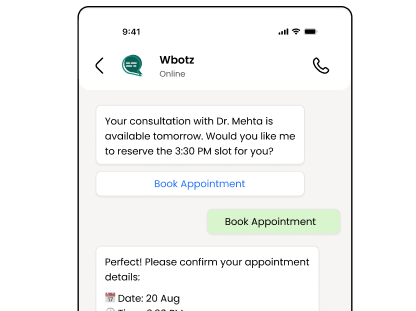
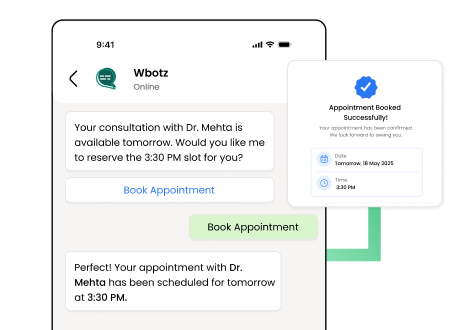
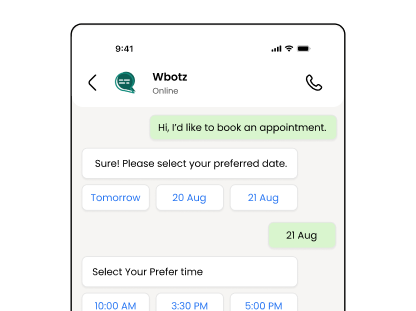
Take the booking without a call

Appointments, test drives, site visits, table reservations and demos all get booked inside the thread, with the confirmation sent straight after.

  • Show the slots that are actually free
  • Confirm immediately and remind before the appointment
  • Reschedule in the same thread instead of over three calls
  • Reminders go as utility messages at Meta rates
See transactional messages
Appointment slot selection inside a WhatsApp flow

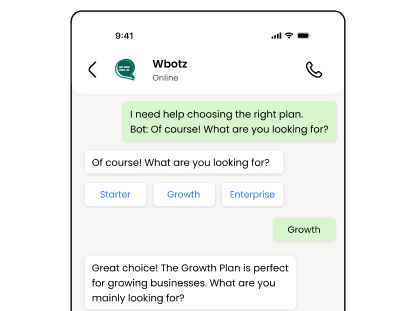
Guide people through a choice

Menus and branching questions take a customer from "I need something" to the exact product, plan or department, without a human in the middle.

  • Branch on the previous answer, not one long list
  • Hand off to a person at any point
  • Reuse the same flow across ads, your site and print QR codes
  • Change the flow without republishing anything
See the WhatsApp chatbot
Branching menu guiding a customer to the right option

Feed the answers straight into your systems

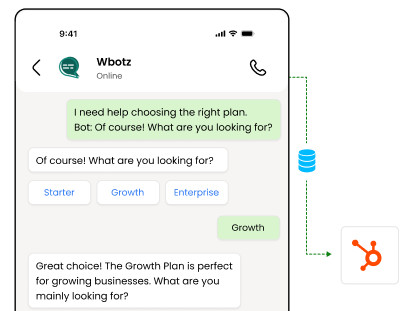
What the customer fills in reaches your CRM, your ticketing tool or your database the moment they submit it.

  • Post every submission to your systems by webhook
  • Trigger the next flow, sequence or assignment automatically
  • Unlimited REST API calls on every plan
  • Nothing waits for someone to copy it across
Browse integrations
Flow submission being posted to an external system by webhook

Benefits of using WhatsApp Flows

What changes once this is running, as opposed to what it does.

  • Clean data instead of loose text Structured fields land in the right place on the contact record, so nobody retypes a message into a spreadsheet.
  • Fewer calls to book anything Appointments, visits and reservations are taken inside the chat, at whatever hour the customer is free to do it.
  • Fewer drop offs than a web form Nobody has to open a browser, install anything or create an account to finish what you asked for.
  • Your systems get it immediately Every submission posts to your CRM or ticketing tool as it happens, so the work starts without a handover.

Why build WhatsApp Flows with Wbotz

Plenty of platforms will sell you this feature. These are the four things that differ once you have signed.

No markup on your message charges

Meta charges ₹0.8631 for a marketing message to India and that is what reaches your invoice. We earn from the subscription, not from your volume, so a heavy month raises your Meta bill and leaves ours where it was.

See the rate table

Official Meta partner, not a workaround

Your number runs on the official WhatsApp Business Platform, is eligible for the green tick, and is not at risk of the bans that come with unofficial bulk senders.

See the WhatsApp Business API

Someone sets it up with you

An onboarding manager handles business verification and the green tick application, then runs live training for the people who will actually use it. That is included, not an upsell.

Talk to onboarding

Included on Starter, Growth, Enterprise

Not a module you buy separately. The CRM, chatbot builder, broadcasts and shared inbox come with every plan, from ₹1,000 a month billed annually, with unlimited contacts and conversations throughout.

Compare plans
0.115
Rupees per utility message, at Meta rate
24 hr
Window in which replying costs nothing
0 %
Markup Wbotz adds to Meta message charges

How it works

Four steps from a blank account to whatsapp flows running on your number. No developer needed.

  1. 01

    Decide what you need to collect

    Start from the form you already make people fill in somewhere else, or the questions a rep asks on every call.

    Wbotz screen: new flow, choosing the fields to collect
  2. 02

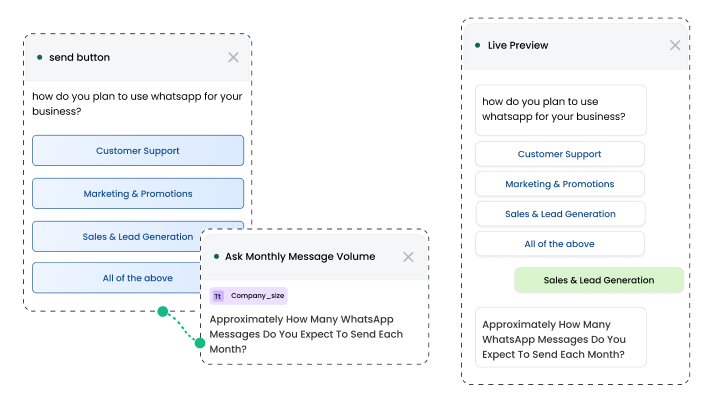
    Build the screens

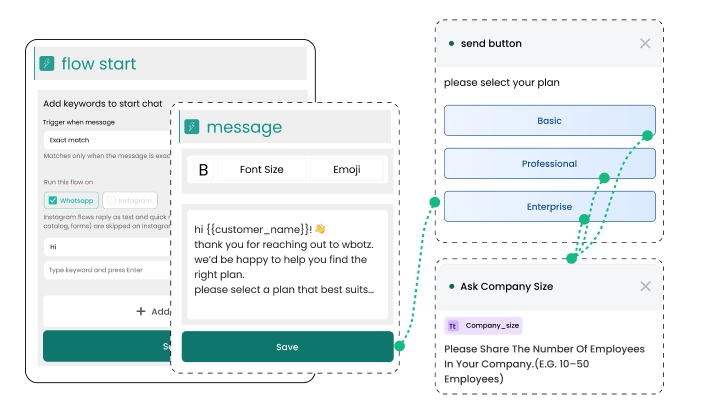
    Drag in fields, options and conditions. Preview it as the customer will see it in WhatsApp.

    Wbotz screen: flow builder with a live preview
  3. 03

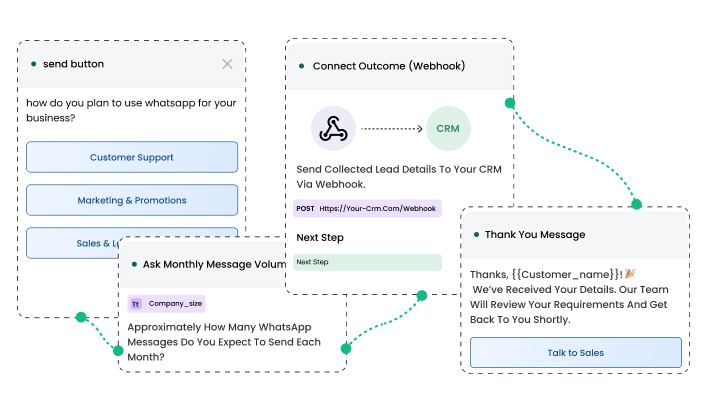
    Connect the outcome

    Send submissions to your CRM by webhook, and set what happens next in the conversation.

    Wbotz screen: flow webhook and next step configuration
  4. 04

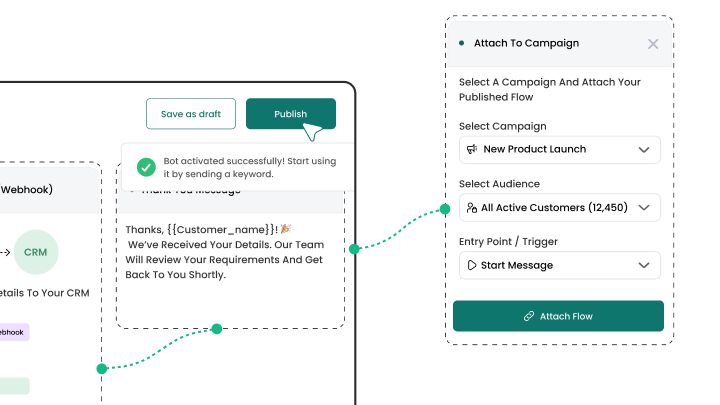
    Publish and attach it

    Attach the flow to a chatbot step, a campaign or a QR code, and it is live.

    Wbotz screen: publishing a flow and attaching it to a campaign

Frequently asked questions

Can I customize WhatsApp flows without coding?
Yes. Our intuitive drag-and-drop designer lets you add questions, buttons, and logic paths without any technical expertise.
How do I share a flow with customers?
Flows can be delivered via pre-approved message templates, CTWA ads, direct links, or QR codes, anywhere you communicate.
Are conditional flows supported?
Absolutely. Use conditional logic to branch users based on their answers, ensuring personalized and relevant journeys.
Can I integrate flow data with my CRM?
Yes. Automatically push form submissions and user responses to external systems with our REST API or webhooks.
Do flows work on all devices?
Flows run natively in WhatsApp on both iOS and Android, providing a consistent experience across mobile platforms.
How quickly can I launch a new flow?
With template options, you can deploy common workflows in under five minutes. Custom builds typically take less than 15 minutes.
Can I use flows for both sales and support?
Yes. Flows are versatile, use them to qualify leads, collect feedback, process orders, or troubleshoot issues around the clock.
How do I track flow performance?
Access detailed analytics on completion rates, average time per step, and user responses directly in the Wbotz dashboard to optimize your workflows.

Connect everything you already use

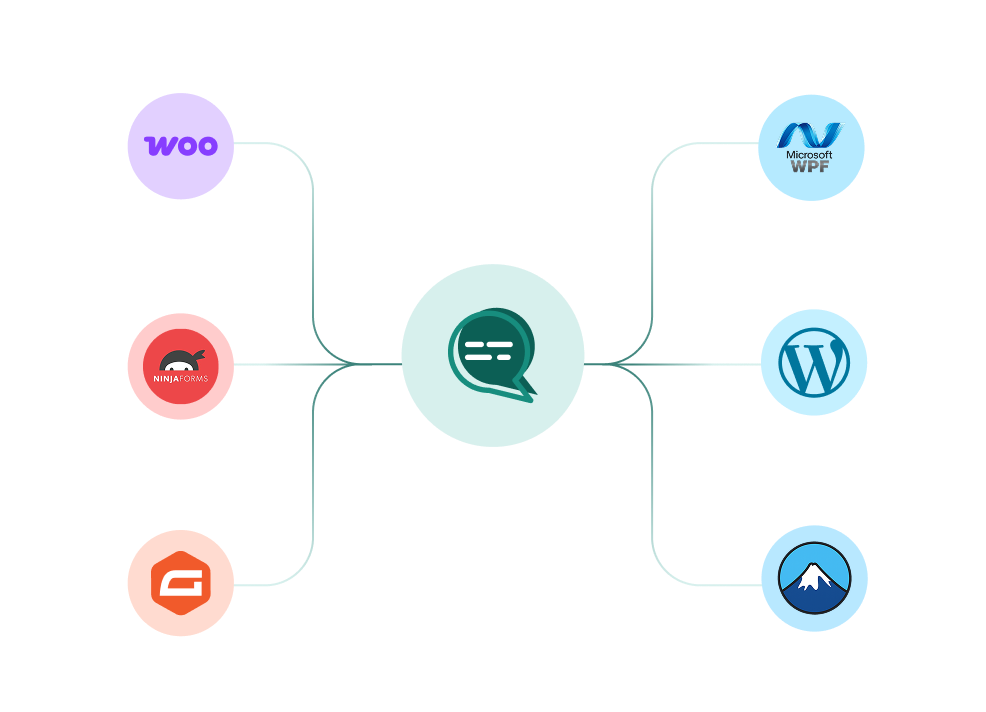
Your CRM, your store, your helpdesk and your forms, joined to the same WhatsApp number. Every plan also ships unlimited REST API calls and webhooks for anything not on the list.

WooCommerce, WordPress, Ninja Forms, Gravity Forms and more connected to a single Wbotz WhatsApp hub
  • WooCommerce
  • WordPress
  • Gravity Forms
  • WPForms
  • Ninja Forms
  • Contact Form 7
  • + REST API & webhooks
Conversations handled on Wbotz
100K+
Conversations answered by chatbots
10K+
Markup added to Meta message charges
0%

Start on WhatsApp without paying a markup on every message

Put your campaigns, chatbot and team inbox on one official WhatsApp number, and pay Meta rates for the messages you send. Setup and green tick support are included.

  • 14 day free trial
  • No credit card required
  • No markup on Meta message charges

Cookie preferences

Choose what we may store on this device. You can change this at any time from our cookie policy, linked in the footer of every page. Your choice is remembered for 180 days.

Questions about this? Email [email protected].