






Skip to content

A WhatsApp automation tool for the replies you send every day

Automate greetings, quick replies, drip sequences and chatbots so customers get answers around the clock.

Trusted by growing businesses across India and beyond

  • ByteNAP Networks
  • ByteWeb
  • cardziAI
  • MG Hospital
  • Mohanlal Tea
  • Origo
  • System Solution
  • Tapect

Key features and functionalities of WhatsApp Automation

Automation is not a chatbot bolted on the front. It is the rules that decide what gets answered, who gets it, what follows and when a person needs to step in.

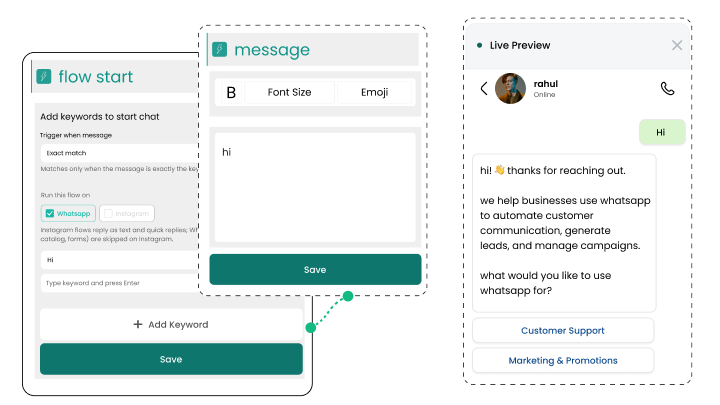
Reply the moment a message arrives

Auto replies, greetings and away messages mean nobody sits waiting, including at midnight and on a public holiday.

  • Different greetings per entry point and campaign
  • Business hours rules with a proper out of hours answer
  • Instant answers for the questions asked most often
  • Everything inside the free 24 hour window
Move work to the right person automatically

Routing rules read the conversation and assign it, so nothing sits unclaimed and nobody triages by hand.

  • Assign by keyword, campaign, language, region or product
  • Round robin across a team, skipping whoever is away
  • Escalate when a conversation goes unanswered too long
  • Managers see what is unassigned in one view
See the team inbox

Run sequences that stop themselves

Onboarding, follow ups, renewals and win backs run on a schedule and end the moment the customer does what you wanted.

  • Trigger on a tag, a form, a purchase or a date
  • Stop on reply, purchase or opt out
  • Branch on what the customer did last
  • Meta charges each message at its own rate, we add nothing
See drip campaigns

Connect actions in your other systems

An automation can create a CRM record, update an order, raise a ticket or call any endpoint you point it at.

  • Unlimited REST API calls and webhooks on every plan
  • Trigger flows from events in your own systems
  • Write back to your CRM without anyone retyping
  • Ready integrations for stores, forms and marketing tools
Browse integrations

Benefits of using WhatsApp Automation

What changes once this is running, as opposed to what it does.

  • Your team stops doing the repetitive part The messages people type fifty times a day go out on their own, and the team keeps the conversations that need judgement.
  • Cover outside office hours Customers get a real answer at midnight and on a public holiday, without anyone being rostered for it.
  • Nothing forgotten in the follow up Sequences run to the end and stop themselves the moment the customer acts.
  • Consistent answers everywhere The same rules apply on every conversation, so quality does not depend on who happened to pick it up.

Why build WhatsApp Automation with Wbotz

Plenty of platforms will sell you this feature. These are the four things that differ once you have signed.

No markup on your message charges

Meta charges ₹0.8631 for a marketing message to India and that is what reaches your invoice. We earn from the subscription, not from your volume, so a heavy month raises your Meta bill and leaves ours where it was.

See the rate table

Official Meta partner, not a workaround

Your number runs on the official WhatsApp Business Platform, is eligible for the green tick, and is not at risk of the bans that come with unofficial bulk senders.

See the WhatsApp Business API

Someone sets it up with you

An onboarding manager handles business verification and the green tick application, then runs live training for the people who will actually use it. That is included, not an upsell.

Talk to onboarding

Included on Starter, Growth, Enterprise

Not a module you buy separately. The CRM, chatbot builder, broadcasts and shared inbox come with every plan, from ₹1,000 a month billed annually, with unlimited contacts and conversations throughout.

Compare plans
24 hr
Window in which replying costs nothing
90 +
Languages your automations can reply in
0 %
Markup Wbotz adds to Meta message charges

How it works

Four steps from a blank account to whatsapp automation running on your number. No developer needed.

  1. 01

    Pick the repetitive job

    Look at what your team types most often. That is the first automation, not the most complicated one.

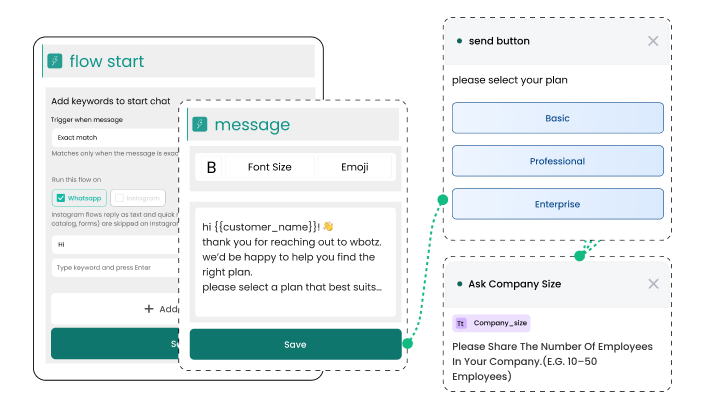
    Wbotz screen: choosing an automation trigger
  2. 02

    Build the rule

    Set the trigger, the condition and the action. No code, and you can preview it before it runs.

    Wbotz screen: automation rule builder
  3. 03

    Decide when a human takes over

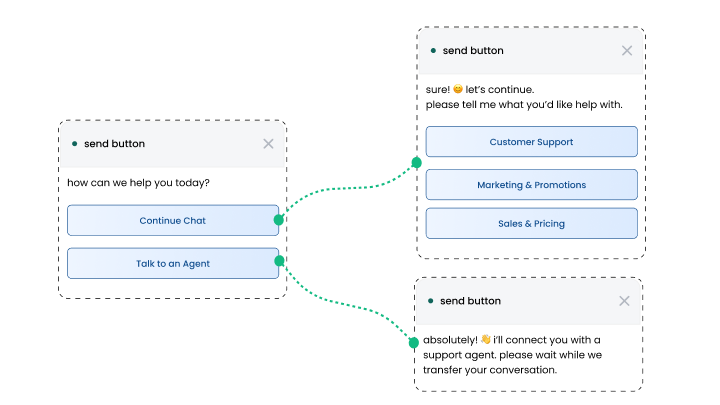
    Set the keywords, failures and hours that hand the conversation to a person with the history attached.

    Wbotz screen: escalation and handover rules
  4. 04

    Turn it on and measure it

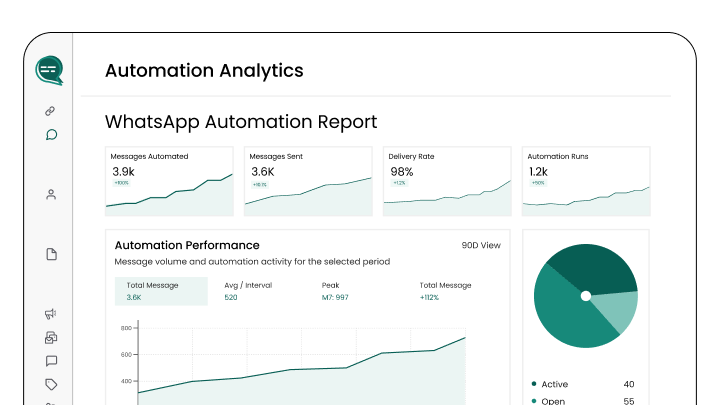
    Watch how many conversations it closes on its own, and adjust the answers people ask follow ups about.

    Wbotz screen: automation performance report

Frequently asked questions

Can I automate replies without technical skills?
Yes, Wbotz offers a simple drag-and-drop builder designed for users of all skill levels, no coding required.
Does WhatsApp automation work with live agents?
Absolutely. You can switch between bots and live agents, routing chats based on complexity and availability.
Can I schedule messages for future delivery?
Yes, schedule timed messages or sequences to engage users at optimal moments and keep conversations active.
How can automation improve sales?
By qualifying leads through chatbots and sending targeted follow-ups, automation boosts conversion rates and shortens sales cycles.
Is WhatsApp automation GDPR compliant?
Wbotz ensures all automation workflows adhere to GDPR and local data privacy standards, protecting user consent and data security.
Can I personalize automated messages?
Yes, include dynamic customer information like names, order details, or preferences for a personalized experience.
Does automation work across different industries?
Definitely. From e-commerce to healthcare, finance to education, WhatsApp automation adapts to any sector’s communication needs.
How do I track automation performance?
Use in-built dashboards that show metrics like response times, message open rates, and lead conversion to optimize flows continuously.

Connect everything you already use

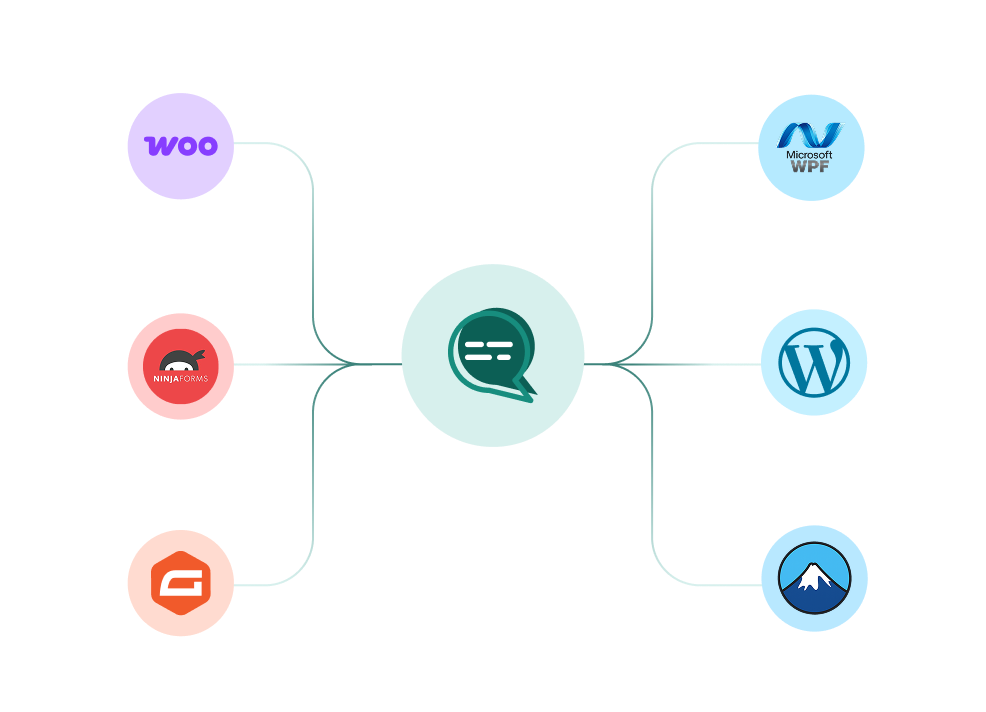
Your CRM, your store, your helpdesk and your forms, joined to the same WhatsApp number. Every plan also ships unlimited REST API calls and webhooks for anything not on the list.

WooCommerce, WordPress, Ninja Forms, Gravity Forms and more connected to a single Wbotz WhatsApp hub
  • WooCommerce
  • WordPress
  • Gravity Forms
  • WPForms
  • Ninja Forms
  • Contact Form 7
  • + REST API & webhooks
Conversations handled on Wbotz
100K+
Conversations answered by chatbots
10K+
Markup added to Meta message charges
0%

Start on WhatsApp without paying a markup on every message

Put your campaigns, chatbot and team inbox on one official WhatsApp number, and pay Meta rates for the messages you send. Setup and green tick support are included.

  • 14 day free trial
  • No credit card required
  • No markup on Meta message charges

Cookie preferences

Choose what we may store on this device. You can change this at any time from our cookie policy, linked in the footer of every page. Your choice is remembered for 180 days.

Questions about this? Email [email protected].