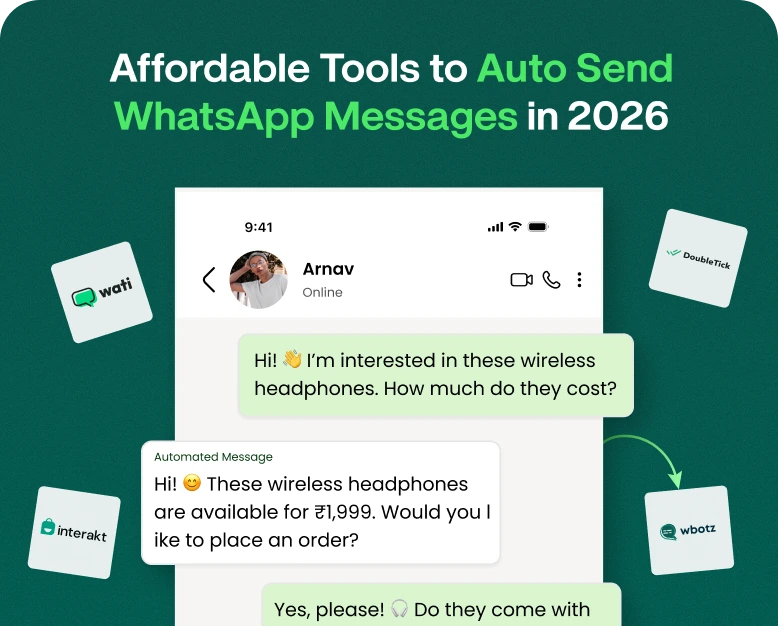
Affordable WhatsApp Business Automation Tool Today
Imagine this, it’s 9 p.m., your shop has closed for the day, but your WhatsApp is still buzzing. A prospective customer enquires about pricing. Another wants to see if you deliver to his area. One third is just saying…

Imagine this, it’s 9 p.m., your shop has closed for the day, but your WhatsApp is still buzzing. A prospective customer enquires about pricing. Another wants to see if you deliver to his area. One third is just saying “Hi” and waiting for a reply that won’t come until tomorrow morning by which point they’ve probably messaged your competitor instead.
If this sounds familiar you are not alone. Thousands of small business owners lose sales every day because they are too slow to reply. The good news is? You don’t need a call center or a fat enterprise budget to fix this. What you need is an affordable WhatsApp Business automation tool and in this guide, we’ll show you exactly what that means, how it works, and how to find one that fits your budget without compromising on results.
By the end of this post you’ll know what WhatsApp automation is, how it can save you hours every week, examples of real businesses doing it well and a step-by-step path to get started today.
So what is WhatsApp business automation really?
WhatsApp Business automation is the use of software, usually a whatsapp chatbot for sales, autoresponders or workflow tools, to automate repetitive conversations with customers without a human having to type each reply manually.
An automation tool can answer “What are your store hours?” for you or your staff for the fiftieth time this week, instantly, 24/7, based on pre-set rules or AI-driven responses.
Basically, WhatsApp automation usually involves:
- Automatic answers to FAQs (hours, location, prices)
- Chatbots that assist customers with a menu of options
- Automatic lead capture that captures a customer’s name, need and contact info
- Broadcast messaging to send updates or offers to targeted customer lists
- CRM integration to align conversations with your sales pipeline
- Automated follow-ups that bring cart-abandoners and cold leads back to the conversation
This isn’t about replacing human connection, it’s about ensuring no customer ever has to wait in silence, particularly after hours.
Why This Matters More Than You Know
It’s tempting to see automation as a “nice to have.” In fact, it’s becoming a competitive necessity for small and mid-sized businesses.
1. Fast Trumps Slow
According to research on buyer behaviour, companies that respond within five minutes have a much better chance of converting a lead than companies that take an hour or more. But customers messaging on WhatsApp expect near-instant replies – it’s a chat app, not email.
2. It Solves the “One-Person Team” Problem
Many small business owners are wearing all the hats from marketing, sales, fulfillment and customer support. Automation is like a tireless assistant. It doesn’t sleep. It doesn’t get overwhelmed. It doesn’t forget to follow up.
3. It Reduces Repetitive Work
Answering the same five questions again and again is draining and time-consuming, pulling you away from the higher-value work of closing deals or improving your product.
4. Cheap Tools Can Be Found Everywhere
Automation was once the expensive enterprise software of a few years ago. Today there are affordable WhatsApp Business automation tools for small businesses, freelancers and growing startups that can start at a fraction of the cost of hiring additional support staff.
Case Study: How a Small Boutique Saved 10+ Hours Per Week
Think of a clothing boutique run from home, and the main sales channel is WhatsApp and Instagram. Before automation, the owner responded to every message that came in, like “Is this available in my size?” and “Do you ship to my city?” herself, often losing track of which leads she’d already followed up on.
After establishing a basic automated lead replies workflow:
- New messages would immediately trigger a welcome reply with a link to the catalogue
- A short quiz style chatbot quizzed customers on what product category they were interested in
- Leads were automatically tagged and sorted by interest
- Twenty-four hours later, automated, friendly follow-up was sent to customers who added items to a “cart” but did not complete a purchase
The outcome? She recovered 10+ hours a week and increased sales completed from abandoned conversations and she didn’t have to hire anyone new.
This is the exact kind of transformation an affordable automation tool can bring to service businesses, retailers, coaches, real estate agents and local shops alike.
WhatsApp Business Automation Setup Guide to Get Started Today
Getting started is easier than most people think. Here’s a practical road map:
Step 1: Identify Your Biggest Bottleneck
Before you pick a tool, figure out what is really eating your time. Is it?
- Answering the same faqs?
- Following up with leads that go cold?
- Manually sending order updates?
Understanding your bottleneck helps prevent you from paying for features you don’t need.
Step 2: Pick the Correct Platform
Look for a whatsapp business automation tool that has:
- No-Code Chatbot Builder. Easy.
- Compatible with WhatsApp Business API or WhatsApp Business App
- Lead tagging and basic CRM functionalities
- Broadcast and campaign messaging
- Transparent, small business friendly pricing
Step 3: Create a Basic Welcome Flow
Your first automation doesn’t need to be complicated. Begin with:
- An instant greeting message.
- A menu (Reply 1 for Pricing, 2 for Support, 3 to Talk to a Human, etc.)
- Option for handoff when customer wants to talk to a human
Step 4: Automate Your Lead Gen
Set up your bot to collect a customer’s name, need, and preferred time of contact. This can alone dramatically improve your process for automating lead replies and reduce missed opportunities.
Step 5: Set up Follow-up Sequences
Set up non-spammy, automated follow-ups for:
- Leads who did not reply within 24 hours
- Customers who asked for price but did not buy
- Follow up after a purchase for feedback or reviews
Step 6: Try it out in real conversations
Try sending some test messages yourself. Ensure the tone is human, the options are clear and there is always an easy way to reach a real person.
Step 7: Watch and Improve
Check your analytics every week. What messages are the most engaging? Where do your customers leave their goods? Big improvements over time come from small changes.
Features to Consider in an Affordable Tool
Not every automation tool is the same. In terms of options, put priority on:
- Clear pricing – no surprise per message charges that inflate your bill
- Easy to Deploy – No Developer Needed to Launch Your First Bot
- Multi-agent support – so your team can jump into conversations when necessary
- Analytics dashboard — for tracking response times, conversions, and drop-offs
- Integration options – with tools like Google Sheets, e-commerce or CRMs
- Scalability – the tool should grow with you and not force an expensive migration at a later date
A truly affordable WhatsApp Business automation tool finds the right balance between price and these essentials instead of cutting features you’re going to need in a few months.
Benefits Overview
Here’s why investing in this type of automation pays off quickly:
- More rapid response times that directly improve conversion rates
- 24/7 availability, even on holidays and after hours
- Less hands-on work for you and your team
- Consistent brand voice through all customer touchpoints
- Better lead org so nothing gets missed
- Scalable customer support without scaling the headcount
- Enhanced customer experience as responses are perceived as timely and professional
Frequently Asked Questions
1. Is WhatsApp Business automation only for large businesses?
No . In fact, it is often small businesses that benefit the most as automation takes over tasks that would otherwise require hiring additional staff.
2. Will customers be aware they’re talking to a robot?
Good automation tools don’t feel like automation. They’re transparent, yet conversational. Most also offer a simple way to escalate to a human agent at any time.
3. What is the price of a cheap whatsapp automation tool?
Pricing is all over the map, but a lot of small-business-friendly platforms offer starter plans that are a lot less than hiring part-time support staff. Always compare to your expected message volume.
4. Is WhatsApp Automation good for sales and customer service?
Yup. Many companies use the same tool to answer FAQs, qualify leads, send order updates, and re-engage cold conversations all from one dashboard.
5. Do I have to be technical to do this?
Most modern tools are built with no-code chatbot builders so you can set up flows with simple drag-and-drop menus instead of writing code.
Final Thoughts: Don’t Lose Sales Because of Slow Response Times
Every WhatsApp message you don’t answer is a sale you missed. The businesses that are winning today are not necessarily the ones with the biggest budgets, but the ones that are responding the fastest and most consistently, through smart, affordable automation.
If you’re tired of answering the same questions manually, losing track of leads or missing messages after hours, it’s time to make the switch.
Tired of losing customers while waiting for a reply? Try one of the cheap WhatsApp Business automation tools today. Create your first automated flow in minutes and see how much time – and sales you get back. Your future self (and your customers) will thank you.
Written by
Kalpit Parmar
Part of the Wbotz team, writing about WhatsApp Business API, automation and the campaigns that actually convert.