WhatsApp API Pricing: Compare the Best Business Plans
Are you considering using WhatsApp to talk to your customers, to gain new customers, or to promote your products? First, you will want to understand the price of the WhatsApp Business API. If you don’t select the right…
Are you considering using WhatsApp to talk to your customers, to gain new customers, or to promote your products? First, you will want to understand the price of the WhatsApp Business API. If you don’t select the right plan, you could significantly increase your marketing costs, as your business could send hundreds or thousands of messages a month.
However, the good news is that the WhatsApp Business Platform gives businesses the ability to manage customer communication at scale. It can be used for customer support, promotions, order notifications, and reminders. The total cost, however, depends on factors such as the category of the message, the location of your customers, the total number of messages sent, and the platform you choose.
Before purchasing a WhatsApp Business Plan, understanding WhatsApp API pricing can help you keep costs within budget.
In this article, we will help you understand WhatsApp API pricing, give examples of plans offered by different businesses, and help you understand what features are worth paying for. Finally, we will provide a few tips to reduce the total cost of your WhatsApp Business messages.
What is the WhatsApp Business API?
Unlike the personal WhatsApp account, the WhatsApp Business API is for businesses to communicate with their customers at scale. The personal account is limited to one-on-one messages. The Business API gives businesses additional features, integrations, and automation.
One of the use cases of WhatsApp API is order management by online stores. Online stores can use the API to send order confirmations, shipping notifications, payment reminders, and promotional messages. Sales teams can also use the API to manage inbound sales leads. Customer support teams can use it to manage multiple support interactions using a shared inbox.
To access the WhatsApp Business API you can either go through Meta’s Cloud API or through a Business Solution Provider (BSP) who additionally provides a software platform.
Examples of features provided by solution providers are:
- Bulk and personalized messages,
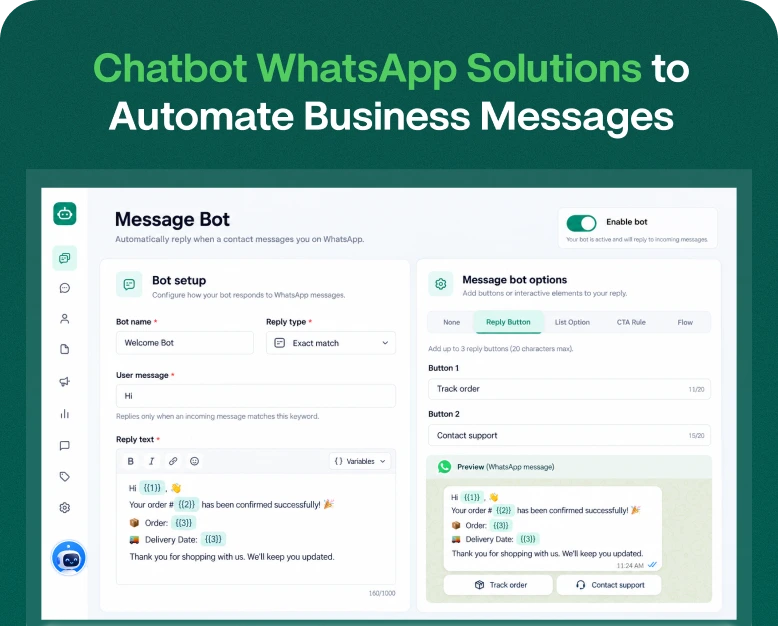
- Automated replies and chatbots,
- Broadcast campaigns,
- Integrations with CRMs and eCommerce solutions,
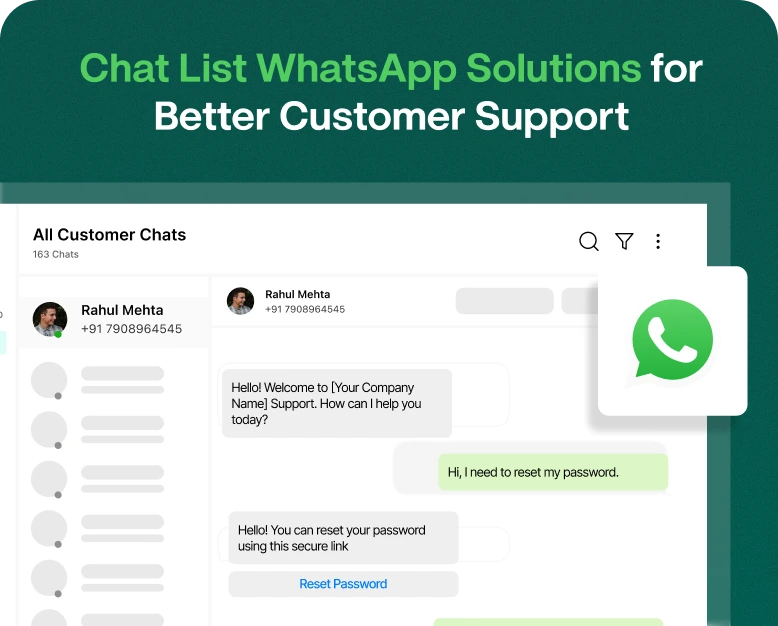
- Shared team inboxes,
- Message notifications, templates, and
- Reports and analytics.
The WhatsApp API does not provide an end to end marketing solution and hence often businesses need to rely on other platforms to provide an easier to use interface.
WhatsApp API Pricing
Understanding how pricing works is very important as businesses can end up with unexpected costs.
As of July 1, 2025, WhatsApp Business Platform adopted a per-message pricing model. Businesses are charged when their eligible WhatsApp business messages are delivered. The costs vary by message category and by the recipient country.
There are four main message categories.
1. Marketing Messages
Marketing messages are used to advertise and promote the business.
Examples include announcements about new products,
- Festive season offers,
- Campaigns,
- Promotions,
- Special offers and recommendations, and more.
These messages are commonly used to encourage leads and sales as well as attract new customers and promote repeat purchases.
2. Utility Messages
Utility messages provide an update regarding a customer interaction or transaction.
These messages may include an
- Order confirmation,
- Notification of shipment,
- Appointment confirmation or reminder,
- Payment notification, or
- Booking information.
Utility messages may provide important information regarding a customer order, transaction, or interaction and are usually not related to the promotion of a product or service.
3. Authentication Messages
Authentication messages allow businesses to validate customer identities.
One-time passwords (OTPs) and verification codes for login and account activity are a few examples.
Password reset codes are also a form of authentication messages.
These messages are often used in the context of online shopping, banking and finance, and other services where the user’s identity and the security of financial and personal data need to be protected.
4. Service Messages
Service messages are responses to customer inquiries.
Customers may inquire about the status of their order, request a refund, or require assistance in using a product or service.
These messages may be delivered through the WhatsApp Business Platform by your customer support team.
Meta’s pricing structure from October 2026 provides businesses with 1,000 free service messages per business phone number every month. Beyond that, standard rates may apply.
WhatsApp API Pricing in India: Current Message Charges
If your business mainly communicates with Indian customers, the following figures provide a useful starting point for estimating costs.
India rate card · Effective October 1, 2026
The following are Meta’s reported INR rates per delivered message, before applicable taxes and any third-party platform charges.
| Message category | Cost per message |
| Marketing | ₹0.8631 |
| Utility | ₹0.1150 |
| Authentication | ₹0.1150 |
| Service | ₹0.1150 after the free allowance |
Example: Estimated Meta messaging charges
Suppose your business sends the following messages to Indian numbers in one month:
| Message type | Quantity | Estimated cost |
| Marketing | 5,000 | ₹4,315.50 |
| Utility | 2,000 | ₹230 |
| Authentication | 1,000 | ₹115 |
| Total | 8,000 | ₹4,660.50 |
The above rates listed are illustrative, and before taxes, provider charges, free allowances or volume discounts.
Your actual bill may differ from the rates listed above as Meta sets different rates for message categories and recipient countries.
International Authentication messages may have different rates.
For businesses sending messages to customers in different countries, it is crucial to evaluate costs for different destinations.
Learn About Meta Messaging Charges
After evaluating Meta’s message costs, the next step is to choose a business messaging platform.
Meta provides the messaging infrastructure via their API, and other business tools via partner providers. Their pricing and additional message charges may differ.
Here are four providers worth comparing for businesses in India.
Wbotz WhatsApp API Pricing Plans: Select The Right Business Plan
If your business needs a WhatsApp marketing campaign and automation along with customer support, Wbotz is a good choice.
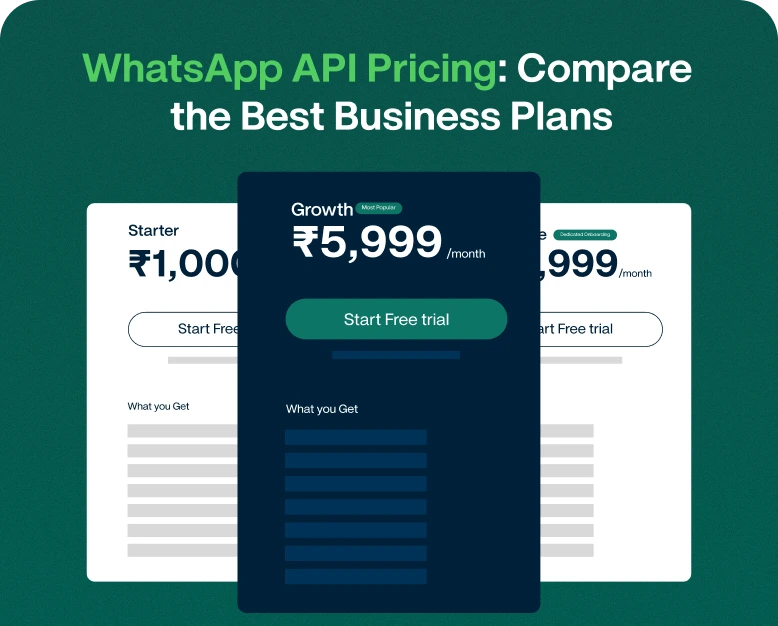
Wbotz has three subscription plans based on business size. An important pricing edge is that Wbotz does not markup Messenger charges. You pay the Wbotz subscription charges separately, and Messenger charges (if any) are passed on at the published rates.
Starter Plan
₹1,000 /month
₹12,000 billed annually, excluding GST
Suitable for small teams getting started with WhatsApp automation and customer communication.
Features included:
- 3 staff seats
- 10 template bots
- 1 message bot
- 1 bot flow
- 10 AI prompts
- 10 campaigns
- Unlimited contacts and conversations
- Shared team inbox and API access
Growth Plan
₹5,999 /month
₹71,988 billed annually, excluding GST
Designed for growing businesses managing marketing campaigns and customer support together.
Features included:
- 10 staff seats
- 50 template bots
- 50 message bots
- 50 bot flows
- 50 AI prompts
- 50 campaigns
- Unlimited contacts and conversations
- Shared team inbox and API access
Enterprise Plan
₹12,999 /month
₹1,55,988 billed annually, excluding GST
Suitable for businesses managing WhatsApp communication across multiple teams and departments.
Features included:
- 25 staff seats
- 100 template bots
- 100 message bots
- 100 bot flows
- 100 AI prompts
- 100 campaigns
- Unlimited contacts and conversations
- Shared team inbox and API access
- Dedicated onboarding and account management
All our plans come with official WhatsApp Business API access. Meta messaging charges are billed separately and done at cost without Wbotz markup. Prices shown are exclusive of GST.
Additional Wbotz Add-ons
Businesses can also purchase additional features depending on their requirements.
| Add-on | Published price |
| Additional staff user | ₹700/month |
| Additional WhatsApp channel | ₹1,000/month |
| Shopify integration | ₹500/month |
| WooCommerce integration | ₹500/month |
| AI agent integration | ₹3,500/month |
| 4,000 additional AI credits | ₹1,000 |
Add-ons are billed separately and GST is excluded.
Why Choose Wbotz for WhatsApp Business API?
Wbotz provides the following features to its customers:
- No message markup: Meta messaging charges are passed on without Wbotz markup.
- Unlimited contacts: Manage unlimited contacts across all plans.
- Bulk campaigns: Send campaigns to opted-in contacts.
- Chatbot automation: Customer conversation and FAQs automation.
- Shared team inbox: Allow multiple agents to manage customer conversations.
- Campaign reporting: See delivery, read and click reports of campaigns.
- Onboarding support: Get help and training for a live team.
Wbotz offers a free 14-day trial without a credit card.
WhatsApp Cloud API vs. Third-Party WhatsApp API Providers
Generally, there are two ways businesses take when adopting the WhatsApp Business Platform.
WhatsApp Cloud API
The WhatsApp Cloud API is provided by Meta and helps businesses to include WhatsApp chat within their applications.
Benefits:
- Provides access to Meta’s messaging infrastructure.
- Flexibility for custom development.
- Useful businesses with in-house development teams.
- Reduces reliance on a third-party marketing dashboard.
Drawbacks:
- Custom development and integration.
- May require building campaign dashboards.
- Shared inboxes and advanced automation require additional development.
Third-Party WhatsApp Business Solutions
Third-party providers offer software connected to WhatsApp Business Platform.
Benefits:
- Shared inboxes.
- Campaign management.
- Chatbots and automation.
- Contact management and segmentation.
- Reporting and user collaboration.
Limits:
- Monthly subscriptions.
- Message markups.
- Advanced features in higher plans.
You will need developers and want complete control, then Cloud API will be the option. If you want to launch campaigns without building software, a third party solution will be a better choice.
How to choose the best WhatsApp API business plan
Here are some things to consider before subscribing to a plan.
1. Estimate Your Monthly Messaging Volume
Consider how many messages you want to send per month.
Example: If a company sends 10,000 promotion messages per month, it has different messaging requirements compared to a small business which sends only appointment reminder messages.
2. Analyze Subscription and Message Fees
The total cost comprises of:
- Message fees charged by Meta.
- Subscription charges by the provider.
- Additional per-message markup.
- Potential automation/AI costs.
- Taxes and integration costs.
Pricing alone shouldn’t dictate your choice of provider.
3. Check Automation Features
Automated messages help significantly with customer communication. Look for features such as:
- Welcome messages.
- Automated replies.
- Follow-up messages.
- Order notification messages.
- Appointment reminder messages.
- Chatbot workflows.
4. Review Team Inbox Features
Businesses with multiple customer support members should look for features such as:
- Assignment of conversations to a support member.
- Agent permissions.
- Internal notes.
- Shared inbox.
These help prevent communication with the customer falling through the cracks.
5. Check Integrations and Support
Review if the provider supports integration with the CRM, e-commerce or marketing platforms that your business uses.
Look at the available support and onboarding. Consider how easy it is to migrate your account to the new provider.
Ways to Reduce WhatsApp API Costs
Segment your contact list: Send promotional messages to customers only if the offer is relevant to them.
Use the right message category: There are different message categories for different purposes. Use the right category for the right message.
Avoid unnecessary follow-ups: Plan your communication schedule and avoid repeatedly sending messages that provide little value.
Use automation judiciously: Customer workflows and automated replies can reduce the need for manual efforts, but be mindful of the usage and costs associated with the platform.
Track campaign performance: Understand which campaigns deliver actual leads and sales. Optimize or stop campaigns that consume the budget and do not show meaningful results.
Compare providers regularly: Assess your current providers against others, based on price, features and messaging markups, when your business requirements change.
Calculating a WhatsApp Business Messaging Budget
Let’s say a business wants to use WhatsApp for customer updates and marketing.
Its estimated messaging requirement for a month is:
- 5000 promotional messages.
- 3000 order update messages.
- 1000 authentication messages.
Now, using the rates provided for India:
| Category | Estimated Meta charge |
| 5,000 marketing messages | ₹4,315.50 |
| 3,000 utility messages | ₹345 |
| 1,000 authentication messages | ₹115 |
| Total Meta charges | ₹4,775.50 |
Now, let’s assume the business chooses a software platform that costs ₹1500 a month.
Its estimated monthly expense becomes ₹6275.50 before taxes, and other charges.
This example demonstrates how important it is to consider API message costs as well as software subscription fees when choosing a plan.
WhatsApp Business API Pricing FAQs
How much does WhatsApp Business API cost in India?
The cost of WhatsApp Business API depends on the message category and the country of the recipient. The India rate card of October 1, 2026, issued by Meta, charges ₹0.8631 for marketing messages and ₹0.115 for utility and/or authentication messages. Apart from these costs, charges by service providers and taxes (if any) will be applicable.
Is WhatsApp Cloud API free?
No, the WhatsApp Cloud API is not free. Meta applies charges for business messages delivered through the Cloud API based on its pricing structure. There may be message allowances and free message conditions for specific services. Developing and/or hosting your own dashboard and integrating the Cloud API may attract additional costs.
What is the difference between WhatsApp Business App and WhatsApp API?
The WhatsApp Business App is designed for small businesses that can manage customer conversations through a business app. The WhatsApp Business Platform, on the other hand, offers integrations and automations and is designed for large-scale enterprises that need to manage customer conversations at scale through a business service.
Which WhatsApp API provider is best for small businesses?
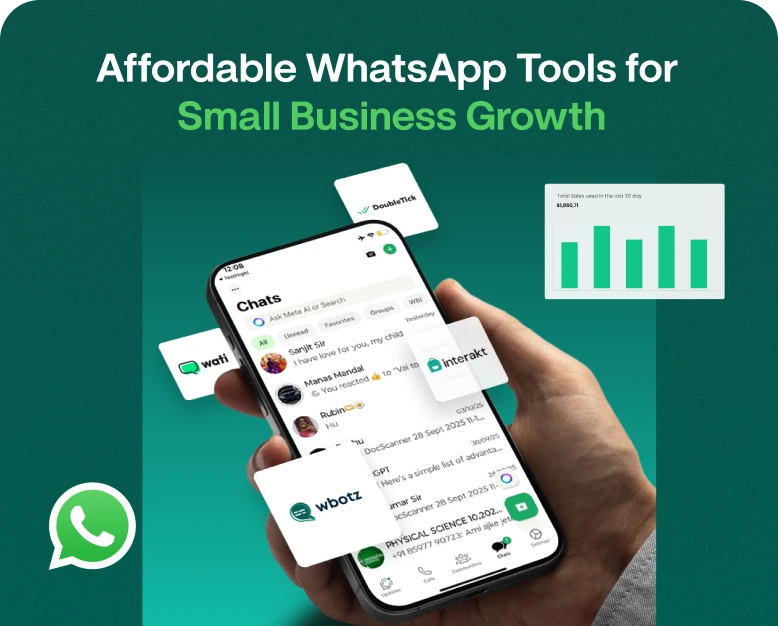
Some options worth evaluating include WATI, Interakt, AiSensy and Gallabox. The best option for you will depend on factors including pricing, message allowances, automation features and contact management, and the number of team members required.
Can I send bulk promotional messages using WhatsApp API?
Yes, via the WhatsApp Business Platform, businesses can send bulk promotional messages to their customers, provided they follow WhatsApp’s messaging policies, obtain customer consent, use approved templates where necessary and honor opt-out requests.
Conclusion: Choose the Right WhatsApp API Pricing Plan for Your Business
The WhatsApp API provides a great opportunity to enhance your business’s communication with your customers without unnecessarily escalating your marketing expenses.
Understand Meta’s per message charges, compare third party provider subscriptions, and check the features provided in each business plan. Choose a subscription that includes features that let you do more than bulk messaging. For instance, it should let you handle customer conversations, automate tasks, manage leads, and measure the effectiveness of your campaigns.
If you have a small business, ecommerce store, or a marketing agency, and you want to enhance your business communication, then having the right WhatsApp solution is a great business decision.
Want to venture into WhatsApp business marketing? Identify a business plan that allows you to send the required number of messages, compare pricing, and features offered.
For automating WhatsApp marketing campaigns, customer communication, and other business processes, consider Wbotz. Check out its available subscription plans.
Written by
Prachi Soni
Part of the Wbotz team, writing about WhatsApp Business API, automation and the campaigns that actually convert.