Chat List WhatsApp Solutions for Better Customer Support
When a customer sends your business a WhatsApp message to inquire about a product, pricing, or order status, your employees may miss important messages if they manage every conversation in a single, overloaded inbox.…
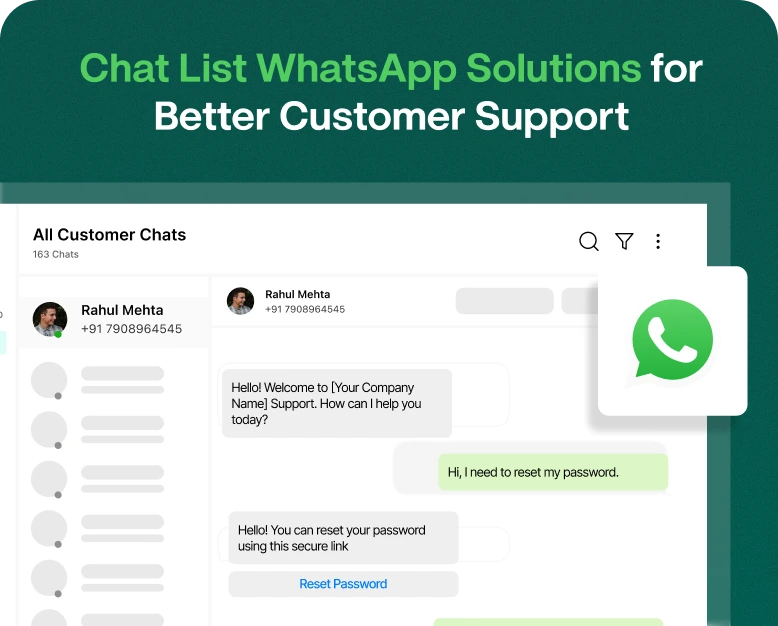
When a customer sends your business a WhatsApp message to inquire about a product, pricing, or order status, your employees may miss important messages if they manage every conversation in a single, overloaded inbox.
This can be frustrating for your support team, especially when your business receives 100+ messages daily. Lack of message organization can cause your support staff to lose track of messages and requests.
A chat list WhatsApp solution can help you organize your customer support conversations, manage your messages and provide faster support with a structured inbox.
Irrespective of the nature of your business, whether an online or a service-based business, marketing agency, or if you employ a customer support team, you can benefit from an organized WhatsApp support communication system.
In this article, we explain what a WhatsApp chat list is, how a business can use a WhatsApp chat list for customer support, the features to consider, and how to choose the right WhatsApp solution for your business.
What Is a Chat List on WhatsApp?
A chat list is a section on WhatsApp that shows your conversations in a structured format. For personal users, chat lists help you to manage conversations with contacts.
Businesses have different needs from standard WhatsApp chat lists. For example, a standard list can quickly become hard to manage when many customers chat with the business at the same time.
Several service oriented WhatsApp solutions offer additional features to manage business communication better, including:
- Organizing customer conversations.
- Distributing chats among different team members.
- Labeling and categorizing customer contacts.
- Tracking the status of conversations.
- Using predefined messages for frequent queries.
- Viewing past conversations and interaction history of customers.
- Providing shared access to business communication inboxes.
While all the features aim at improving communication with customers, a feature that allows tracking conversations and messages of a business team is especially important to manage communication amongst the team members and avoid missing important conversations.
Why Is an Organized WhatsApp Chat List Important for Customer Support?
For customer support teams, the focus is helping customers and quick communication. Support teams that take long to respond to customer messages risk losing customers to competition.
An organized WhatsApp inbox allows support teams to better manage customer communication. With the inbox organized, communication related to a specific customer or conversation can be quickly identified and responded to.
1. Order Updates
Our support team can speed up resolution time by capturing order information and seeing the updates agents are making.
2. Customer Response Time
Our support team can organize their messages based on the topics covered. For example, they can create a section for payment failure messages, and move payment failure conversations to that section.
3. Important Messages
Our support team can use assignment and monitoring features for customer messages to relieve confusion about who is working on what.
4. Collaboration
Our shared inbox can help multiple departments interact with each other and serve a customer together.
5. Customer Memory
Our support team can assign, or transfer conversations to the right person to help serve the customer where they left off.
Customers feel special when an agent remembers a previous conversation. Our inbox combined with relevant customer history and notes can help our team personalize service.
Key Features to Look for in WhatsApp Chat List Solutions
While assessing WhatsApp customer support solutions, understanding these features can empower your business to effectively manage conversations.
1. Shared Team Inbox
A shared team inbox enables various support agents to access and manage customer conversations from a centralized location.
Conversations need not be managed by just one employee. They can be allocated among the team based on workload, expertise or department.
Look for features such as:
- Multiple agent access.
- Conversation assignment.
- Internal notes.
- Activity tracking.
- Transfer conversations.
- Role-based access controls.
This feature is essential for businesses with large, extended support teams.
2. Improve Customer Response Time
A well-organized inbox helps agents identify unanswered messages and prioritize important requests.
For instance, if a customer reports a failed payment, the support team can prioritize that conversation instead of treating it like a general product inquiry.
When combined with automated acknowledgements and quick replies, an organized inbox can help reduce unnecessary delays.
3. Automated Replies
Businesses can enable support agents to respond to frequent customer questions through automation thus reducing the load on agents to type responses to repetitive questions.
Examples of use cases for automation can be:
- Responding to messages when the support team is off.
- Sending welcome messages.
- Answering frequent questions.
- Confirming orders and appointments.
Your automation must provide the right info. It should let customers reach a human agent if needed.
4. Quick Replies
Agents often have to answer the same questions several times throughout the day. Quick replies let agents save commonly used responses and send them without having to type the full response repeatedly. Quick replies can be saved responses about the business’s product pricing, delivery info, business hours, return/refund policy, payment methods, etc. This can help save time and make communication consistent.
5. Customer Conversation History
A good customer support solution should let the agent easily access a customer’s previous interaction. Conversation history lets the agent know what products the customer is interested in, what the customer has already discussed, and if an issue has previously been resolved. This can be especially useful for businesses that have repeat customers or customers that require support for a longer duration.
6. Analytics and Performance Reports
Reporting tools can help managers understand and evaluate the performance of their support team. Useful metrics may include the total number of incoming conversations, how many conversations have been resolved, average response time, how long an agent has been working, and how many conversations have not been resolved. These tools can be helpful for a business to identify and remove roadblocks and improve their customer support process.
The WhatsApp Business application is perfect for small businesses that only interact with a small number of clients.
However, if your business interacts with hundreds or thousands of clients and you want to use WhatsApp Business, you will need to find a provider who can incorporate the WhatsApp Business solution and provide a shared inbox for your agents.
How to Manage a WhatsApp Chat List for Better Customer Support
Having the right software is important, but using it correctly is equally valuable. Follow these steps to create a more organized customer support process.
Step 1: Choose the Right WhatsApp Business Solution
Start by evaluating your current communication requirements.
If you receive only a few customer messages daily, the standard WhatsApp Business app may be sufficient.
However, if several agents need to handle conversations, consider a platform that supports the official WhatsApp Business Platform and provides shared inbox functionality.
Before purchasing, compare:
- Number of supported agents.
- Shared inbox capabilities.
- Automation features.
- Contact management.
- Integration options.
- Reporting tools.
- Subscription and messaging costs.
Choose a solution that fits your current requirements and can support future growth.
Step 2: Organize Your Customer Conversations
Create categories for the types of messages your business receives.
For example, if your business is an online store, categories may include:
- New product inquiries.
- Order confirmation.
- Shipping and delivery.
- Exchanges and returns.
- Payment assistance.
- General customer service.
Use labels, filters or inbox views to create categories.
Step 3: Assign Categories to Agents
Depending on the nature of your business, the categories may be of interest to employees in multiple departments.
For example, sales employees may be interested in product inquiries while other employees in different departments may be interested in order and shipping and delivery inquiries.
Defining responsibilities may help eliminate the need for multiple employees to respond to the same customer inquiry.
Step 4: Design Quick Replies to Frequently Asked Questions
Look through your old conversations and create typical responses to frequently asked questions.
Customers may ask questions like, “How much will shipping cost?” or “Are your products organic?”
For the former, an example of a quick reply may be, “Thank you for reaching out! Shipping costs will depend on your location and the details of your order. Please reach out to us again when you’ve made a decision on what you want to order and we can provide you with the total including shipping.”
Keep responses as conversational as possible in quick replies.
Step:5 Set Up Useful Automations
Automation can help your team with repetitive messages. Examples include greetings, acknowledging a lead, informing when an agent will be online, and others.
Depending on your messaging platform, you can create automations to route incoming messages to specific groups based on customer input or message keywords.
Provide a clear path to a human when a customer message requires significant analysis or input.
Monitor and address recurring issues. Analyze your message queue to locate conversations that are lengthy or take too long to process. If a particular agent gets too many messages, consider reassigning messages.
To improve the overall experience of your support team, implement subtle changes to how messages are processed.
Real World Examples of WhatsApp Chat List Solutions
Let’s see how different businesses benefit from a WhatsApp inbox with message organization.
Example 1: E-commerce Business
An online business receives lots of messages regarding product inquiries, order tracking, returns and refunds, and others.
Without a well-organized inbox, support staff can waste a lot of time trying to figure out the context of previous messages.
With a structured WhatsApp inbox, an e-commerce business can tag chats related to an order, and divide support-related queries to the right team using quick replies.
Result: Reduced communication gaps and improved support team’s efficiency.
Example 2: Educational Institute
A coaching institute receives student queries about courses, admissions, fees and class timings.
It can define conversations in different categories and assign admission-related queries to the admission team.
Automated messages can be created to respond to queries and provide information. Agents can also provide more detailed information.
Result: Better management of queries and smooth admission communication process.
Example 3: A Service Company
A service company gets queries for appointment requests and queries regarding the availability of services and technical assistance.
Based on the used solution, it can create a flow of discussion within WhatsApp and delegate chat to different departments. Customers can also be updated regarding their appointments.
Result: Better alignment of the support staff and customers.
These examples showcase how an organized WhatsApp chat management solution helps different business operations. Actual results depend on how efficiently the solution is utilized.
WhatsApp Chat List vs. WhatsApp Group List: What’s the Difference?
Many users confuse a personal WhatsApp chat list with a WhatsApp group list. Although both appear within WhatsApp, they serve different purposes.
| Feature | WhatsApp Chat List | WhatsApp Group List |
| Main purpose | Manage individual and group conversations | Organize group conversations |
| Communication | One-to-one and group chats | Multiple members in one conversation |
| Customer support | Useful for individual customer communication | Useful for community discussions |
| Privacy | Individual conversations are separate | Group members may see other participants |
| Business usage | Customer inquiries and support | Communities and team discussions |
How to Choose the Best WhatsApp Chat Management Software
When you are in the market to purchase a WhatsApp customer support solution, compare solutions carefully.
Consider the following points.
Official WhatsApp integration: Check if the solution supports the official WhatsApp Business Platform and complies with WhatsApp’s messaging policy.
Ease of use: Look for a solution that has an easy to use dashboard for managers and agents.
Scalability: Check if the solution allows you to add more agents and manage more conversations as your business grows.
Security: Look for a solution that has access permissions and data controls to protect your data.
Integration: Look for a solution that integrates with the other business software that your team uses.
Customer support: Look for a solution that offers good customer support to help you during the setup and later on if the need arises.
Transparent pricing: Compare the subscription fees, message fees, additional user fees and features that are restricted before making a purchase.
Frequently Asked Questions
1. What is a chat list WhatsApp solution?
A chat list WhatsApp solution is a business solution that helps you organize and manage your customer conversations. More advanced solutions may have features like shared inboxes, automated replies, assign messages to agents, chat replies, labels, and reporting.
2. How do I organize a WhatsApp chat list for business?
You can organize business conversations using labels, filters and assignments. For a large support team, a shared WhatsApp inbox may be useful to manage conversations among different team members.
3. What is the difference between a WhatsApp chat list and a WhatsApp group list?
A WhatsApp group list is different from a WhatsApp chat list as the former is used to organize group conversations and the latter is used to organize individual and group conversations. For businesses, individual conversations are mostly used to provide customer support and group conversations are used to manage community conversations.
4. Can multiple agents manage one WhatsApp chat list?
Yes, this is possible with an appropriate shared inbox connected to the WhatsApp Business solution, to manage customer conversations. Shared inboxes allow businesses to assign customer conversations to agents based on the support case or to provide management notes to agents and organize the work in other ways.
5. Which WhatsApp solution is best for customer support?
The solution to take depends on the size of your business and your requirements. Look for functionality to manage customers, agents, automation, quick replies, and customer history, as well as analytics, WhatsApp integration and other features. Check the available plans and pricing before making a purchase.
Conclusion: Better Customer Support with a WhatsApp Chat List
With the number of messages your business receives increasing daily, organizing your customer conversations can be difficult. An unorganized inbox can result in missed messages and messages delivered to the wrong customer support agent.
Using WhatsApp to organize customer conversations can help support agents assign chats to other team members, create automated responses, and ultimately improve customer support.
When deciding on the WhatsApp customer support solution that is right for your business, consider the shared inbox features, automation capabilities, prices, integrations and how well the solution scales. Select the WhatsApp support solution that benefits your customer support team the most.
Ready to enhance your customer communication?
Review the shared inbox, team management and automation features of WhatsApp business solutions and decide what plan is right for your business. Using the solution can improve your customer support and help achieve a higher level of organization.
Written by
Prachi Soni
Part of the Wbotz team, writing about WhatsApp Business API, automation and the campaigns that actually convert.