Inbox Meaning for Business: Find the Best Inbox Software
Post Introduction Have you ever lost an important customer message buried under hundreds of emails or WhatsApp chats? For many companies, handling customer conversations across different channels is a daily challenge.…
Post Introduction
Have you ever lost an important customer message buried under hundreds of emails or WhatsApp chats? For many companies, handling customer conversations across different channels is a daily challenge. Lost messages, delayed replies, and customers having to repeat themselves can cause businesses to miss valuable sales opportunities.
Understanding the inbox meaning for business is important for solving this problem. A business inbox is more than just a place to receive messages. It helps teams manage customer conversations, respond quickly, track leads, and provide better customer service.
However, when your business receives messages from multiple channels, a traditional inbox may not be enough. The right inbox software can bring conversations together, help team members work efficiently, and make customer communication easier to manage.
In this guide, you’ll learn what an inbox is, how business inboxes work, which features you should look for, and how to choose the best inbox software for your business needs.
What Does the Inbox Mean?
An inbox is an electronic repository for incoming messages where they are kept until read, responded to, sorted, or otherwise managed.
If you ask anyone what an inbox is, the most basic answer would be that it is the central place to get messages. These messages can be emails, customer messages, notifications, support requests or messaging platform conversations.
Say, for example, a customer emails you asking how much your product costs — that email lands in your inbox. Similarly, when a customer sends a WhatsApp message to your business account, it lands in your WhatsApp inbox.
An inbox’s main job is to help users keep incoming communication organised and easy to access.
What Do Inboxes Mean?
The word inboxes is the plural of inbox. It means 2 or more inboxes are used to receive messages.
For example, a business may have a separate inbox for sales, customer support, billing, and marketing. The inboxes are each set up for a different purpose, depending on the kind of communication the team is managing.
A business that uses multiple communication channels may have different inboxes for email, WhatsApp, Facebook Messenger and Instagram messages.
But when the number of messages increases, it’s hard to handle separate inboxes. That’s one of the reasons businesses look for shared inbox software that collects customer conversations into one organised workspace.
What is a business email inbox?
A business inbox is a messaging workspace that helps a business manage messages from customers, prospects, and existing clients.
A business inbox can support multiple team members, shared access, conversation assignment, labels, automation, and performance tracking, whereas a personal inbox is typically used for one person’s communication.
For instance, picture an online clothing retailer receiving 100 customer enquiries a day. Customers ask about delivery times, product sizes, payment methods, returns and discounts .
Some messages may go unanswered if each employee checks a different account. A business inbox can help the team organise these conversations and assign each message to the right person.
Common uses of a business inbox are:
- Responding to customer enquiries.
- Handling sales enquiries and potential leads.
- Technical assistance
- Tracking order and delivery enquiries.
- Dealing with client feedback and complaints.
- Facilitate communication within the team.
- Following up with customers who require additional assistance.
A well-managed inbox makes it easier to identify conversations that need attention and those that are closed.
Different Types of Inboxes Used By Business
It’s a good idea to know the different kinds of inboxes out there before you select your inbox software.
1. Email Inbox
An email inbox is where messages sent via email services are delivered. Companies use email inboxes to send official correspondence, invoices, quotations, customer support, appointment confirmations, and sales enquiries.
Email is good for having long conversations and sending documents. But without the ability to share access and assign emails, it can be a lot of time to manage a lot of emails for several employees.
2. WhatsApp Business Inbox
Companies can manage conversations with customers through WhatsApp in the WhatsApp Business app inbox.
For many customers, messaging is popular because they can ask questions without calling. Companies can use WhatsApp to answer questions about products, share catalogues, send order updates and follow up with potential customers.
A shared WhatsApp inbox helps teams that handle a lot of conversations by giving multiple authorised agents access to manage customer messages in one space. You can also get automation, conversation assignment and reporting with advanced solutions.
3. Team mailbox (shared)
A shared inbox is an email account or communication channel that a team can use to access and manage conversations.
For example, a customer service team can use a shared inbox to handle incoming requests without everyone having to log into the same personal account.
Features that may be useful:
- Routing conversations to the right agents.
- Adding Internal Notes
- Marking conversations as open, pending or resolved.
- Don’t reply twice.
- Watching response times.
Shared inbox software is especially helpful for growing businesses where multiple employees communicate with the same customers.
4. Omnichannel Inbox
An omnichannel inbox collates conversations from all supported communication channels into one workspace.
Depending on the software, these channels may be email, WhatsApp, Facebook Messenger, Instagram and chat on the website.
For example, a customer can ask for a product on Instagram and then reach out to the business on WhatsApp. An omnichannel inbox can help the team to manage both conversations in one place. The platform’s ability to automatically tie those conversations to the same customer depends.
This option is useful to companies that receive consumer enquiries across multiple channels and want to reduce the need to switch between applications.
Why is Inbox Software Essential for Business?
Choosing the right inbox software can help your team communicate more effectively with customers. Here are some of its most important advantages.
1. Fast Customer Response
Customers expect businesses to answer questions fast. When messages are spread across multiple accounts, it can take longer to find them and respond to them.
Inbox software helps you to organise the incoming conversations, and flag messages that need attention. Automated replies can also acknowledge a customer message while the team prepares a detailed response.
Better communication can help the customer experience and reduce the risk of losing a buyer of interest.
2. Improved Team Collaboration
When multiple employees are answering customer queries, it’s important that everyone knows who is working on which conversation.
Managers can assign messages, track progress and add internal notes with shared inbox features. This minimises confusion and prevents team members from sending duplicate responses.
For example, a sales inquiry might be directed to a salesperson, while a refund request could be routed to the support team.
3. Enhanced Lead Management
It can also make your sales process easier by helping your team spot potential customers and follow up with them.
Sales reps can generate conversations with labels such as:
- New Leader
- Customer interested in
- Follow-up needed
- Request For Pricing
- Done deal
These tags help to make it easier to prioritise the most promising opportunities and avoid forgetting customers who need another message.
4. Customer Support Got More Organised
Support agents may find it difficult to keep up with open customer questions across multiple channels.
Inbox software allows you to filter tickets, follow the conversation history, and identify open issues. Instead of asking customers to repeat the same problem, agents can reference previous messages.
This enables a better support experience and allows companies to scale to higher message volumes.
5. Improved visibility into team performance
Some inboxes offer reports on response times, conversation volumes, agent activity and resolution rates.
This knowledge allows managers to see what areas of communication are working well and what areas need improvement.
For example, when busy periods cause messages to go unanswered for several hours, the team may need to reassign agents or add automation.
How to Choose the Right Inbox Software for Your Business
Not every business can be helped by a single inbox solution. A small company with a few emails may require basic shared access, while a growing customer support team may need automation, reporting, and multiple channels.
Follow these steps to find the right software for you
Step 1: Determine Your Channels of Communication
First, compile a list of where your customers reach out to your business.
Think about it:
- Do most of our customers contact us by e-mail?
- Are we getting a lot of WhatsApp enquiries?
- Do Facebook and Instagram matter as sales channels?
- Do we need to handle the website chat messages?
- Does each department have its own communication account?
Pick software that supports the channels you actually use. Don’t waste money on features your team doesn’t need.
Step 2: Look for Shared Inbox and Assignment Features
If several employees are handling customer conversations, shared access should be a priority.
Features to look for include agent assignment, conversation ownership, internal notes, team permissions, and conversation status tracking.
These tools make it clear who is responsible for every customer inquiry.
See how many agents can access the platform before you buy and if the pricing changes as you grow your team.
Step 3: Identify automation opportunities
Automation can help you handle repetitive tasks and free up your team to focus on routine questions.
Depending on the software, useful automation features can include:
- Automatic messages of welcome
- Quick answers to frequently asked questions.
- Instructions for assigning conversations
- Reminders for follow-up.
- General customer question chatbots
- Notifications for new or unread messages.
For example, a travel agency might use an automated welcome message asking a customer if they are interested in domestic or international travel. And then the right person on the team could go from there.
Automation should improve efficiency of communication, and not make customers feel ignored. For complex or sensitive queries there should be a clear route to a human agent.
Step 4: Compare Reporting vs. Analytics
A good inbox software should give you insight into how well your team is managing messages.
Depending on your needs, look for reports on:
- Average first response time.
- Total conversations managed.
- Unfinished conversations.
- Agent workload
- Customer experience.
- Lead follow-up activity.
Use these reports to spot bottlenecks and improve your communication process.
Step 5: Check integrations
Your inbox software might need to connect with other business tools.
Typical integrations are customer relationship management (CRM) systems, e-commerce platforms, helpdesk tools, marketing automation software, and order management systems.
For example, linking an inbox to a CRM can allow sales reps to view customer information when responding to an inquiry.
Make sure the integrations you need are available on the plan you choose, and whether they require any additional setup or costs.
Step 6: Assess Price & Scalability
Price is important but the cheapest software might not have the features your business requires.
Compare the prices according to:
- Number of users or agents
- Supported message channels.
- Monthly conversation limits, if any.
- Availability of automation and chatbots.
- Access integration.
- Reporting features.
- Onboarding and setup costs.
- Additional usage fees.
Consider your projected growth in 6-12 months. You want a solution that works for two people, but ideally gives you a way to upgrade it as your team grows to ten or twenty people.
Step 7: Test Drive the Software Before You Buy
Take advantage of free trials, live demos, or guided walkthroughs to make an informed decision.
Test typical tasks such as receiving a message, assigning it to an agent, adding an internal note, sending a reply and closing the conversation.
Get feedback from the team members who will be using the software on a daily basis. A tool can have a lot of features but if it’s not easy to use it’s not necessarily the best option.
Best Inbox Software: What Features Should You Compare?
When evaluating inbox software, compare solutions based on how well they match your business requirements rather than choosing only by brand popularity.
Here is a practical comparison of common software categories.
| Software category | Best for | Features to look for |
| Email management software | Businesses focused on email | Shared mailboxes, folders, search, permissions |
| Shared inbox software | Sales and support teams | Assignment, internal notes, status tracking |
| WhatsApp inbox software | Businesses handling WhatsApp inquiries | Shared access, automation, templates, reporting |
| Omnichannel inbox software | Businesses using multiple channels | Unified conversations, routing, integrations |
| Helpdesk software | Customer service departments | Ticket management, service reports, support workflows |
What Makes a Good Inbox Solution?
An ideal inbox solution should be user-friendly, reliable, secure and fit for your communication needs.
Put these features first:
- Simple to navigate: Agents need to be able to locate messages and customer information quickly.
- Clear ownership: Designate a team member to own each conversation.
- Useful automation: Repetitive tasks should be easier to handle.
- Conversation history: Relevant past interactions must be available to agents.
- Controls of access: Managers need to be able to control who can see or manage customer data.
- Reliable integrations: The software should integrate with your existing tools for business.
- Transparent pricing: As your team and message volume grow, costs should be clear.
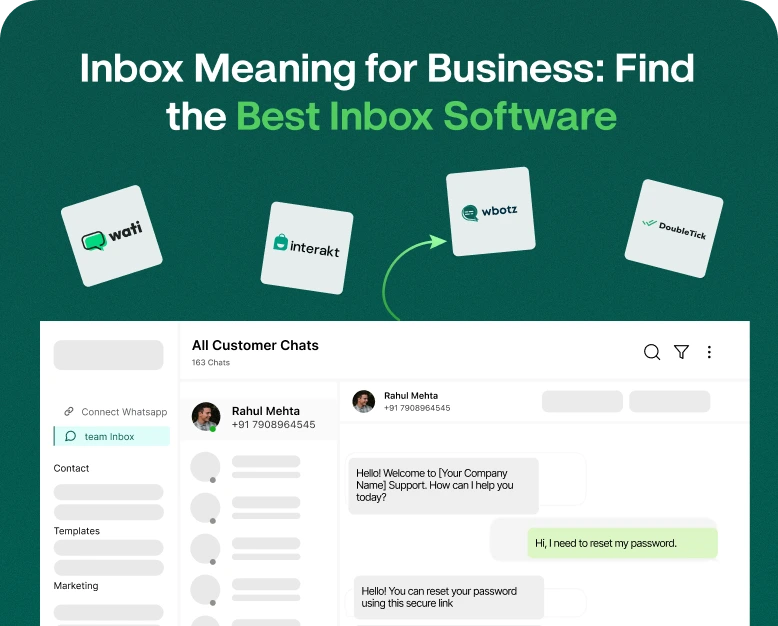
If you are a business that relies heavily on WhatsApp, it might be worth looking into a platform like Wbotz. Check out the inbox and conversation management tools it offers to see if they fit your team’s needs. Please check the current feature set, integrations and pricing before you buy.
How a Shared Inbox Can Improve Customer Communication: A Real-World Example
Let’s say we have a small online electronics store and customers reach out to us via WhatsApp, Instagram and email.
Three employees have separate conversations before switching to inbox software. One worker takes questions about delivery, another questions about the product, and the owner answers complaints when time permits.
This setup has a number of problems:
- Some customers are getting delayed responses.
- Two employees sometimes answer the same question.
- When busy, sales enquiries are not remembered.
- The owner struggles to know how many complaints are still open.
The store features a shared inbox that consolidates supported channels into a single workspace. Messages are sorted by type, and the team uses saved replies for frequently asked questions about delivery and returns.
The team also creates labels for new leads, open orders and unresolved problems.
This gives employees a clearer picture of their responsibilities. Managers know which conversations need follow-up and customers receive more consistent updates.
This is an illustrative example rather than a measured case study. Real improvements depend on volume of messages, team processes, software features, and the regularity with which employees use the system.
Mistakes to Avoid in Inbox Management
There are no email programs to automatically fix all communications problems. Businesses need clear processes too.
Don’t make these mistakes:
Overlooking Unanswered Messages
Set a cadence for reviewing new and pending conversations. Notifications or reports help you to identify messages that have waited too long for a reply.
Assigning Equal Responsibility to Everyone
If no one owns a conversation, employees may assume someone else will answer it. Direct messages to individual agents or teams when possible.
Too many tools, no process
The more communication apps you add, the more complex it becomes. Look at what you have already and choose a solution that makes the workflow simpler, rather than adding another inbox that does not sync with the rest.
All Answers Automation
Auto replies are great for acknowledgements and common questions, but can be a real pain for customers when their issues need a personalised touch.
Create a simple handoff process so that customers can reach a human agent when they need to.
Data Security Forgetfulness
Business inboxes contain personal information, order details and confidential discussions. Apply strong authentication, proper permissions, and secure account practices. Consult provider’s data handling policies before storing sensitive customer data.
Frequently Asked Questions FAQs
1. Business inbox meaning in English?
In business an inbox is a digital space where you receive and manage customer messages, emails, sales enquiries and support requests that come in. Business inbox software makes it easier for teams to organise conversations, assign tasks and respond more efficiently.
2. What do you mean inbox and inboxes?
Inbox is the place where you receive and hold incoming messages. Inboxes is the plural of inbox, which means different message receiving spaces. For example, you can have a separate sales, support and billing inbox.
3. What’s the difference between a shared inbox and an email inbox?
Typically, an email inbox is part of a personal account or mailbox. A shared inbox enables multiple authorised team members to access and manage conversations. Depending on the software it may contain assignments, internal notes and tracking of conversations.
4. What is the best small business inbox software?
The best inbox software depends on your communication channels, budget, team size and workflow. A small business that mainly uses email, might want a shared email inbox. A business that gets a lot of WhatsApp enquiries, might want a shared WhatsApp inbox with automation and reporting.
5. How can inbox software increase sales?
Inbox software can help sales teams increase sales by organising new leads, making follow-up easier, reducing missed messages, and helping sales reps respond in a timely manner. It helps the sales process, but actual results depend on lead quality, response quality and the whole sales strategy.
Conclusion: Choosing the Right Inbox Software for Your Business
Understanding what the inbox means to business is the first step to improving customer communication. Your inbox isn’t just a place for messages to go to die. When managed properly, your inbox can be an important part of your sales and customer support process.
The right inbox software can help your team organise messages, assign conversations, automate repetitive tasks and track customer enquiries across the channels it supports. Identify your communication needs, compare the key features, weigh the cost, and run a trial with your team before choosing a solution.
If your business is getting more and more WhatsApp conversations, emails or social media messages, then you might want to consider a shared inbox or omnichannel solution that fits your workflow.
Ready to level up your customer communication?
See if Wbotz and its available inbox management capabilities suit your business needs. Select a solution that helps your team respond faster, manage conversations more transparently and build better relationships with customers.
Written by
Kalpit Parmar
Part of the Wbotz team, writing about WhatsApp Business API, automation and the campaigns that actually convert.