How to Send a WhatsApp Link to Grow Your Online Business
Let’s say a potential customer visits your website, loves your product and needs to ask a quick question. But instead of having an easy way to contact you, they have to look for your phone number, save it, open…
Let’s say a potential customer visits your website, loves your product and needs to ask a quick question. But instead of having an easy way to contact you, they have to look for your phone number, save it, open WhatsApp and then start a conversation. That little extra effort can cost you the lead.
That’s where a WhatsApp link can be a game-changer.
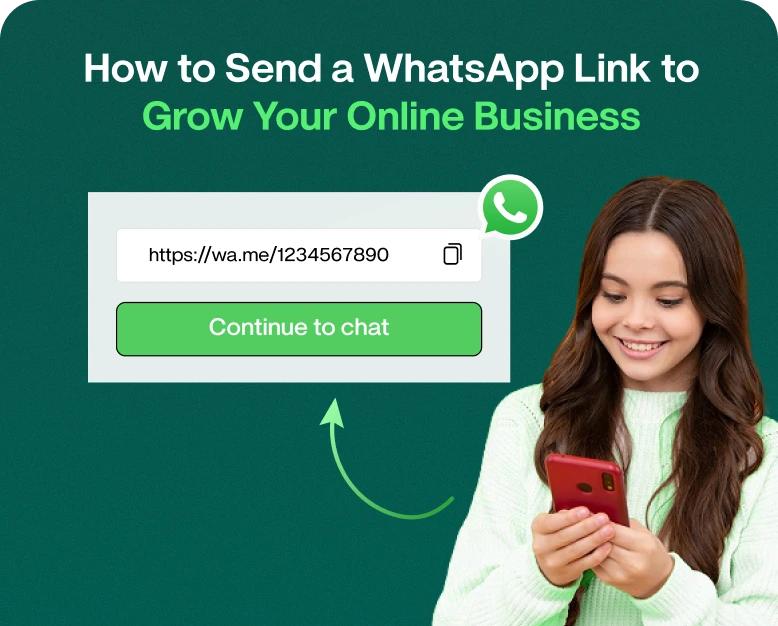
Your customers can easily start a chat with your business via a WhatsApp link instead of typing in your phone number. Put the link on your website, social media profiles, emails, ads, product pages, QR codes.
In this guide you will find out how to send a WhatsApp link, how to create and share it, where to use it and how businesses can use WhatsApp links to generate more conversations and potential customers.
What Is WhatsApp Link?
A WhatsApp link is a link that you can click to open a WhatsApp chat with a specific phone number.
Instead of asking customers to:
- Give me your phone no.
- Add it to their contacts.
- Launch WhatsApp.
- Find your business.
- Start a chat now!
They can just click your WhatsApp link and begin a chat.
A simple WhatsApp link looks like this:
https://api.whatsapp.com/send?phone=1234567890The number must start with the country code, but should not have spaces, brackets or the + symbol.
For example, if your business WhatsApp number is +91 98765 43210 then the link would be:
https://wa.me/919876543210Used properly, this simple link can be a powerful tool for lead generation.
Why Use a WhatsApp Link for your Business?
People like fast and easy communication. If your business requires a customer to take multiple steps to reach you, they may just give up.
A WhatsApp link removes a lot of that friction.
WhatsApp links can be used by businesses to:
- Create direct customer queries
- Answer questions about the product
- Capture leads
- Customer Service Help
- Provide product information
- Send estimates
- Make appointments
- Assisting customers with orders
- Begin sales discussions
- Connect web visitors to sales teams
So, for example, a clothing store may have a WhatsApp link underneath each product. Instead of searching for contact details a customer can tap “Ask on WhatsApp” and instantly enquire about size, colour, price or availability.
How to Share a Link on WhatsApp?
Depending on where you want your customers to view it, there are a few different ways you can send and share a WhatsApp link.
1. Make Your WhatsApp Link
The first step is to create your WhatsApp chat link.
Use this format:
https://wa.me/YourPhoneNumberReplace YourPhoneNumber with your WhatsApp number (including the country code).
For an Indian number, e.g.,
https://wa.me/919876543210Do not use:
https://wa.me/+919876543210 or:https://wa.me/911234567890The number should be written in one word.
Add Pre-Filled WhatsApp Message
You can also create a link to open WhatsApp with a message already typed.
Format is :
https://wa.me/919876543210?text=Hello%20I%20would%20like%20to%20know%20more%20about%20your%20productClick the link and WhatsApp opens with the message ready to go.
This can be helpful for businesses because it gives customers a starting point for a conversation.
For instance:
“Hello, I want to learn more about your prices.
The customer just reads the message and clicks send.
2. Add WhatsApp Link to Your Website:
One of the best places to use a WhatsApp link is your website.
add it in to:
- Home
- Get in touch
- Products Pages
- Service pages
- Pricing page
- Blog Posts
- Landing page
- Footer
- Popup’s
Instead of the plain URL, you may create a clickable button like:
Let’s chat on WhatsApp
Have a Question
Get Your Free Quote
Contact Sales
Order through WhatsApp
The wording must reflect the wishes of the customer.
For example, a real estate website might use:
Get Property Details on WhatsApp
A digital marketing agency might use:
Speak to a Marketing Expert
This makes the connection, it’s more useful than just displaying a phone number.
3. Share Your WhatsApp Link on Social Networks
Social media can be a great source of interest, but interested users need a simple way to contact your business.
You can add your WhatsApp link to places like:
- Instagram bio
- Business Facebook page.
- LinkedIn profile or company page
- Descriptions for YouTube
- Social media posts
- Tales
- Advertising campaigns
For example, an Instagram post about a new product might read:
Interested in this item? Whatsapp us for price and availability.
Then add your WhatsApp link.
That creates a direct path from social media discovery to a sales conversation.
4. SEND A WHATSAPP LINK THROUGH EMAIL
Another good way to share your WhatsApp link is via email.
For example you send an email about a new service . You can include in lieu of asking readers to visit your website and hunt for your contact information:
Got questions? Talk to our team on WhatsApp.
Connect the button/text to your WhatsApp link.
This can be especially useful for:
- Follow-up Selling
- Help to customers
- Request an appointment
- Product Questions
- Consultations on service
- Events Registered
The more accessible you make yourself to your customers, the fewer steps they have to take before they start talking to you.
5. Use WhatsApp Link on Online Advertisements
Businesses that run digital ad campaigns can also use WhatsApp links to prompt people to get in touch.
Take for example an education company touting an online course.
The ad might say:
Looking to know the course fee? Chat with us on WhatsApp
The customer clicks on the link and starts a chat.
This could help a business move a potential customer from an advertisement directly into a sales or support conversation.
If you have multiple campaigns running, tracking the different WhatsApp links can also help you see which campaigns are actually driving conversations.
How to send a link on WhatsApp?
You may be asking “how do I send a link on WhatsApp?” It’s very simple.
Step 1 Copy the URL
Copy the URL of the website, product, landing page, etc. you want to share.
Step 2: Launch WhatsApp
Open WhatsApp or WhatsApp Web and tap on the person or group you want to send the link to.
Step 3: Copy the link
Enter the URL in the message box.
Step 4: Provide context
Please don’t just post a link without explanation.
Or:
https://example.com/productCheck out our new product here : https://example.com/product
Step 5: Get the Message Across
Click send.
WhatsApp could generate a preview automatically, depending on what type of URL it is and what it contains.
How to send a link in WhatsApp Business
Sharing just a website link isn’t always enough for businesses. It should be the goal to get people to do something useful.
Here are a few more real world examples.
Want to see today’s deals? See our latest products here: [link]
For Property
Searching for a new place? See Our Current Listings Here: [link]
Check out today’s menu and order here: [link] For Agencies
Want to talk about your project? Send a message to our team on WhatsApp: [WhatsApp link]
For Service Companies
Need a quote quickly? WhatsApp us your requirements: [WhatsApp link]
The message gives the customer a reason to click, rather than just showing a URL.
How to Use WhatsApp Links to Get More Leads
But even better than a WhatsApp link is when you incorporate it into a wider lead generation approach.
Unambiguous Calls to Action
Your CTA needs to tell visitors what will happen when they click on it.
Good examples are:
- Chat With Our Expert Get A Free Quote
- Pricing Question
- Check availability of stock
- Schedule an Appointment
- Learn more
- Chat with an Expert
The following examples demonstrate how to use CTAs to drive specific actions and explain the benefit of each:
Use Prepopulated Texts
Pre-written messages can help businesses know why someone’s contacting them.
For example:
Hi, I’m interested in your web hosting plans.
Or else,
Hi, I’d be happy to tell you more about our WhatsApp marketing platform.
This makes it easier to deal with conversations, especially when the business receives questions about different products or services.
Place Links in Critical Decision Points
Don’t just hide your WhatsApp link on the Contact page.
Consider where customers are most likely to need help:
- Preisinformationen
- Under product description
- Service packages near
- Landing Pages
- At the close of blog posts
- Beside forms of inquiry
The right spot helps the link work a lot better.
Real World Example: A Small E-commerce Store
Let’s say you own an online skincare store.
The owner has visitors from Google and Instagram. We get lots of questions about ingredients, skin types, delivery, and how to combine products.
Before, visitors had to go to the Contact page and fill out a form.
The store is adding a “Chat on WhatsApp” button to product pages.
Now a customer looking at a moisturiser can click the button and say:
“Is this product good for dry skin?”
The business can respond immediately and recommend a suitable product.
A simple product query can then turn into a potential sale over the WhatsApp conversation.
The important lesson is to not just add a WhatsApp link. The link should be placed where customers are most likely to have questions or need help making a decision.
Benefits of Using a WhatsApp Link for your Business
1. Facilitates Contact
Your customers don’t need to save your number manually before reaching out to you.
2. Reduced Friction
Customers can be taken directly into a conversation with just one click.
3. Facilitates Lead Generation
Visitors to your website and followers on social media can easily become direct enquiries.
4. Enhances Customer Communication
Businesses can reply to queries in a familiar messaging environment.
5. Cross channel work
The same WhatsApp link can be shared on websites, social media, emails, ads and other digital channels.
6. Aids in initiating sales conversations
WhatsApp chats help sales teams to understand customer needs and recommend appropriate products or services.
7. Easy to Promote
You can place the link wherever your audience engages with your business.
Mistakes to Avoid While Sharing WhatsApp Links
WhatsApp links are easy, but companies can still use them.
Don’t just send a Random URL
Contextualise for users why they should click.
Don’t Hide Your Call-to-Action
Make your WhatsApp button easy to spot.
Don’t Use a Complicated Message
Keep pre-filled messages short and natural sounding.
Don’t Ignore Customer Comments
A WhatsApp link can initiate conversations, but if you’re slow to respond, it’s not worth much.
Don’t Stick It in One Place
Try it out across your website, social media, emails and other relevant places.
How to Scale WhatsApp Link Marketing for Businesses
If your business only has a few WhatsApp conversations a day, then maybe manual communication is enough.
However, as your customer base grows, managing conversations manually can become difficult.
This is where WhatsApp marketing software can help businesses to organise and automate customer communication.
A platform like Wbotz can help businesses to leverage WhatsApp for lead generation, customer communication, broadcasts, automation and managing conversations.
Rather than using WhatsApp as a stand-alone messaging app, businesses can link it with their wider sales and marketing workflow.
For example, you can start the conversation with a WhatsApp link, and then automate incoming leads with quick replies or a team inbox to make it more efficient.
Best Practices for Marketing with WhatsApp Links
Before you go around adding your WhatsApp link everywhere, try these simple practices:
- Use a fresh whatsapp url.
- Include a clear CTA.
- Use prefilled messages where applicable.
- Put links close to buying decisions.
- Make your link mobile compatible.
- Answer customer enquiries quickly.
- Use different messages for different campaigns.
- Track what channels are making conversations.
- Keep promo messages pertinent
- Connect WhatsApp chats to your sales process.
Frequently Asked Questions (FAQs)
1. How to send a link to WhatsApp to someone?
Make your WhatsApp URL in wa.me format, copy and send by WhatsApp, email, social network or any other communication you want. You can also add a prepopulated message to help you break the ice.
2. How to share links on whatsapp?
Copy the URL you want to share, open whatsapp conversation, paste the link in the message box, add some context (optional) and send.
3. How to Share a Link on WhatsApp Without Saving Number?
You can use something like a WhatsApp click-to-chat link, like https://wa.me/yourphonenumber. When someone opens WhatsApp, it can take them directly into a chat with that number without having to save it first.
4. Want to add a WhatsApp link to your website?
“Yes. Add a WhatsApp link to buttons, text, banners, product pages, landing pages, contact pages and more places on your website.
5. Are WhatsApp links effective for lead generation?
Yes. A WhatsApp link can make it easy to start a conversation with potential customers. These conversations allow businesses to provide product questions, quotes, support, appointments and sales follow-up.
Closing Thoughts
You can send a WhatsApp link easily, but when you use it strategically, it becomes much more valuable for your online business.
A well-placed WhatsApp link can convert a website visitor, social media fan or email subscriber into a direct conversation with your business. The trick is to make the customer journey easy: give people a good reason to contact you, give them a link they can easily click on, and then respond when they do.
If you want to do more than just basic WhatsApp messaging, you can try a WhatsApp marketing platform that will help you with lead management, automate conversations, organise customer chats, and improve your overall WhatsApp marketing workflow.
Want to convert more visitors into conversations? Start using WhatsApp links on your website and across your marketing channels today to find a WhatsApp marketing solution to help your business manage those conversations at scale.
Written by
Kalpit Parmar
Part of the Wbotz team, writing about WhatsApp Business API, automation and the campaigns that actually convert.