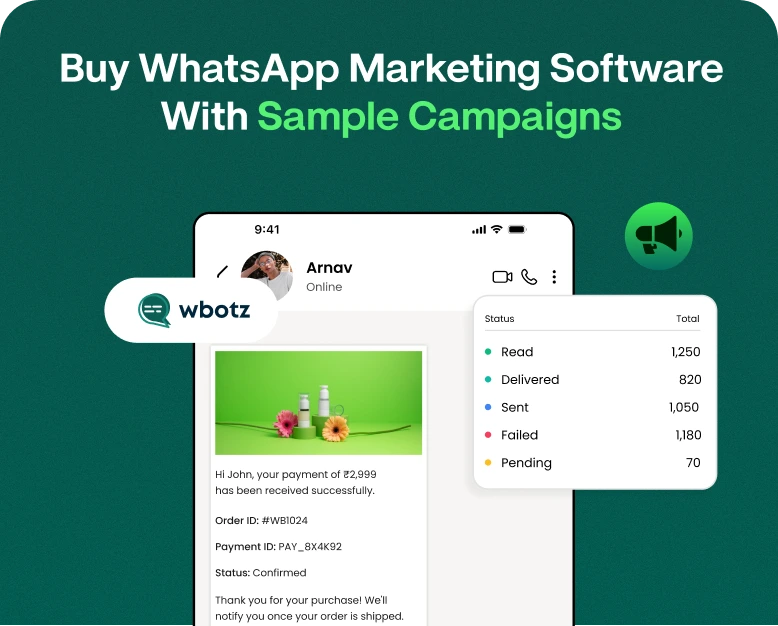
Buy WhatsApp Marketing Software With Sample Campaigns
Are you sending messages to customers on WhatsApp but not receiving the expected response? Maybe your team is still copying and pasting messages, struggling to follow up with leads, or wondering what type of campaign…
Are you sending messages to customers on WhatsApp but not receiving the expected response? Maybe your team is still copying and pasting messages, struggling to follow up with leads, or wondering what type of campaign actually gets people to reply.
And this is where WhatsApp marketing software can really make a difference.
Businesses now have software to organise contacts, build campaigns, automate follow-ups, send promotional messages, and track campaign performance all in one place instead of manually handling every conversation. Even if you don’t know what a good campaign looks like, picking the right software can still be difficult.
That’s why this guide covers WhatsApp Marketing Software With Sample campaigns to give you practical ideas and inspiration. You’ll learn what the software does, what features to look for, how to create campaigns, and how businesses can use a WhatsApp marketing sample to build better customer communication.
If you run an e-commerce store, real estate company, education business, restaurant, agency or service-based company, these examples can help you use WhatsApp as a more organised marketing channel.
What is WhatsApp Marketing Tool?
WhatsApp marketing software is a business tool that helps businesses manage and automate marketing communication via WhatsApp.
Depending on the platform, businesses can:
- Create campaigns that promote products or services to customer lists
- Automated Customer Replies
- WhatsApp Messages Creation
- Campaign scheduling
- Leads and Contacts Management
- Send customised messages
- Automate follow up sequences
- Share catalogues of products
- Monitor message delivery and engagement
- Manage team inbox for customer communications
- Integrate WhatsApp with CRM systems
- Assess campaign performance
Say you have an online clothing store and 5,000 customers. Instead of messaging customers about a new collection manually, the marketing team can build a campaign, segment customers, personalise the message, and track the results.
It’s not about sending more messages. The goal is about sending more relevant messages to the right customers at the right time.
Why you should invest in WhatsApp Marketing Software
Millions of people already use WhatsApp as a daily communication tool. For companies it’s an opportunity to connect with customers through a medium they already know.
But as your customer database increases, it becomes difficult to handle WhatsApp marketing manually.
You might have problems like:
- Manual repetitive messaging
- Missed follow up
- Poor contact management
- Trouble following campaigns
- Fragmented customer communications
- Promotional campaigns that take time
- Little insight into how customers will react
These problems can be solved by a dedicated platform that brings together marketing activities into one organised workflow.
WhatsApp Marketing Manual vs Software Based
With manual marketing, a team member has to pick contacts, write messages, send them, monitor responses and remember to follow up.
Much of this process can be structured and automated with software.
For instance:
Manual process:
Contact list → Copy message → Send individually → Wait → Follow-up tracking → Track responses
Process based software:
Build audience Build campaign Customise message Schedule/send Track performance
Automate follow-up
This can save time and also give businesses more control over their campaigns.
What Features Should You Look For When Buying?
Not all WhatsApp marketing tools have the same features. Before you purchase software, consider what your business truly requires.
1. Campaign Management
Select a software that allows you to create and manage multiple campaigns from one dashboard.
You might want separate campaigns for:
- New Clients
- Current customers
- Abandoned Shopping Carts
- Offers
- Product launches
- Events
- Season’s Promotions
- Reactivation of Customers
2. Customised Messaging
Personalisation can make a campaign feel less like a mass mailing.
Let’s look at the text below:
Hi {{name}}, we have a special offer for you!
can feel more pertinent than:
“Dear Customer, see our latest offer.”
Look for features that allow you to add customer info (name, product, or other available fields) to messages.
3. Follow Ups (Automated)
A customer may see your first message, but won’t get a response right away.
Automating follow-ups allows businesses to keep the conversation moving without requiring a team member to remember each lead.
A simple sequence might be:
- Day 1: Introduction to Product
- Day 3: Remind
- Day 5: Useful information
- Day 7: The Final Offer
Timing should be based on the customer journey and type of business.
4. Contacts Segmentation
It’s rarely a good idea to send the same message to everyone.
A good WhatsApp marketing platform should help you segment your contacts into relevant groups.
In simple terms:
- New leads
- Current customers
- Valuable customers
- customers who have not bought recently
- People who are interested in a product
- Customers from a certain location
It makes campaigns more targeted.
5. Reporting and Analytics
Before you buy, see if the WhatsApp marketing software has useful campaign reporting.
Useful metrics might include:
- Sent Messages
- Status of delivery
- Read state
- Solutions
- Clicks
- Conversions
- Campaign results
These insights can help you understand which campaigns are working and which ones need work.
Sample WhatsApp Marketing Campaigns You Can Employ
Now let’s look at some real-world scenarios. You can tailor these sample WhatsApp marketing messages to different customer journeys and industries.
Sample 1: Introduction of New Product
A product launch campaign should quickly say what is new and why customers should care.
Example WhatsApp Marketing:
“Hey {{name}}! Our new collection is here.”
Take a look at our latest products, designed to offer you more style and comfort.
Get 15% OFF this week! Early bird offer.
Shop Now: https://www.wbotz.com/whatsapp-for-e-commerce
“Limited time offer.”
This is awesome for fashion brands, ecommerce stores, electronics brands and DTC brands.
Sample 2: Discount for a Limited Time
Urgency is helpful if you really have a deadline.
Sample WhatsApp marketing message:
Hey {{name}}, your one time offer is here!
Today save 20% OFF your next order until midnight.
SAVE20
Don’t miss it out.
Buy Yours Today: https://www.wbotz.com/pricing
Don’t create false urgency. If you set an expiration date, make sure the offer actually expires on that date.
Sample 3: Abandoned Shopping Cart Reminder
Sometimes customers add products to their cart, but then leave without buying.
A reminder can get them back.
Sample advertising messages on WhatsApp:
“Hi {{name}}, You forgot something!
Your cart still waits.
You can place your order here:
[Link]
Need help? Simply reply to this message and our team will help you.”
This approach is useful for e-commerce.
Sample 4: Appointment Reminder
Also, WhatsApp is useful for service businesses.
Example message:
“Hi {{name}}, this is a reminder of your appointment with {{business}} on {{date}} at {{time}}.
If you need to re-schedule, reply to this message.
See you next time!
This can be customised for clinics, salons, consultants, repair services etc., and any business that works on appointment basis.
Sample 5: Follow-up on Real Estate Leads
Real estate companies often need several follow-ups before a lead turns into a customer.
Example WhatsApp Marketing Message:
Hi {{name}}, thanks for your interest in our properties recently.
We have some new properties that might be what you are after.
Would you like us to send you details, prices and floor plans available?
Answer YES and we will share the information with our team.
This is more conversational than diving straight into a long sales pitch.
Sample 6 Customer Re-Engagement
Companies can also use WhatsApp to re-engage dormant customers.
Campaign sample:
Hi {{name}}! We haven’t seen you for a bit.
We’ve added some exciting new products that we think you’ll like.
Special Offer for Returning Customers: 15% OFF
Learn more: https://www.wbotz.com/
How to Build a WhatsApp Marketing Campaign Step-by-Step
Here is a simple process to follow if you are planning to buy WhatsApp marketing software.
Step 1: Establish Your Campaign Goal
Begin with asking what you want the campaign to accomplish.
Your goal might be:
- Create leads
- Boost sales
- Advertise a new product
- Reactivate inactive customers
- Appointments Confirmation
- Feedback
- Promote an event
- Provide customer support services
Ideally, one campaign should have one clear primary goal.
Step 2: Choose The Right Audience
Don’t automatically send every campaign to your entire contact database.
Create relevant segments based on customer behaviour, interests, purchase history or lead status.
For example, an online shoe store might create separate groups for:
- First time buyers
- Customers returning
- Running shoe customers
- Consumers of Casual Footwear
- Customers who haven’t bought in six months
Step 3: Compose a clear message
Make your message simple.
A good marketing message usually has:
- Personal salutation
- The main benefit
- Notice, important information
- Call To Action
- Link if required
Don’t write extra paragraphs.
Step 4: Add A Strong Call To Action
Let the customer know what to do next.
Examples of this are:
- Buy Now
- Schedule Your Appointment
- Get a Quote
- Learn More About
- See Products
- Claim Coupon
- Speak to our team
Knowing exactly what to do next makes it easier to do it.
Step 5: Test before you send
Run a test message before launching your campaign.
Done.
- Spelling
- Links
- Customise fields
- Photos
- Prices
- Offer dates
- Call to action
- Format
One little mistake can take a good campaign and make it look bad.
Step 6: Measure Results
Review the analytics available once you’ve sent the campaign.
Learn by comparing different campaigns:
- Which messages get more responses
- Which offer gets more clicks
- What parts of the audience are more engaged
- Which campaigns generate conversions
Use these results to improve your next campaign.
Advantages of WhatsApp Marketing Software
Saves Time
Automation can cut down on repetitive marketing tasks and free up your team to focus more on sales and customer support.
Reach Directly To Customers
WhatsApp provides businesses with a familiar messaging environment to communicate with customers.
Enhance follow-up
Automated sequences can help ensure leads don’t fall through the cracks.
Make communication personal
Customer data and audience segmentation enable businesses to send more relevant messages.
Manage Bigger Campaigns
As your contact database grows, software can help you get the tools you need to manage campaigns more systematically.
Measure Your Campaign Performance
Analytics help businesses understand how customers are engaging with campaigns and help them identify ways to improve.
A Simple Example: How a Small Business Can Use It
Imagine a local gym that wants to grow its membership.
Rather than manually calling each previous inquiry, the studio can segment customers into three:
- Segment 1: New leads
- Segment 2: Former members
- Segment 3: Trial Class Participants
Then the studio can run different campaigns.
New leads are sent a trial-class invite.
Ex-members get an opportunity to return.
Trial attendees will receive a membership reminder.
All audiences get a message in accordance with their circumstances.
One of the biggest advantages of marketing software is that you can organise communication around the customer journey rather than sending a generic message to everyone.
How Much WhatsApp Marketing Software Do You Really Need?
The right software depends on your business size and marketing objectives.
A small business may only require:
- Contact management
- Create Campaigns
- Easy automation
- Message templates
- Reporting made easy
A growing company may require:
- Team email inbox
- Integration with CRM
- Advanced segmentation
- Workflow Automation
- Detailed analysis
- Many of the users
- Lead management
Larger businesses may require API integration, more advanced automation, control of access, and integrations with other systems within the business.
Choose a platform that solves the problems you need to solve, not the number of features.
Frequent Errors to Avoid
Even the best WhatsApp marketing software cannot save a bad campaign strategy.
Don’t make these mistakes:
Sending Excessive Messages
Constant promotional messages can irritate the customers. Be timely and relevant.
Using Generic Messages
If your message is copied and doesn’t relate it probably won’t get much engagement.
Disregarding customer intent
Someone asking about a product is different than someone who has already purchased it.
Use of Weak CTAs
Don’t leave customers guessing what to do next.
Failing to measure results.
It’s hard to know which campaigns need more focus without analytics.
Turn Every Message Into a Sales Pitch
Useful content, reminders, updates and helpful information can be an essential part of customer communication.
The questions asked most often
1. What is a WhatsApp marketing tool?
WhatsApp marketing software is a business tool that enables companies to create, automate, manage and track their WhatsApp marketing campaigns. It can also include contact management, segmentation, analytics, CRM integration and automated follow-ups depending on the platform.
2. Are sample WhatsApp marketing messages suitable for my business?
Yes. A sample WhatsApp marketing message can be a good starting point but you should customize it to your audience, product, offer and campaign goal.
3. What does a good WhatsApp marketing message look like?
In general, a good message should have a clear purpose, concise information, a relevant customer benefit, and a simple call-to-action. Personalisation also may make the message more relevant.
4. WhatsApp advertising messages samples for beginners. Are they helpful?
Yes. Beginners can learn about the structure of promotional messages by examining examples of WhatsApp advertising messages. You could learn the format and adapt it and not send the same message for every campaign.
5. Best Way to Choose WhatsApp Marketing Software?
Compare platforms based on features like campaign management, automation, contact segmentation, personalisation, analytics, integrations, team collaboration, scalability and pricing. Most important, select software that is compatible with your business objectives and your customer communications.
Concluding remarks
WhatsApp can be more than just a messaging channel. The right approach and WhatsApp marketing software can help businesses organise contacts, automate follow-ups, develop targeted campaigns and gain insight into customer responses.
This guide has sample campaigns for you to begin with. They are ready to be customized for product launches, discounts, appointments, abandoned carts, lead follow-ups, customer reactivation, and many other business scenarios.
If you’re ready to move beyond manual messaging, your first step is to identify the campaigns you want to automate. Then, compare WhatsApp marketing platforms according to your business needs for features, automation options, analytics, and scalability.
Written by
Prachi Soni
Part of the Wbotz team, writing about WhatsApp Business API, automation and the campaigns that actually convert.