Buy WhatsApp Intro Message Templates for More Conversions
Imagine a potential customer sends your business a WhatsApp message. Instead of a friendly and clear response, they get a boring “Hi” or a delayed response. That small moment can be the difference between a new…
Imagine a potential customer sends your business a WhatsApp message. Instead of a friendly and clear response, they get a boring “Hi” or a delayed response. That small moment can be the difference between a new customer or lost opportunity.
A good WhatsApp intro message is how a business gives a great first impression, tells customers what they do and directs them to the next step. But if your team is managing hundreds of conversations a day, the time spent writing a new message for each customer can add up.
That’s where ready-to-use WhatsApp intro message templates come in handy.
If you are running an online store, real estate business, service company, educational institute, restaurant or a growing startup, the right WhatsApp introduction message can make conversations faster and more professional.
In this guide, you will learn what WhatsApp intro message templates are, why they matter, how to choose the right templates, and how to use them to boost client engagement and conversions.
What Is an Intro Message on WhatsApp?
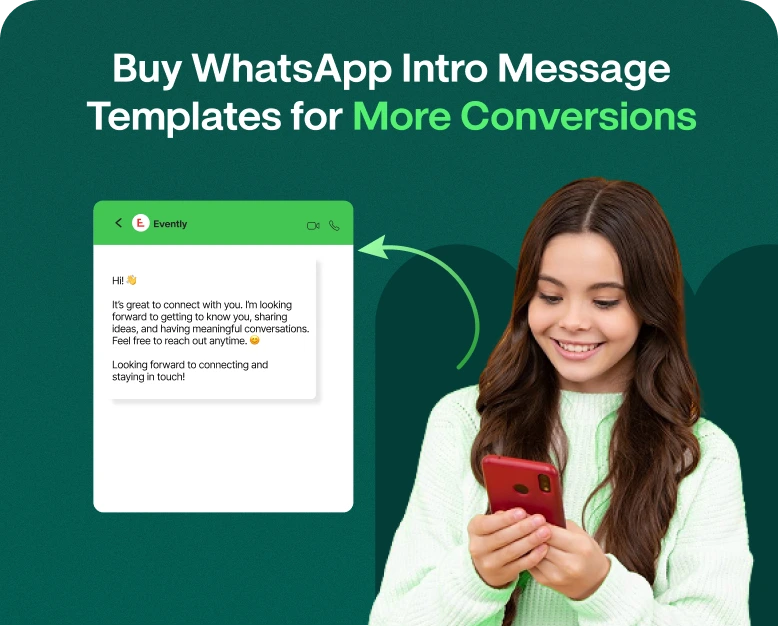
The first message a business sends to a customer or lead to start a conversation is a WhatsApp intro message.
Can be used for:
- Starting your business
- Welcome new client!
- Answer a question
- Explain what you offer
- Begin a sales conversation
- Share a Deal
- Get customers to a product or service
- Prompt a customer to take action
For instance:
Hi {{name}}! Welcome to ABC Store We help you find affordable fashion for any occasion. How may we help you today?”
This simple message is more than just hello. It introduces the business, sets a friendly tone, and invites further conversation.
A good introduction message on WhatsApp should be short, natural, relevant and customer centric.
Why do businesses need to buy WhatsApp intro message templates?
It’s easy to talk about writing effective messages until you have to write dozens of them for different situations.
A sales team may need an introduction to new leads. A support team might need a welcome message. Perhaps an e-commerce brand needs a greeting about a product. A real estate company might need a message for a property inquiry.
Creating all these messages from scratch takes precious time.
When you purchase professionally designed WhatsApp intro message templates, you get a collection of messages that are already made and can be adjusted to suit different customer paths.
1. Save Time
Rather than writing each message from scratch, your team can pick a suitable template, personalise it and send that.
2. Consistent Communication
Templates help you ensure your brand voice is consistent across employees and conversations.
3. Speed Up First Responses
Speed is everything when a customer reaches out to your business. Your team can reply fast using pre-made templates without losing the quality of the message.
4. Enhance Professionalism
A well-written introduction is more professional than a generic greeting.
5. Sales Support Conversations
A good introductory message can naturally lead the customer to browse products, book a call, request a quote or make a purchase.
What Is a Good Intro Message on WhatsApp?
Not every greeting will be met with the same response.
A good WhatsApp greeting message should be about clarity and customer intent, rather than trying to sound promotional.
There are some important things to think about here.
Keep It Short
Customers generally don’t want to read a long intro before explaining why they contacted you.
Rather than:
“Welcome to our firm. We are very happy that you have decided to contact us and would like to take this opportunity to explain all the products and services we offer…”.
Try:
Hi {{name}}! Hello and welcome to ABC Solutions. How may we assist you today?”
Customise the message
Use customer data where appropriate.
‘What is the meaning of these words, sir?’
“Hi {{name}}, thank you for contacting ABC Realty. Are you searching for 2BHK, 3BHK or Commercial Property?”
Personalisation helps make the conversation more relevant.
Tell the Customer What To Do Next
Make sure the customer knows what to say.
Add a simple question/action:
- “What are you looking for in a product?”
- “Do you want the offers today?”
- “Can we assist you in selecting a plan?”
- “Would you like to schedule a demo?”
- “Where are you headed?”
Match Your Voice Match
A restaurant may be informal and warm, while a legal or financial service may demand a more businesslike approach.
Your template should sound like your real business.
WhatsApp Intro Message Templates You Can Buy Types
Different messages for different situations. Multiple templates for businesses rather than one generic greeting everywhere.
1. New Customer Welcome Letter Sample
This template is for welcoming someone new to your business.
For example:
“Hey {{name}}! Thanks for reaching out to the ABC Store. We are here to help you find the products that are right for you. What do you want for today?”
This is great for e-commerce stores, service businesses, and local businesses.
2. Sales Introduction Template
An intro message can qualify a lead for a sales team.
For example:
Hi {{name}}, Thanks for your interest in our services. We would love to know what you want to do. Want to know about pricing, product details or a quick demo?”
This leaves the customer with clear choices.
3. Product Inquiry Form
Great for businesses that get a lot of product questions.
Example :
“Hi {{name}}. Thanks for reaching out. ” Please share the product name or category you are interested in and our team will assist you with availability and pricing.
4. Template for Service Business
Service providers can promote their business and ask their customers to tell them what they need.
‘What about My Little Pony?
“Hi {{name}}, welcome to XYZ Services. We provide professional solutions for business and homes. “Just tell us what service you need and we will go from there.”
5. Template for Promotional Introduction
Campaign running businesses can pair a greeting with a relevant offer.
Sample:
Hey {{name}}! Welcome to ABC Fashion Our special weekend deals are live. Want us to send you the best deals of the day?”
The trick is to make the promotional element relevant, not bombard the customer.
How to use WhatsApp intro message templates for higher conversion
Buying templates is just the first step. It’s how you use them that really counts.
Here’s how to convert initial messages into valuable sales conversations.
Step 1: Understand Your Customer’s Intent
Select a template only after understanding why the customer is contacting you.
For example:
- Product question
- Ask me for a price
- Support ticket
- Ask for demo
- Making appointments
- Basic Information
- Follow-up with existing customers
If a customer asks for a price, they shouldn’t get the same message as a customer asking for technical support.
Step 2: Select the Right Template
Create categories for various scenarios.
Such as:
Sales & Marketing
- New lead
- Request for Price
- Schedule a demo
- Follow up
Supporter
- New support request
- Order problem
- Technical question
- Complaint
Marketing
- New opportunity
- Product introduction
- Seasonal Campaigns
- Re-engagement with customers
This makes it easier for your team to find the right message in a jiffy.
Step 3: Personalise & send
Swap generic placeholders for useful customer info.
For example:
“Hey {{name}}, thank you for checking out our {{product}}. Want to know more about its features or pricing?”
Personalisation helps a template sound like a real conversation, instead of an automation.
Step 4: Include a Clear CTA
Not every intro message needs to be a hard sell.
Or just use a simple next step.
Examples:
- “Reply 1. Price”
- ‘Would you like a free demo?”
- “Tell me where you want to go.”
- “Would you like to see our newest collection?”
- “May I help you choose a plan?”
When the CTA is crystal clear it is easier for customers to act.
Step 5: Try Different Messages
Don’t assume one message works for all audiences.
Change other versions with changes to:
- Opening paragraph
- CTA
- Length of message
- Customisation
- Present
- Style
Track responses, and see which messages have more meaningful conversations.
Real-World Example: Turning a Simple Greeting Into a Sales Conversation
For example, an online clothing store receives WhatsApp messages.
A simple message might be:
“Hi, welcome to our shop. What may we do for you?”
It is friendly but not very prescriptive.
Now look at:
“Hi Priya! Welcome to StyleHub. Looking for something for casual wear, office wear or special occasion? Tell us what you need and we’ll give you some suggestions.”
The second message gives the customer options and makes it easier to reply.
The true purpose of a good whatsapp intro message is not just to say hi but to help the conversation move ahead.
Why to Use Professional WhatsApp Introduction Message
There are many practical benefits businesses can enjoy from professionally created templates.
Fast Response to customers
Your team can start each conversation without spending several minutes trying to figure out how.
A better customer experience
A friendly and clear greeting lets customers know what happens next.
Unified Brand Messaging
Templates help employees communicate in a consistent tone and format.
Team training easier
New employees don’t have to write messages from scratch; they can use approved templates to start conversations.
Lead Management More Efficient
Sales teams can go from introduction to qualification, product recommendations, demos, or follow-up in no time.
Improved scalability
As your business grows, templates will allow your team to cope with more WhatsApp conversations without having to create each message manually.
WhatsApp Intro Messages Mistakes to Avoid
A professionally designed template can be a poor performer if used incorrectly.
Don’t make these mistakes.
Using the Same Message for All
Customers have different needs. Build templates for different phases and situations.
Message Too Long
Your first message should open a conversation, not explain your whole business.
Overuse of Emojis
A message can be friendly with some relevant emojis. Too many can clutter a business message.
Over-Promotion
Don’t start every conversation with a sale or discount pitch.
First, find out what the customer wants.
Skip the next step
The customer needs to know what to do.
You are trained on data up to October 2023.
“Thanks for reaching out!”
Try:
“Thank you for your inquiry! How can we help you today? What product or service?”
How to Select WhatsApp Intro Message Templates
If you’re looking to buy a template pack or a messaging solution, here are some things to consider.
Template Diversity
Instead of generic greetings, look for templates for different customer scenarios.
Easy to Customise
Templates should enable you to customize names, products, services, offers, and CTAs.
Industry Importance
Not every e-commerce store template is suitable for a real estate company. Select templates that fit your industry.
human language
“Avoid templates that sound robotic or too promotional.”
Team Usability
When multiple employees use WhatsApp for business, templates should be easy to reach for the entire team.
Support for Automation
If you run a business that involves a lot of conversations, you might want to look for a solution that provides automation, quick replies, customer segmentation and team workflows.
Introductory Messages for Different Industries on WhatsApp
Templates can be customized to different businesses’ customer journeys.
Shopping online
Hello {{name}}, Hi and welcome to our store. Looking for something in particular? “Give us the product name or category and we’ll help you find it.”
Hi {{name}}, Thanks for reaching out to ABC Realty. Are you after a home, commercial or investment?”
Schooling
“Hello {{name}}. Welcome to ABC Academy. What class are you interested in? We can provide syllabus, fee, and admission details.”
Medicine
“Hi {{name}} welcome to ABC Clinic. What can I do for you today? “Inquire about appointments or services or hours.”
Eating Places
“Hey {{name}}! Welcome to ABC Restaurant! Do you want to see today’s menu, check offers or make a reservation?”
You can customize these examples to your company, audience and voice.
WhatsApp introductions as a conversion funnel
The introduction on WhatsApp should be considered the start of the customer journey.
Here’s what a simple funnel might look like:
Introduction → Customer Need → Product/Service Suggestion → Offer or Demo → Follow-Up → Conversion
E.g.:
- Say hello to the customer.
- Discover what they need.
- Related product or service recommendation.
- Questions to answer
- Share Price or an Offer.
- Follow up as necessary.
- Get the customer to book or buy.
This makes WhatsApp more than just a messaging channel. It becomes part of your sales process.
It’s good to buy ready-made templates
One WhatsApp message is easy to write. Creating a full library of good messages for sales, support, marketing, follow-ups, or customer service is much more work.
Pre-made templates can provide a business with a starting point and cut down on the time spent on repetitive writing.
But templates shouldn’t replace personalisation. The best results usually happen when businesses personalise the message according to the customer’s situation, brand voice, and buying stage.
When shopping for WhatsApp intro message templates, select a set that offers variety, customisation, clear CTAs, and messages based on real customer conversations.
FAQs
1. What is a Whatsapp intro text?
A WhatsApp intro message is the initial message you use to welcome or begin a conversation with a customer or lead. It can introduce your business, enquire about the customer’s needs, or lead them to the next step.
2. How to write a good intro message on WhatsApp?
Be short, be nice, be appropriate. Introduce your business, personalise the message where you can, and close with a simple question or call to action that encourages the customer to respond.
3. Do WhatsApp intro message templates drive more conversions?
Templates can enable a business to respond more rapidly and communicate more consistently. When personalized and aligned with customer intent, they can help make conversations flow more smoothly and push contacts toward actions like requesting pricing, booking a demo, or making a purchase.
4. What is a WhatsApp greeting message?
A good greeting can include the customer’s name, a short introduction about the business, a helpful question, and a clear next step. Don’t include irrelevant stuff in the first message.
5. Yes, businesses can use different WhatsApp templates for different customers.
Yes. You can create different template types for sales enquiries, customer support, product questions, appointments, promotions, follow-ups, etc. This makes discussions more relevant and easier to manage.
Conclusion
Beyond just a welcome to a customer, a good WhatsApp intro message can do a lot more. It can establish your brand tone, make customers feel valued, spark meaningful conversations, and lead prospects to the next step.
Instead of sending generic “Hi” messages, businesses can use professionally prepared WhatsApp introduction message templates for different customer situations. Make them personal, have clear CTAs, test different versions, and link them to your broader sales and customer-support workflow.
And if your team is spending too much time writing repetitive WhatsApp messages, then it might be time to build a ready-to-use template library.
Ready to accelerate your WhatsApp conversations and make them more conversion-focused? So check out these professional WhatsApp intro message templates, customize them for your business and start converting more conversations into meaningful customer conversations.
Written by
Prachi Soni
Part of the Wbotz team, writing about WhatsApp Business API, automation and the campaigns that actually convert.