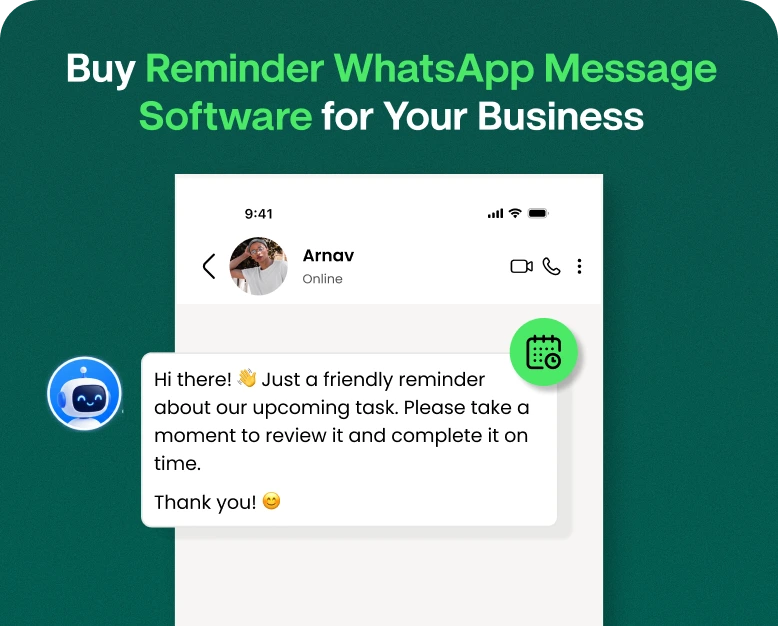
Buy Reminder WhatsApp Message Software for Your Business
Operating a business means you’re juggling a lot of things at once. Follow up with customers. Remind about appointments. Collect pending payments. Confirm orders. Inform people about upcoming offers. If you do these…
Operating a business means you’re juggling a lot of things at once. Follow up with customers. Remind about appointments. Collect pending payments. Confirm orders. Inform people about upcoming offers. If you do these tasks manually, it’s easy to miss an important message or contact a customer too late.
These tiny errors result in missed appointments, late payments, lost sales and unhappy customers.
Here is where reminder WhatsApp message software can really make a difference. It enables businesses to send timely reminders to customers without employees having to type and send each message one at a time. If you own an online shop, a clinic, an educational institute or a service-based firm, WhatsApp reminders can help you save time and improve your customer communication.
In this article, you will learn how reminder WhatsApp software works, what features to look for before buying, how to set up automated reminders, and how your business can benefit from using the right solution.
What Is Reminder WhatsApp Message Software?
WhatsApp reminder message software is a business communication tool that enables businesses to schedule, automate and send reminders to customers through WhatsApp.
Instead of manually sending messages, businesses can automate the process by creating reminder templates, selecting the right audience, determining delivery times, and automating follow-ups using available integrations or workflow rules.
For example; a dental clinic can send an appointment reminder a day ahead of a patient’s visit. An online store can inform customers about the delivery of the order. A coaching institute can make students aware about class timings, fee deadlines etc.
This software can be used by businesses for: Depending on the platform this software can be used for:
- Booking and appointment reminders
- Payment due reminders
- Shipping updates & Order Confirmation
- Class Timings & Exam Notifications
- Subscription renewal alerts
- Event Registration Notices
- Customer follow ups, request for feedbacks
A reminder on WhatsApp is handy because customers can get important updates via a communication channel they already use. However, businesses must also get the appropriate customer consent and comply with the applicable messaging policies of WhatsApp.
Why to Buy Reminder WhatsApp Message Software?
Manual reminders work when you’ve got a few customers. As your business grows, it gets harder to manage hundreds or thousands of reminders.
You may need to verify spreadsheets, recall due dates, call customers one by one, and track who has responded. These tasks take valuable time away from your team that could be used for customer service or sales.
Purchasing reminder WhatsApp message software can help solve these problems by bringing reminder scheduling and communication into one system.
1. Automate Save Time
Automation reduces the need to send each reminder out individually. Once a workflow is set up, the software can send messages based on scheduled times, customer actions or integrated business systems.
For example, a salon could schedule appointment reminders to be sent out 24 hours before a scheduled visit. Staff can spend less time making reminder calls and more time serving customers
2. Reduce No Shows
Missed appointments result in lost revenue and staff time wasted. A timely reminder via WhatsApp helps the customer to remember the booking and gives them the opportunity to confirm, cancel or reschedule when those options are available.
This strategy works for salons, clinics, consultants, repair services, fitness studios etc.
3. Optimize Payment Collection
Late payments can cause cash flow issues for businesses. A timely reminder can notify customers about upcoming bills, overdue invoices or subscription renewals.
For example, a software company might send a reminder a few days before a subscription expires and a second notice on the due date if the customer has opted into receiving such messages.
4. Keep Your Customers Informed
Customers want to receive helpful updates at the right time. Delivery notices, booking confirmations, class reminders and renewal alerts help them stay informed without having to contact your support team.
5. Handle Communication as Your Business Expands
Scalable reminder systems enable businesses to process growing volumes of messages more efficiently. Team members can work off shared customer records, review communication history, and monitor campaign performance where available.
Who needs the WhatsApp reminder tool?
Reminder software is useful in many industries. Its value is based on how often your business needs to communicate time sensitive information.
Websites can remind you that you’ve ordered something, when it’ll be delivered, when to pay for it and check in with customer service. Allowed marketing messages can also be used by companies to send offers to customers who have opted in.
Clinics can send reminders to patients about appointments, follow-ups and scheduled consultations. Messages need to respect patient privacy and not include unnecessary sensitive medical details.
Schools, colleges and coaching centers can send class reminders, exam schedules, fee notifications and enrollment updates to students or parents.
Realty Agents
Property agents can send reminders to prospects for site visits, property tour, document submission, scheduled calls etc.
Service Based Businesses
Consultants, salons, repair businesses and agencies can use reminders to confirm bookings, notify customers of upcoming sessions and follow up on outstanding requests.
Subscription Companies
Membership businesses and software providers can alert users to upcoming renewals, payment due dates and changes in subscription status.
Important Features to Look For Before Buying Reminder WhatsApp Message Software
Not all tools have the same features. Compare automation capabilities, pricing, integrations, reporting, and compliance support before choosing a platform.
1. Automated Message Scheduling
Choose software that allows you to send messages at set dates and times. More advanced tools could allow you to set reminders based on appointments, order events, payment status or customer activity.
This feature is particularly useful if your business sends recurring daily reminders.
2. Integration with WhatsApp Business API
Verify that the provider uses the official WhatsApp Business Platform or another appropriate integration that complies with the policy.
Messaging via API can help businesses scale communication, automate processes, and integrate with customer management systems. Business-initiated messages outside the customer service window may require approved templates, depending on the message type and circumstances.
Don’t use any tools that promote unlimited bulk messaging without explaining how they are compliant.
3. Message Templates
Templates help you stay consistent in your communication and save time.
For instance:
Hi {{name}}, Just a quick reminder that your appointment is on {{date}} at {{time}}. Please reply if you need help.
“A good tool will make it easy to personalize messages with the customer information that is available.” If a template needs approval according to WhatsApp policies, the software should support the respective approval process.
4. Customer Segmentation
Customer segmentation helps you send relevant reminders to the right people.
You might want to make separate groups for:
- Customers with pending appointments
- Customers with outstanding payments
- Customers with expiring subscriptions
- Customers with delivery schedules
- Students preparing for upcoming exams
This helps to filter out irrelevant messages and makes the communication more useful.
5. Business Tool and CRM Integrations
Check for integrations with your CRM, booking system, e-commerce platform, billing software, or spreadsheets where relevant.
If you add an appointment to a connected booking system, the software may automatically set a reminder based on the appointment details.
Always check what integrations are included in the plan and if there are any additional setup or charges.
6. Analytics & Delivery Reports
Reporting gives you insight into whether your reminders are getting through to customers and affecting business goals.
Useful metrics could be:
- Sent and received messages
- Unsuccessful message tries
- Customer Reactions
- Confirmation of appointments
- Payment success ratio
- Conversion rates for relevant campaigns
There are different things such as message delivery, reading and customer action. Because a message is delivered doesn’t mean the customer has read it or done what you asked.
7. Flexible Pricing
Please review our full pricing structure before purchase. Charges may differ by provider and may include a monthly subscription, message-related charges, WhatsApp platform charges, onboarding or integration charges.
Don’t just look at the advertised monthly price, compare the total expected cost.
How To Purchase And Set Up Reminder WhatsApp Message Software
Having a clear process makes it easier to choose the right software.
Step 1: Determine your business needs
What do you want to automate?
Ask yourself:
- Need reminders for appointments, payment notifications?
- Number of customers that get reminders per month.
- Do I need one-off messages or ongoing workflows?
- Are several employees managing customer conversations?
- Do I need integration with CRM or detailed reports?
Before comparing providers, list your top requirements.
Step 2: Compare Available Software Options
Shortlist a few providers and compare their features, ease of use, integration options, customer support, and pricing.
A useful comparison checklist includes:
| Feature | What to Check |
| Automation | Scheduled messages and event-based triggers |
| Integration | CRM, booking, billing, or e-commerce connections |
| Templates | Personalization and approval support |
| Reporting | Delivery, failure, and response tracking |
| Team access | Multiple users and role permissions |
| Pricing | Subscription, messaging, and setup costs |
| Compliance | Consent management and opt-out support |
Ask for a demo or trial of the product if you can. Test the features you really want to use before you pay for a subscription.
Step 3: Connect Your WhatsApp Business Account to
Follow the provider’s setup instructions to connect your eligible business account.
Depending on the integration, you may need to verify your business, connect a phone number, set up the WhatsApp Business Platform, or meet other onboarding requirements.
If you are already using your number with another WhatsApp service, please make sure you know how to set up your account before you purchase.
Step 4: Build Your Reminder Templates
Write short, clear messages for each business requirement.
For example an appointment reminder should include the date, time, business name and helpful instructions. A payment reminder should include the relevant invoice reference, due date and an appropriate payment option.
Make sure to keep your messages professional and helpful. Avoid misleading urgency and unnecessary promotional messaging in service reminders.
Step 5: Create Automated Workflows
Set when each reminder should be sent.
The appointment workflow could be as simple as:
- A customer makes an appointment.
- The booking system will store the date and time.
- The software creates a reminder on WhatsApp.
- The reminder is sent to the customer prior to the appointment.
- The system tracks the message status.
- Staff follow up as appropriate.
More advanced workflows could include confirmation requests, rescheduling links or escalation to a team member.
Step 6: Test Before You Go Live
Send test messages to authorized test recipients and check that details are correct.
Check the following:
- Did you get the names and dates right?
- Is the reminder timely?
- Is the information in the message correct?
- Are the links working?
- Can failed messages be seen in reports?
- Is there an opt-out option for customers?
Testing avoids wrong dates, duplicate messages and confusing notifications.
Step 7: Monitor Results And Refine
Once your reminder system is launched, keep a regular eye on its performance.
If customers are still missing appointments, try testing reminder timing. If your payment notifications aren’t getting many responses, make the payment instructions more clear. If you have a lot of failed messages, check the number’s validity, status of the template and any integration errors.
Instead of simply sending more messages without a clear reason, use real performance data to improve your workflows.
Best Reminder WhatsApp Messages Examples for Businesses
Here are some real-world instances that you can adapt to your needs.
Your Appointment Reminder
Hello {{name}}! This is a reminder of your appointment on {{date}} at {{time}}. Call us if you need to change your appointment. Looking forward to seeing you!
Payment Due Notice
Hi {{name}}, Your payment of {{amount}} is due on {{due_date}}. Please see invoice {{invoice_number}} for details. Please contact our team if you need any help.
Delivery Reminder Order
Hello {{name}}, your order {{order_id}} will be delivered on {{delivery_date}}. Please check your order details and reach out to our support team if you have any inquiries.
Notice for the Class
Hi {{name}}, your next class is on {{date}} at {{time}}. Please review your study materials before the session. We look forward to seeing you!
Subscription Renewal Notice
Dear {{name}}, your subscription will automatically renew on {{renewal_date}}. Review your plan details and contact our team if you need any assistance with the renewal.
These examples are just the start. Make them relevant to your business, customer expectations and governing rules of messaging.
Practical Example: What a Small Business Can Gain
Suppose there is a coaching institute with 300 students. Before the automation of reminders, the administrative team used to send messages about class timings, examination dates and fee deadlines manually.
With more students, the team spends more time preparing and sending messages. Some students get reminders late, some don’t get them at all.
Once reminder WhatsApp message software is installed, the institute is able to organize student records, develop approved templates for essential purposes and plan reminders around important dates.
This way the team can spend less time repeating messages and more time answering student questions.
The results are dependent on the quality of data, the reminder schedule, the customer’s consent and the software’s compatibility with the institute’s workflow. But the example illustrates how automation can help ease the management of routine communication.
Mistakes to Avoid When Sending WhatsApp Reminders
The best software still needs a sensible messaging strategy.
Too many reminders sent
Too many alerts can get customers irritated. Create a reasonable schedule and only send messages that are truly valuable.
Using Wrong Customer Information
Incorrect names, dates or amounts paid can destroy trust. Before you launch a workflow, make sure your customer records are up to date, and test personalization fields.
Customer Consent Ignored
Only message customers in compliance with applicable consent requirements and WhatsApp policies. Make sure there is a clear way to opt out of receiving messages and that opt-out requests are honored promptly.
The Software Choice: Just the Price
A low-cost tool may lack integrations, reporting or customer support. Compare the total cost to the features your business really needs.
Not tracking results
We don’t want to send just reminders. Assess whether they help increase attendance, payment collection, customer response or some other measurable business result.
Measuring the Success of Reminder Automation
Once your software is running, select a few metrics that align with your objectives.
Calculate the attendance rate and cancellation rate for appointment reminders For payment reminders, track the percentage of invoices paid by their due dates. Check customer questions about order status for delivery alerts.
You can also track failed deliveries, customer responses, opt-outs, and the time employees spend on manual reminders.
Compare pre and post implementation results taking into account any other changes that may impact performance. This will help you determine if you need to modify your workflows, change the timing of your messages, or upgrade your software plan.
FAQs Frequently Asked Questions
1. Best WhatsApp reminder message software for business?
The best software depends on your business needs, messaging volume, automation needs and budget. Look for solid scheduling, official WhatsApp integration where it makes sense, message templates, reporting, customer support, and the integrations your team needs.
2. Can I send WhatsApp automated reminder messages?
Yep. The right business messaging platforms allow you to automate reminders based on schedules, customer records or connected systems. The available triggers depend on the provider, and your integration setup. The applicable WhatsApp template and messaging rules should also be followed.
3. Is WhatsApp reminder software free of charge?
Some providers offer free trials or free plans with limited features, while others charge for monthly subscriptions and messaging-related fees. Make sure you check the current pricing carefully including any WhatsApp platform charges, setup fees and integration costs.
4. Yes, you can send payment reminders through WhatsApp.
Yes. Businesses can use WhatsApp to inform customers about upcoming or overdue payments. Ensure accuracy of messages, protect customer information, use approved templates where necessary and include a trusted payment method or invoice reference where appropriate.
5. How to send reminders in whatsapp automatically?
Select a business messaging platform of your choice, link your eligible WhatsApp account, create a reminder template and set up a schedule/trigger. Test the workflow before releasing it to customers . Then monitor delivery reports and customer response.
Conclusion: Pick the Best WhatsApp Reminder Software for Your Business
As your business grows, it can become daunting to manage customer reminders manually. Missed appointments. Slow follow-ups. Late payments. All of these things hurt your team’s productivity and your customers’ experience.
Purchasing WhatsApp message applications enables you to automate repetitive communication, coordinate customer follow-ups and send essential updates promptly. The trick is to find a platform that works for your business, has the right integrations, useful reporting and supports compliant messaging practices.
Compare features, test the workflow, and determine the total cost before choosing a provider. Start with one important process, measure the results, and scale your automation as your business needs grow.
Would you like your customer communication to be simple? Discover how Wbotz features for business communication on WhatsApp can assist your team in handling conversations and automating follow-ups with customers. Review the available features and plans and choose the solution that best fits your business objectives.
Written by
Kalpit Parmar
Part of the Wbotz team, writing about WhatsApp Business API, automation and the campaigns that actually convert.