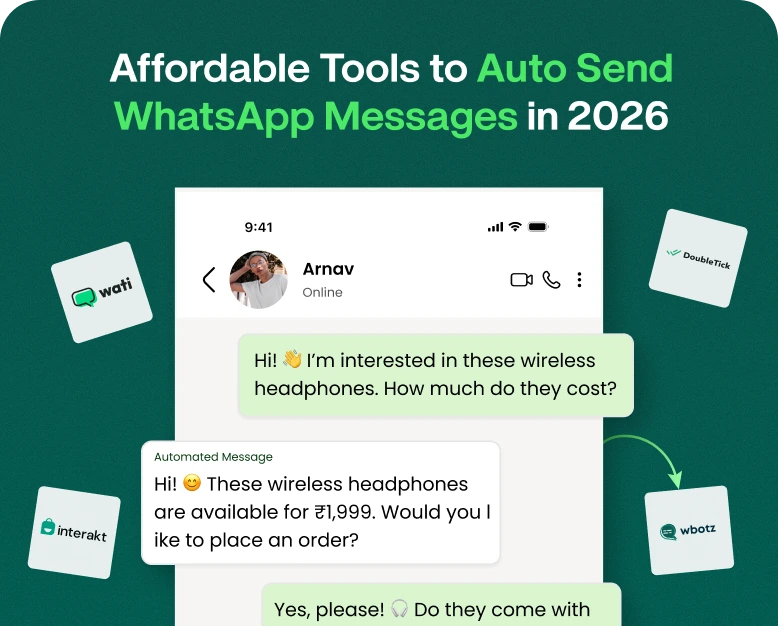
Best WhatsApp Tools to Automate Customer Communication
Now imagine a customer sends a WhatsApp message to your business at 10:30 PM asking for a product. No one answers until the next morning. By that time the customer might have already bought elsewhere. This is a common…

Now imagine a customer sends a WhatsApp message to your business at 10:30 PM asking for a product. No one answers until the next morning. By that time the customer might have already bought elsewhere.
This is a common problem with growing businesses.
WhatsApp provides quick and personal communication with customers. However, manually managing every dialog can be challenging as the number of your customers grows. Businesses need to answer repetitive questions, follow up on leads, send updates and manage campaigns, assign conversations to team members and make sure no customer is left behind.
That’s where the WhatsApp tools come in.
The best WhatsApp automation platform helps businesses respond faster, qualify leads, send personalized messages, manage customer conversations and automate repetitive tasks without having to monitor WhatsApp all day long.
In this guide, we’ll explore the best WhatsApp tools to automate customer communication, what features to look for, how automation works and how to choose the right tool for your business.
What are WhatsApp Automation Tools?
- WhatsApp automation tools are software programs that enable businesses to automate customer conversations and communication through WhatsApp.
- Instead of having to react manually to every customer, businesses can develop automated workflows for common situations.
- For instance:
- A customer sends a message → a welcome message is sent instantly.
- Customer asks about price → automated response gives price information.
- Lead fills form; WhatsApp sends follow-up message.
- A customer places an order → an order confirmation is sent automatically.
- Customer stops responding → follow-up scheduled by the system.
- Support request comes in → conversation assigned to right team member
Most professional WhatsApp automation platforms offer integrations with the WhatsApp Business Platform, and a host of other features like chatbots, shared inboxes, broadcasts, CRM integrations, analytics, lead management, workflow automation and more.
The key is that automation should not make communication feel like a robot. Good automation takes care of the repetitive stuff, so your team can jump in when a customer needs a human response.
Why do businesses need WhatsApp Automation?
If you’re a small business with 20 conversations a day, it might be possible to answer WhatsApp messages manually.
But what do you do when you have 200 or 2,000 conversations?
The problems get worse quickly.
Common problems Manual for WhatsApp communication
- Slow response
- Customer messages missed
- Forgotten leads
- Repeated questions that consume employee time
- Trouble handling multiple agents
- No formal history of customers
- Poor follow up
- Limited tracking of campaigns
- Measuring Conversions Is Hard
- Contradictory responses for clients
WhatsApp automation, which enables repeatable communication processes, addresses many of these challenges.
For instance, an automated workflow can immediately send an initial message and notify the salesperson when the customer responds, instead of depending on the salesperson to remember to follow up with each new lead.
This gives employees more time to have conversations that require their attention.
The Best WhatsApp Tools for Automating Customer Communication
There is no single WhatsApp tool that fits all companies. The best option will depend on your team size, industry, budget, communication volume and automation requirements.
These are some of the popular options to consider.
1. Wbotz
Wbotz is a communication and automation platform built for WhatsApp that helps businesses to manage customer conversations, marketing campaigns and automated workflows from a single platform.
It can be useful to businesses that want to go beyond basic WhatsApp Business features and develop a more structured customer communication process.
What is Wbotz?
WhatsApp can be automated for your business according to your workflow:
- Follow up lead
- Notifications to customers
- Automatic replies
- WhatsApp marketing campaigns
- Support for customers
- Nurturing leads
- Managing conversation in team
- Marketing communications
- Customer involvement.
For example, let’s say a real estate company receives a new inquiry through their website.
Instead of a salesperson manually reaching out to the prospect, an automated workflow can trigger a WhatsApp message acknowledging the inquiry. The lead can then be provided with property information, answer qualification questions and ultimately be handed off to a sales representative.
That gives a better experience to the customer and the sales team.”
Best for: Companies looking for WhatsApp marketing, automation, lead management and customer communication tools all in one place.
2. WATI
WATI is a WhatsApp-centric business communication platform that offers marketing, customer support, automation and team inbox features.
It is often selected by small and medium-sized businesses who want a WhatsApp-first platform rather than building their own system.
Typical capabilities are:
- WhatsApp campaigns
- Chat automation
- Shared inbox for team
- Chatbots
- Customer segmentation
- Telecasts
- Related Links
- Analysis
If your business relies on WhatsApp as one of the main communication channels and your team needs collaboration features, WATI can be a good choice.
Best for: SMBs seeking WhatsApp-first marketing and automation.
3. Respond.io
We at respond.io focus on customer conversations from multiple messaging channels including WhatsApp.
Its strength is in handling larger volumes of customer conversations, combining automation, routing, team collaboration and customer data.
The latest comparisons highlight its workflow automation, multi-agent inbox, CRM integrations, AI capabilities and omnichannel communication features.
This can be particularly helpful for businesses where there are multiple sales or support agents that need to manage conversations.
For instance:
- A customer initiates a chat on WhatsApp.
- The customer’s request is determined by automation.
- The conversation is routed to the appropriate team.
- The sales guy gets to have the talk.
- The follow-up actions are initiated automatically.
- Managers can see the conversation and performance data.
Ideal for: Expanding teams that handle large numbers of or multiple types of customer contacts.
4. Interakti
Interakt is a WhatsApp-first platform most relevant for e-commerce and D2C businesses.
It integrates WhatsApp communication with features like:
- Automated chatting
- Communication of product catalog
- Customer involvement
- Generation of leads
- WhatsApp marketing campaigns
- Analytics.
- Workflows in e-commerce
In an online store, WhatsApp automation is used to help the customer journey, covering product discovery, purchase and post-purchase communication.
For example, a customer who adds a product to their cart but does not complete the purchase could receive a timely WhatsApp reminder
Best for: E-commerce, D2C and businesses that sell products via online channels.
5. AiSensy
AiSensy is another WhatsApp marketing and automation tool for businesses aiming to run campaigns, automate conversations and handle WhatsApp communication.
It offers features such as chatbots, broadcasts, WhatsApp forms, Click-to-WhatsApp Ads integration and automation workflows.
Its relatively accessible positioning makes it a good consideration for businesses that are starting out with WhatsApp marketing.
Best for: Small and growing businesses that want WhatsApp marketing and automation features.
6. Twilio
Twilio takes a more developer-centric approach.
Instead of offering a ready-made WhatsApp marketing dashboard, Twilio offers communication APIs that developers may leverage to build customized applications and workflows.
This is useful when a company has a technical team and wants more control of its WhatsApp communication infrastructure.
For example, developers could integrate WhatsApp communication into:
- Custom CRM development
- Internal Use
- E-commerce systems
- Customer data bases
- Support platforms
- Automated warning systems.
Best for: Technical teams and companies that require highly customized WhatsApp communication workflows.
WhatsApp Tools Comparison
| WhatsApp Tool | Best For | Automation | Team Inbox | CRM/Integrations | Best Use Case |
| Wbotz | Business communication | Yes | Yes | Yes | Marketing, leads & customer communication |
| WATI | SMBs | Yes | Yes | Yes | WhatsApp marketing & support |
| Respond.io | Growing teams | Advanced | Yes | Strong | Sales & multi-channel conversations |
| Interakt | E-commerce | Yes | Yes | Yes | D2C & online stores |
| AiSensy | Small businesses | Yes | Yes | Yes | Campaigns & chatbots |
| Twilio | Developers | Custom | Custom | Strong | Custom applications |
The right choice depends less on the number of features and more on whether the platform fits your actual workflow.
What to Look for in WhatsApp Marketing Tools?
Before you buy WhatsApp marketing tools, don’t just compare monthly prices.
See what the platform can really do for your business.
1. WhatsApp Business Platform Official Support
This should be one of the first checks you do.
A serious business should opt for a solution that utilizes the official WhatsApp Business Platform instead of using risky unofficial automation methods.
It gives your business more structure to business messaging and automation.”
2. Automated processes
A good WhatsApp tool should let you create workflows based on the actions your customers take.
For example:
New lead → Welcome → Qualification → Product info → Sales rep
Another example:
Order placed. Confirmation. Shipping update. Delivery notification. Feedback request.
The more flexible the workflow builder is, the more processes you can automate.
3. Shared Team Inbox
If more than one employee is managing the same WhatsApp number, a shared inbox can be a huge help.
Instead of passing around screenshots or asking, “Who’s managing this customer?” your team is working from one organized dashboard.
Look out for things like:
- Conversational task.
- Team member roles
- Internal Memos
- Conversation history
- Agent availability
- Customer labels
- Search and filter
4. WhatsApp Messenger
A chatbot can respond to common questions before a human agent is involved.
E.g.:
Customer: What are your hours of operation?
Bot: We are open Mon-Sat, 9 AM-7 PM.
Customer: I want to talk to sales.
Yes, of course. I will connect you to our sales team.
It’s a basic form of automation, but it can save hundreds of repetitive responses per month.
5. CRM-Integration
Your WhatsApp chats should not exist in a vacuum.
Integrating WhatsApp with your CRM will give your team a better understanding of the customer journey.
You can connect possibly:
- Name
- Telephone number
- Source of Lead
- previous discussions
- Order history
- Sales phase
- Client preferences
- Follow-up status
This makes WhatsApp so much more valuable as a sales and customer relationship channel.
WhatsApp Customer Communication Automation
If you’re new to WhatsApp automation, here’s the simple procedure to do that.
Step 1: Identify Unnecessary Dialog
Begin by looking at the messages your business receives every day.
Look for questions like:
- How much?
- Where are you based?
- What are your business hours?
- Do you deliver?
- How do I place an order?
- What do you take for payment?
- When will I get my order?
These are good candidates for automation.
Step 2. Select the Right WhatsApp Tool
Don’t pick a tool just because it’s got the biggest feature list.
Question:
- How many conversations do you get ?
- How many team members need to have access?
- Do we really need a bot?
- Do we have to integrate with a CRM?
- Send marketing campaigns?
- Are automated follow-ups necessary?
- Do we sell via WhatsApp?
- Do you need analytics?
- Do we need another communication channel?
Your answers will help us find the right platform.
Step 3: Link your WhatsApp Business account
Create your business account and link it to the selected WhatsApp platform according to the onboarding process of the provider.
Ensure your business information is correct and your messaging practices are compliant with WhatsApp’s requirements.
Step 4: Design the Message Templates
Prepare templates for common business situations.
For instance:
Lead Follow-Up
“Hi {{name}}, thanks for your message. Just follow up to see if you still need help with {{product/service}}. I would love to help.
Update Order
Hi {{name}}, Your order {{order_number}} is on its way!
Reminder of appointment
Hi {{name}} this is a reminder for your appointment on {{date}} at {{time}}.
Automated messages that are personalized feel more relevant.
Step 5: Create Automation Workflows
Don’t try to automate everything at once . Start with simple workflows .
For example,
Trigger: New lead created
↓
Action: Send welcome message
↓
Action: Ask what the customer wants
↓
Condition: Ask a Question
↓
Action: Send information on products
↓
Action: Contact sales representative
It’s easier to test and improve than building a complex automation system from the start.
Step 6: Human Handoff Process
Automation shouldn’t completely replace humans.
Make it easy for customers to talk to a person.
For example:
“Would you like to speak to our support team?”
This is especially true for complaints, complex purchases, payment problems and high-value leads.
Step 7: Monitor Performance
Once your automation is live, measure the results.
Key statistics are:
- Time of Answer
- Rate of delivery
- Response rate
- Conversion rate of leads
- Satisfaction of customers
- Campaign performance
- Automated Conversations: Number
- Handoffs by humans
- sales produced
These numbers tell you which workflow is working, and which needs to be worked on.
Real-World Example: WhatsApp Automation for Better Lead Follow-Up
Suppose a digital marketing agency gets 100 inquiries each month.
Sales representatives used to contact each lead manually.
Some prompts were answered in 10 minutes. Others waited for hours. Some were completely overlooked.
Agency rolls out WhatsApp automation
Now:
- Lead has submitted an inquiry.
- The lead gets a WhatsApp message right away.
- The system asks what service they want.
- The lead makes a selection.
- Automatic transmission of information.
- The sales representative is provided with the qualified conversation.
- If the lead doesn’t answer, a follow-up is scheduled.
The sales team no longer spends all day answering basic questions.
They spend more time talking to qualified prospects rather than.
The actual value WhatsApp automation provides is that. It’s not just sending more messages, it’s better management of communication by businesses.
Advantages of Automating WhatsApp for Business
Faster customer response
Customers don’t have to spend hours waiting for basic information.
Improved Lead Management
Auto-handled follow-ups reduce the chance of losing potential customers.
Less Manual Labor
Employees don’t have to answer the same questions over and over again.
Better Communication Consistency
The standardized information is given to customers, no matter who in the company is having the conversation.
Enhanced Customer Experience
Quick answers and easily available info make for a smoother buying journey.
Scalable Communications
Your business can support more and more conversations without the same increase in manual workload.
More Opportunities for Sales
Sales teams can close more conversations by following up on leads in a timely manner.
WhatsApp Marketing Tools vs. Basic WhatsApp Business
The standard WhatsApp Business app is useful for small businesses and basic customer communication.
However, businesses with growing communication needs may require more advanced functionality.
| Feature | WhatsApp Business App | WhatsApp Automation Tools |
| Basic messaging | Yes | Yes |
| Business profile | Yes | Yes |
| Automated workflows | Limited | Yes |
| Advanced chatbot | Limited | Yes |
| Multi-agent management | Limited | Yes |
| CRM integration | Limited | Yes |
| Advanced analytics | Limited | Yes |
| Lead automation | Limited | Yes |
| Marketing workflows | Limited | Yes |
| Advanced segmentation | Limited | Yes |
If your business receives only a few customer messages each day, the basic app may be enough.
If WhatsApp has become an important sales, marketing, or support channel, investing in WhatsApp marketing tools can make more sense.
If your business receives only a handful of customer messages per day, the basic app may be all you need.
If WhatsApp has become a big sales, marketing or support channel, it may make more sense to invest in WhatsApp marketing tools.
How to Select the Best WhatsApp Tool for Your Business
Use this checklist before you buy
Select as per your business needs
For small business:
Expect simple setup, automation, broadcasts and a plan that won’t break the bank.
For eCommerce brands:
Product catalogs, abandoned-cart workflows, order notifications and customer segmentation are priorities.
Sales teams:
Look for lead qualification, CRM integration, automated follow-ups, and team inbox functionality.
For support teams:
Shared inboxes, routing conversations, chatbots, ticketing, human handoff.
For businesses:
Scalability Focus, Integrations, Analytics, Security, Permissions and Advanced Workflow Management.
Do not forget the total cost
In comparing WhatsApp tools, take both into account:
Software subscription
WhatsApp / Meta messaging charges
The true cost will depend on the type of message, volume, region, and the pricing model of the platform you choose. Comparisons to today’s industry averages show that messaging fees and provider markups charged by Meta can also have a major impact on the total bill.
Common Mistakes In Automating WhatsApp
Automation can be powerful, but a bad implementation can frustrate customers.
Steer clear of these mistakes:
1. Too many messages sent
No one likes to get unwanted promotional messages.
2. Making All Conversation Robotic
Customers should have easy access to a human.
3. Overlooking Customer Segmentation
Don’t send the same message to all customers.
4. Follow-Up Forgetting Timing
It looks like spam if you send five messages in a few minutes.
5. Selecting a Tool Only on the Basis of Price
A cheap tool that doesn’t fit in your workflow can be expensive later.
6. Failure to measure outcomes
If you’re not tracking conversions and engagement, you won’t know if automation is really helping your business.
Questions and Answers
1. Top WhatsApp tools for engaging with customers?
The best WhatsApp tool is based on your business needs. Wbotz, WATI, Respond.io, Interakt, AiSensy, Twilio are some of the platforms that can help you with different kinds of WhatsApp automation. Pick according to your needed workflows, team size, integrations, messaging volume and budget.
2. Can we automate customer communication in WhatsApp?
Yes. With the right WhatsApp Automation tool, businesses can automate repetitive communication such as welcome messages, FAQs, lead qualification, follow-ups, notifications, campaigns, appointment reminders, order updates, and more.
3. Can WhatsApp automation tools help small businesses?
Yes. Automation can help small businesses respond more quickly, reduce repetitive tasks, capture leads, follow up with prospects and provide basic customer support without the need for a large team.
4. WhatsApp marketing tools: what to look for?
Official WhatsApp Business Platform support Automation workflows Chatbots Team inbox functionality CRM integrations Segmentation Analytics Campaign management Scalability Good customer support Look for…
5. WhatsApp automation is superior to manual messaging.
Automation can save time and increase consistency of responses especially for repetitive and high-volume communications. Automation works best when combined with human support for complex questions, complaints and important sales conversations.
Concluding Thoughts
WhatsApp has grown from a simple messaging app to a vital channel for business communication.
But as conversations get more, it gets hard to manage all that manually.
The right WhatsApp tools can help businesses automate repetitive communication, organize customer conversations, improve lead follow-up, support marketing campaigns, and deliver faster responses to customers.
The trick is not to automate everything.
Instead, find repetitive tasks, automate those processes, and keep your human agents available for conversations that need a human element.
Whether you run an online store, real estate company, educational business, service agency, healthcare organization or a growing sales team, the right WhatsApp marketing tools can convert WhatsApp into a more organized and scalable customer communication channel.
If you are ready to reduce manual work and build smarter WhatsApp communication workflows, check out Wbotz and see how WhatsApp automation can fit in with your sales, marketing and customer support process.
Start Automating Your WhatsApp Customer Communication Today. Save time on repetitive messaging and spend more time growing your business.
Written by
Prachi Soni
Part of the Wbotz team, writing about WhatsApp Business API, automation and the campaigns that actually convert.