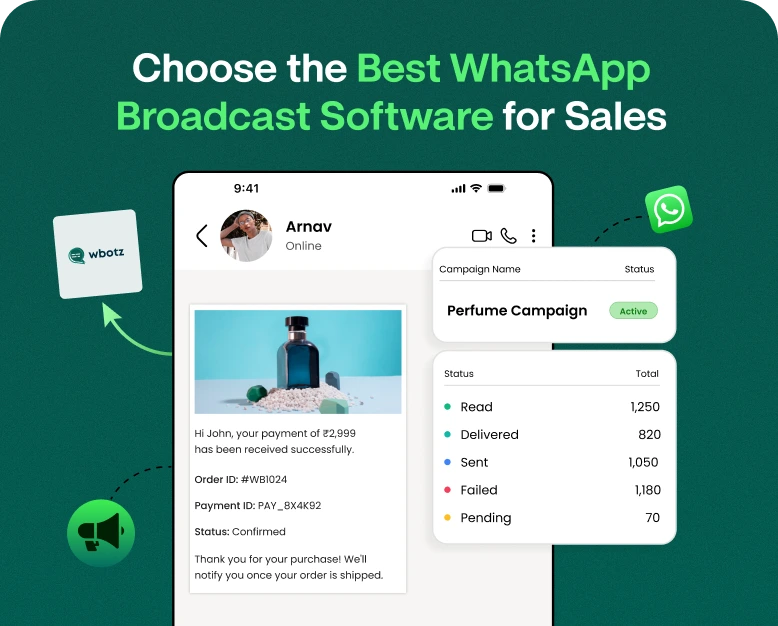
Choose the Best WhatsApp Broadcast Software for Sales
Imagine you have a special discount, a new product or an exciting offer to share with hundreds of customers. You want to get to them fast, get them to your site and turn their interest into sales. Messaging every…
Imagine you have a special discount, a new product or an exciting offer to share with hundreds of customers. You want to get to them fast, get them to your site and turn their interest into sales. Messaging every customer individually can take hours, especially if your business is growing.
That’s where WhatsApp broadcast software can come in handy. Companies can use it to better target multiple opted-in customers with messages, share personalised offers, announce new products and follow up with potential buyers from one platform.
But picking the right tool isn’t always easy. Some platforms specialise in mass messaging, others provide contact management, automation, campaign analytics and team inbox features. Choosing the wrong software can waste your marketing budget and make it harder to track results.
This article will teach you about WhatsApp broadcast software, how it helps in sales and what features to look for and how to choose the right platform for your business. You’ll also find practical tips that will help you develop effective campaigns to move customers to action.
What is the WhatsApp Broadcast Program?
WhatsApp broadcast software is a business messaging solution that allows businesses to send announcements, promotional offers, product updates, reminders and other relevant messages to multiple customers.
Businesses can use an appropriate platform to organise contacts, build campaigns, personalise messages and track performance, instead of manually opening separate conversations.
For instance, a virtual clothing shop can notify potential customers about a seasonal discount. A coaching institute may send out announcements about enrolment. A real estate agency may send property updates to those who have requested information.
Depending on the provider, the features of WhatsApp broadcast software may include:
- Manage your contact list Segment your customers
- Personalised broadcast messages on WhatsApp
- Approved message templates on the WhatsApp Business Platform
- Automation and scheduling of campaigns
- Delivery and engagement reporting
- Shared inboxes for customer replies
- Integration with CRM and other business tools
It’s important to recognise that not all tools are created equal. So, before you buy a subscription, check out the features that are available. Basic WhatsApp broadcast features are different from advanced business messaging platforms.
Why do businesses use WhatsApp broadcast software for selling?
Marketing messages are delivered to customers via email, social media, SMS and other channels. WhatsApp is another way for companies to engage people who already use WhatsApp and have consented to receive relevant updates.
The right software can help make these conversations easier to manage and help sales teams work more efficiently.
1. Reach Multiple Customers Effectively
It takes time and effort to send the same announcement to hundreds of customers one by one. Broadcast software makes it easier by organising contacts and making campaign creation easier.
Say a local electronics store wants to send out a message about a weekend sale to the right customers (those who have signed up to receive promotional offers).
2. Share Personalised Offers
Generic messages won’t resonate with every customer. By personalising you make the communication more relevant.
With the help of its platform, a business can segment its contact list based on consumer tastes, previous purchases, location or stage in the buying journey.
For example, a skincare company might send moisturiser suggestions to customers interested in dry-skin products rather than sending the same offer to every subscriber.
3. Follow Up With Prospective Buyers
Not all customers make a purchase at the first touch point. Some need more product information or a reminder or help selecting the right option.
WhatsApp campaigns can be used to follow up with customers who asked for information, abandoned a purchase where appropriate consent and integrations allow, or showed interest in a specific product.
4. Track Campaign Performance
A good platform should help you get a sense of how your campaigns are doing. Depending on the provider and the reporting available, you could look at delivery, reads or engagement indicators, link clicks, replies and conversions.
All these insights help businesses know what messages will push customers to take the next step.
5. Automation Saves Time
Automation can cut down on repetitive work. Businesses could be able to schedule approved campaigns, send order updates, trigger follow-up messages or route incoming conversations to the right team.
This frees up sales reps to spend more time answering questions, addressing objections and helping customers who are actually ready to buy.
Major Features of the Best WhatsApp Broadcast Software
Before buying, make sure to compare the features of the platform with your business requirements. A low cost tool may seem attractive initially but may not give you the functionality you need as your contact list grows.
Contact Management & Audience Segmentation
Pick a software that allows you to easily import, organise and update your customer contacts. This is especially useful if you sell different products or serve customers with different interests.
Look for opportunities for grouping by things like:
- Preference for a product or service
- Past purchases
- Where the customer is
- Lead status
- Communication preferences
Keep the correct opt-in records and respect any requests to stop receiving marketing messages.
WhatsApp Broadcast Messages (Personalised)
Personalisation can make a campaign seem more relevant to the recipient. Some platforms support inserting fields like the customer’s name, product information, or other supported fields into a message.
For instance:
Hi [Customer Name]! Our new collection is here! Explore the latest styles and find products chosen with your interests in mind.
Beware of personalisation. Keep the message natural, and do not add unnecessary personal information.
Official Support for WhatsApp Business Platform
This is one of the most important factors in choosing software to do business messaging at scale.
Verify that the provider uses the official WhatsApp Business Platform and if they provide a clear description of setup, messaging limits, pricing and policy requirements.
Depending on the case and WhatsApp’s policies, businesses may require approved message templates to start conversations. Marketing messages can only be sent to people who have given the right consent.
Don’t use tools that promise sending unlimited bulk messages illegally. Such practices could lead to restrictions, account suspension or damage to your brand image.
Scheduling & Automation
Campaigns around product launches, seasonal promotions and other key dates are planned with the help of scheduling.
Automation features can also help with customer service workflows, reminders, lead follow-ups, and welcome messages. See if these features come with your chosen plan or you need to subscribe additionally.
Analytics and Reporting
Your software should help you figure out if campaigns are driving business results.
Useful metrics can include:
- Messages Sent & Received
- Read or engagement metrics where available
- Clicks on link
- Feedback from clients
- Qualified leads
- Sales or revenue attributed to campaign
Don’t just look at the number of messages delivered to judge success. Oftentimes sales, qualified leads and ROI for campaign spending are more meaningful metrics.
For businesses with multiple employees answering customer conversations, a shared inbox can help prevent missed enquiries and duplicated replies.
CRM integration can also help teams keep up with customer histories, leads and messaging activity related to the sales process.
Ensure your chosen plan integrates with your existing tools, and check if you’ll need technical support to get everything set up.
How to Choose the Best WhatsApp Broadcast Software: A Step-by-Step Guide
Choosing the right platform first starts with understanding your business needs, not just the tool with the longest list of features.
Step 1: Establish Your Sales Objectives
Start by identifying what you want your campaigns to do.
Are you looking to create new leads, promote products, win back interested buyers, announce discounts, or encourage repeat purchases?
What you need depends on what you are using it for. One small retailer may want easy campaign creation while a larger sales team may want CRM integration, automation, reporting, and multiple-agent access.
Identify two or three measurable goals before comparing providers.
Step 2: Work out your messaging needs
Consider how many opted-in contacts you have, and how often you intend to send messages.
A business with 500 subscribers may require different things than a company with 50,000 contacts. The right plan can depend on your messaging volume, template requirements, customer support needs and expected growth.
Ask providers about subscription charges, message related fees, onboarding costs and any extra charges for integrations or premium features.
Step 3: Compare Features and Ease of Use
Shortlist a few platforms and compare their essential features.
| Feature | Why it matters |
| Contact segmentation | Helps send relevant messages to specific audiences |
| Campaign scheduling | Makes promotional planning easier |
| Personalization | Supports more relevant customer communication |
| Analytics | Helps measure campaign performance |
| CRM integration | Connects messaging with sales activities |
| Shared inbox | Helps teams manage customer replies |
| Official platform support | Supports compliant business messaging |
Don’t pay for advanced features unless your team is likely to use them. At the same time, think about whether the platform can keep up with your needs in the future.
Step 4: Check the Pricing & Potential ROI
Lower total cost does not necessarily equal a low monthly subscription. Some charge separately for messaging, additional users, integrations, or advanced automation.
So here’s a simple formula to estimate your potential ROI (return on investment):
ROI = (Revenue generated – Campaign costs) / Campaign costs * 100
For instance, if a campaign costs a total of ₹5000 and generates ₹20,000 in attributable sales revenue. Revenue based return on investment is 300%.
This calculation is based on revenue, not profit. Look at product costs, discounts, fulfillment and other costs to judge real profitability. And make sure your attribution method makes a reasonable connection between purchases and the campaign.
Step 5: Test the Platform Before You Commit
If there is a demo or trial, test the software on a small opted-in audience.
See how simple it is to import contacts, build templates, schedule campaigns, review reports and respond to customer questions.
Ask the provider about customer support, how to set up your account, how they handle data, and how the opt-out process works. Your team needs to find the platform easy to use, and it must meet your business’ compliance needs.
How to Send Messages on WhatsApp for Higher Sales
Installing the software is only half the battle. The outcome is also influenced by your campaign strategy.
Here’s a practical way to create and send a WhatsApp broadcast message.
1. Build a Contact List with Permission
Begin with customers who have chosen to receive messages from your business. Tell them what sort of updates they will receive and how they can opt out.
Don’t purchase random contact lists or message people who haven’t given appropriate consent. Unsolicited messages can undermine customer confidence and generate compliance issues.
2. Segment Your Audience
Make meaningful groups in your contact list. For example, a fitness company could segment existing members, people who asked for trial information, and customers looking for personal training.
This way you can tailor-make messages for each group’s needs.
3. Keep the Message Clear and Relevant
A good WhatsApp broadcast message needs to clearly lay out the offer, include useful info and make it obvious what to do next.
For example:
Hello [Customer Name], Our Christmas sale is now on! Check out our featured products and enjoy special offers for a limited time. Visit [Website Link] to browse the collection. Reply if you need help choosing a product. Reply STOP to unsubscribe from receiving promotional updates.
Modify the language and opt-out process to suit your business setup and applicable messaging rules. For WhatsApp Business Platform campaigns, use the applicable approved template where relevant.
4. Add A Clear Call To Actions
Tell customers what they need to do next. Depending on your desired outcome, your call to action may ask them to:
- Browse a variety of products
- Schedule a consultation
- Request a Quote
- Sign up for an event
- Speak to a sales rep
Supported button or relevant landing page. Where available. Don’t give a customer too many choices in one message.
5. Send at the right time
When do they work? Where is your audience? When do they usually buy? A restaurant promotion might be great before meal times, a business software offer might be more appropriate during normal working hours.
Where practical, test different sending times with small audience groups. Don’t assume one schedule will fit all customer segments.
6. Follow Up & Track Results
Track campaign performance and respond to customers’ queries in a timely manner. If someone asks for more information, give them useful information, instead of sending promotional messages over and over again.
Track clicks, qualified leads, orders and revenue whenever possible. Use these findings to refine future campaigns.
Example: How a Retail Business Can Increase Sales
Suppose a small fashion retailer wants to promote a new seasonal collection.
First, the retailer sends the same offer to all its contacts. Many customers ignore the message because the products are not according to their preferences.
Then the retailer implements WhatsApp broadcast software with contact segmentation and campaign reporting.
The team segments its opt-in audiences by product interests and previous purchases. It prepares different messages for customers interested in casual, formal and accessories wear. Each message includes a product link relevant to the message, and a clear call to action.
After the campaign the retailer compares clicks, enquiries and completed orders between the groups. It uses that information to fine-tune its product recommendations and future offers.
It’s an example of an approach that can work, not a guaranteed result. Actual performance will depend on the quality of the audience, offer, pricing, timing and customer experience after clicking the link.
Common Mistakes to Avoid Using WhatsApp Broadcast Software
Poor messaging practices can’t be hidden behind a feature-rich platform. Don’t Make These Common Mistakes:
- Over-promotion: Too many messages can irritate customers and result in them opting out. Keep the communication schedule reasonable.
- Ignore customer consent: Send promotional messages only to recipients who have properly opted in.
- Use generic content: When possible, make messages relevant to the recipient’s interests.
- Ignoring replies: A campaign of advertising can generate interest, but slow replies can cause potential buyers to lose interest.
- Buying software only on price: consider messaging costs, support, integrations and scalability before you buy.
- Not tracking sales: A delivery doesn’t automatically mean a campaign made money.
- Sending bulk messages using unauthorised tools: Use a provider that complies with WhatsApp’s applicable business messaging policies.
Track your campaigns regularly and also use feedback from clients to adjust your messaging and sales process.
FAQ (Frequently Asked Questions)
1. Best WhatsApp broadcast software for marketing?
Your contact volume, budget, campaign goals and required features will all factor into the best option. Seek strong contact management, segmentation, personalisation, analytics, automation, and official WhatsApp Business Platform support. CRM integration and a shared inbox might also be important if your team has a lot of customer conversations.
2. How to broadcast a message to many customers on WhatsApp?
You can use the broadcast feature in the WhatsApp Business app, with its limitations, or select a suitable business messaging platform to run more advanced campaigns. Segment your opt-in contacts, craft your message, adhere to the appropriate messaging policies, and review the delivery and engagement data you can access.
3. Is WhatsApp broadcasting software free?
Many tools have free plans or trials but the advanced features are usually paid. Costs could be platform fees, messaging fees, additional users, integrations. Review current pricing and included features before you select a plan.
4. Is WhatsApp Broadcast Software a Good Fit for Small Businesses?
Yes. It can be used by small businesses to send interested customers product announcements, special offers, appointment reminders, and updates. Begin with the fundamentals and choose a platform that will expand along with your contact list and sales requirements.
5. Does a WhatsApp broadcast application help increase sales?
It can drive sales by connecting businesses with interested customers, sending relevant offers, following up on enquiries and tracking campaign performance. But there are no guarantees of results. Whether it works or not depends on the audience, the offer, the quality of the message, customer consent and how the business handles responses.
Final Thoughts: Pick WhatsApp Broadcast Software That Meets Your Sales Objectives
WhatsApp broadcast software can help you organise your business communication. WhatsApp broadcast software can allow sales teams to reach interested customers without repetitive manual messaging. The right platform can also help with customer segmentation, campaign automation, tracking performance and following up.
Compare features, pricing, integrations, reporting options and compliance support of different providers before buying. Set a clear sales goal, test your campaigns with a relevant audience, and improve your strategy with measurable results.
Want to improve the performance of your WhatsApp campaigns? Look at a business messaging platform like Wbotz and see if the features around broadcast, automation, contact management and team communication work for your sales process. Compare the available plans, ask for a demo if they offer it and select a solution that helps your business build stronger customer relationships and convert relevant conversations into sales.
Written by
Jayesh Makwana
Part of the Wbotz team, writing about WhatsApp Business API, automation and the campaigns that actually convert.