Best Quick Replies for Business Software for Faster Support
Imagine a customer asks your business a simple question, such as: “What are your working hours?” Your support team has the answer, but rather than answering right away, they’re busy with other chats. Ten minutes…

Imagine a customer asks your business a simple question, such as: “What are your working hours?” Your support team has the answer, but rather than answering right away, they’re busy with other chats. Ten minutes becomes thirty and the customer may have already checked out another business.
This is where quick replies for business can really help.
Quick replies allow businesses to save frequently used replies and send them to customers within seconds. They save you from typing the same thing over and over, help support teams respond faster, and make customer communication more consistent.
If you are a business that uses WhatsApp as the main communication channel with your customers, quick replies WhatsApp features can be especially useful. A well-thought-out quick reply system can save time and improve client experience by handling everything from pricing questions to order updates.
In this guide, we’ll discuss what business quick replies are, why they matter, how to make good ones and how business software can help your team manage customer conversations more efficiently.
What are business quick replies?
Business quick replies are pre-made messages that customer support or sales teams can use to quickly respond to common customer questions.
Instead of typing the same response over and over again, an employee can select a saved message and send it to the customer.
For example, suppose an online clothing store gets this question dozens of times a day:
“Do you deliver anywhere in India?”
Instead of having to type the answer every time, the business can create a saved response. For example:
Yes, we do deliver in India. “Delivery time is usually 3-7 business days depending on your location.”
The support agent can send this response in a matter of seconds.
You can use Quick Replies to:
- Common questions
- Product Details
- Price Information
- Business hours
- Shipping Details
- Information about payment
- Order updates
- Confirmation of appointment
- Refund and return policies
- Sales inquiry
- Customer Service
- Follow up messages
When combined with business applications, these responses can be integrated into a larger customer communication workflow.
Why Quick Reply Messages Are Crucial For Business?
Customers are used to fast communication. When a person messages a company on WhatsApp, they usually expect a much quicker response than they would get from traditional email support.
But when a team receives hundreds of messages a day, it’s hard to answer quickly.
Support agents can find themselves answering the same questions again and again, for example:
- “What is the cost?”
- “How can I place an order?”
- “Where’s my order?”
- “Do you take C.O.D.?”
- “What’s your working time?”
- “How to book a demo?”
- “Can I cancel my order?”
- “What are the payment options?”
These answers are typed out manually and take valuable time.
That’s when business quick reply messages come in handy. They enable teams to deal with repetitive questions without losing response speed.
The goal is not to make conversations sound like robots. The aim is to cut down on repetitive work so that employees have more time to focus on the more complex needs of customers.
Top Quick Responses for Business Software
Your business, your industry and your customer journey will dictate the best short answers. But some categories work well across different businesses.
1. Quick Reply Welcome
A welcome message tells customers you’ve received their message.
For example:
Hello! Thanks for reaching out to [Business Name]. How may we help you today? Got a question about products, pricing, orders or support? Ask us.
This is especially useful for businesses that get a lot of first-time inquiries.
2. Reply Working Time
Your customers want to know when your team is available.
For example:
Our support team is available from Monday to Saturday, 9:00 AM – 6:00 PM. Send us your question at any time and we’ll get back to you during business hours.
This way you won’t have to go back and forth unnecessarily.
3. Quick Reply Costs
Questions about price are common in almost any industry.
For Example.
Thanks for your interest! Starts from Rs 999 per month. Tell us which features you need and we’ll recommend the best plan for your business.
Notice how the response not only answers the question, but also moves the conversation toward a potential sale.
4. Answer: Product Information
Companies can save replies with common product information customers ask about.
For example:
Our Business Pro plan includes a team inbox, customer management, automated messaging, analytics, and WhatsApp integration. Would you like to hear our full list of features?
5. Order Status Response
Quick replies are a tool that e-commerce companies may use to answer frequently asked questions related to orders.
Example:
Please provide us your order number and our team will check the latest status for you.
Integrate it with CRM or order-management software for faster support.
6. Answer Payment Information
Use pre-defined responses to quickly answer questions about payment.
Example:
We accept UPI, credit / debit cards, net banking and other supported ways of online payment. If you need help with your payment, please let us know.
7. Reply to Booking Appointment
Service-based businesses can use quick replies to make it easier for customers to make bookings.
Example:
We would love to schedule your appointment. Just let us know your preferred date and time and our team will confirm availability.
8. Follow-Up Response
Fast replies also are good for sales follow-ups.
Sample:
Hello! Just checking in to see if you had a chance to look at the information we sent. Need help choosing the right plan?
Personalized follow-up allows sales teams to reconnect with leads without spending time writing each message from scratch.
How to Use WhatsApp Quick Replies for Business
WhatsApp has become a popular communication channel for businesses as customers already use it daily.
Quick replies WhatsApp functionality can help teams to answer frequently asked questions more quickly.
A typical workflow looks like this:
Customer Message >> Saved Quick Reply >> Custom Response >> Next Action
For instance:
Customer:
“Do you have a free demo?”
Agent:
“Yes, we do have a free demo. “Just send us the date you want and your email address and our team will help get it set up”
This means the agent doesn’t have to handwrite the entire message.
WhatsApp business software takes this a step further for businesses handling a lot of conversations by combining quick replies with:
- Team inboxes shared
- Management contact
- Customer tags
- Automatic notifications
- Chat assignment
- Message templates
- Tracking sales
- Analytics
- Follow-up work flows
This results in a more structured support process.
How to Write Good Quick Reply Messages for Business
Quick replies are easy to create. Good quick answers are a little more work.
Step 1: Find the repeating customer questions
First, check your previous conversations.
Search for typical questions like:
- Pricing
- Availability of products
- Shipment
- Return products
- Support periods
- Payment
- Features
- Making appointments
Build saved responses for questions your team frequently answers.
Step 2: Keep your message short
Customers don’t want to read through a large paragraph for a simple answer.
Take these two examples.
Long too :
Thank you for your inquiry to our company and for your interest in our products. We would like to inform you that our delivery services cover a number of places.
Improved:
Yes, we deliver all over India. Standard Delivery usually takes 3-7 working days.
The second form is more readable and faster to transmit.
Step 3: Humanize Responses
A quick response shouldn’t sound like a machine.
Not:
We have received your request. Please stand by for communication.
Give this a shot:
Thanks for getting in touch! Our team is looking into this for you and we will get back to you shortly.
A friendly tone makes automated or pre-written responses feel more natural.
Step 4: Add Customization
Don’t just rely on generic messages.
I’ve been looking at where we can improve and I’ve found some areas where we can make things better.
- Customer name
- Name of product
- Order ID
- Date of engagement
- Plan selected
Here’s how to humanize the text below in English, keeping the meaning and tone intact. Do not add or omit any information. Do not add any other text to the output.Example:
Hello Rahul, your Order #4582 is in process now. Tracking info will be sent once it ships.
This is much more personal than some generic status update.
Step 5: Insert a Clear Next Step
A good quick reply should move the conversation forward.
Instead of finishing with:
Plans start at ₹999/month.
Try:
We start from ₹999/month. Would you like me to run through the features of each plan?
In the second response, the customer has an obvious next step.
Quick Reply Samples for Various Industries
Quick replies can be tailored to suit different businesses according to their customer journey.
Ecommerce
Delivery Yes we deliver to your place. Please provide us with your PIN code so we can confirm the delivery time.
Property
Property Inquiry Thank you for your interest! Tell us your preferred location and budget and our team will send you matching properties’ options.
Academic background
Course Inquiry : Our course includes live classes, study material and mentor support. Want to know about course fees and upcoming batch dates?
Health Care
Book an Appointment: We can help you book an appointment. Let me know the date and department you want.
Software as a Service (SaaS)
Demo Request: Sure thing! We can set up a demo for you. Please tell me your preferred date and email address.
Eating
Reservation We would be happy to assist you with your reservation. Let me know the date, time and number of guests.
These examples show how quickly reply messages for business can be tailored to fit nearly any customer-facing industry.
Benefits of Quick Replies for Business
A well constructed fast response system can offer some advantages.
Quick Customer Support
The biggest plus point is speed. Agents don’t have to keep typing out common responses.
Increased Team Productivity
The less time employees spend on answering repetitive questions, the more time they can spend on complicated customer issues, sales conversations and relationship building.
Ongoing Communication
Saved responses can help ensure consistency and accuracy of information provided by different team members.
Better Customer’s Experience
Quick, clear answers reduce customer frustration and make businesses look more responsive.
Simplified Employee Training
New hires can use approved quick replies instead of trying to remember every standard reply.
More Sales Chances
Quick replies can also contain calls to action that can help steer your customers toward demos, purchases, bookings or consultations.
Shorter response time
For businesses that are getting lots of WhatsApp conversations, faster replies can help prevent leads from going cold.
Quick replies vs. automated replies: What’s the difference?
These two terms are similar but not interchangeable.
The support or sales agent usually selects and sends quick replies.
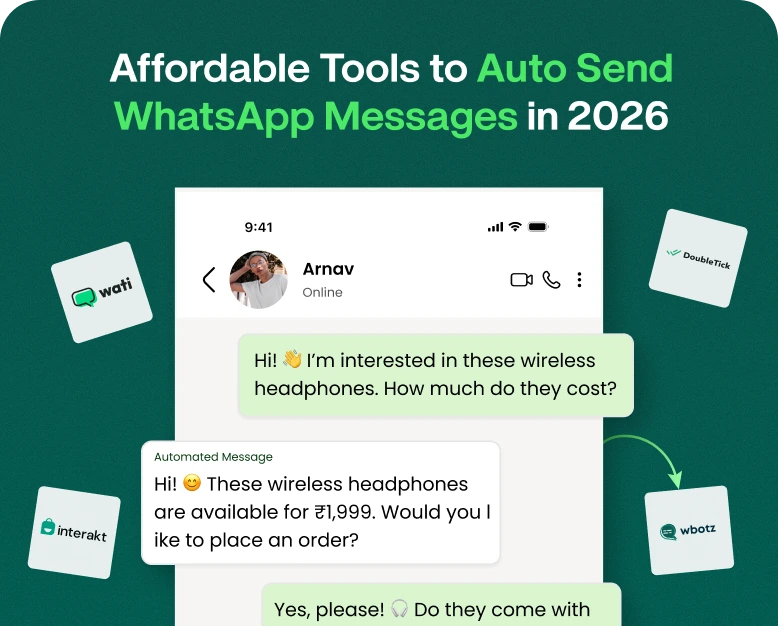
Automated responses are triggered automatically based on set rules or customer actions.
For example :
Fast reply:
Customer: “What are your plans?”
The agent chooses a saved pricing response and sends it.
Automated response:
Customer sends a message outside business hours and the system answers automatically:
Thanks for getting in touch. Our team is offline now and will reply tomorrow from 9 AM.
Both methods can be used together by businesses.
Quick replies are handy for customers who want to hear from a human, and automation can take care of predictable situations automatically.
How Business Software Makes Faster Replies Better
While a simple messaging app can help employees save some responses, dedicated business software can offer a more complete support system.
A business communications platform allows teams to:
- Quick Replies Accepted by Store
- Organizing conversations
- Assign chats to individual staff members.
- Listen to your customers.
- Manage leads.
- Send WhatsApp messages
- Build automated workflows.
- Observe response performance.
- Follow up with clients.
- Centralize all customer communication.
This is especially useful as your business expands.
A small business could handle conversations with one or two employees. As a company scales, you might have sales, support, marketing, and account-management teams having hundreds or thousands of conversations.
If you have quick replies set up at this point, it makes managing customer communication that much easier.
Common Mistakes to Avoid in Quick Reply
Quick replies save time, but can hurt the customer experience if used incorrectly.
Don’t make these mistakes:
All Messages Genericized
Not every customer wants the same answer. -Personalize replies when the situation calls for it.
Sending nonsensical messages
If the customer is asking about delivery, don’t send a pricing response!
Using Excessive Words
He said this to me.
Not updating information
If you change your pricing, working hours, policies, or products, update your saved replies immediately.
Sounds too robotic
Then the other guy came in and said, “What’s going on?”
The Next Step Don’t get the Next Step
Where possible, tell customers what they should do next.
How to Make a Fast Reply Library for Your Business
If it’s your first time setting up quick replies, don’t create 100 messages at once.
Begin with the most common questions asked.
A basic library could contain:
General Support
- Hello
- Hours of Business
- Contact Info
- Thank you message
Sales
- Cost
- Features of the Product
- Request a demo
- Free trial sample
- Follow up sales
Orders
- Status of order
- Shipment
- Back
- Refund Policy
- Payments
Customer Support
- Received complaint
- Escalation
- Technical assistance
- Follow-up on resolution
Purge old answers every few months and check the library.
Conclusions
Customers appreciate businesses that are quick to respond, but speed shouldn’t mean a loss of quality.
The right quick replies for business help teams strike a balance. Employees can answer common questions in seconds and add a special touch when needed.
Quick replies WhatsApp tools can be especially useful for businesses using WhatsApp to manage regular customer conversations. Quick replies can be integrated into business software as part of a larger customer support system, lead management, sales follow-up, and communication automation.
The key is simple: identify repetitive questions, write clear answers, personalize them if needed, and give customers a clear next step.
If your team is spending too much time typing the same messages over and over again, it might be time to upgrade to a more organized business communication solution.
Need to speed up customer support? Find business communication software that can help your team manage WhatsApp chats, save quick replies, automate repetitive tasks and respond to customers faster. Build a faster, more organized support experience today.
Quick Replies for Business FAQs
1. Quick replies for business are…
A business quick reply is a pre-written response that a company can save and reuse to answer common customer questions. They help sales and support teams respond faster and maintain consistent communication.
2. How does quick replies to whatsapp help business?
WhatsApp’s quick replies feature lets businesses save frequently used responses and send them in a flash during conversations with customers. They’re used for pricing questions, business hours, product information, order updates and support questions.
3. What goes into a business quick response?
A good business quick reply will answer the customer’s question clearly, using simple language, sounding natural and include a next step when appropriate. You can also customize it with customer or order information.
4. Are quick replies the same as automatic messages?
Nope. An automated message is triggered by pre-defined conditions, but a team member generally chooses and sends a quick reply. Both can be used by businesses to improve response speed and customer support.
5. Can quick responses help customer support?
Yes. Quick replies reduce repetitive typing, reduce response times, improve consistency in communication, and allow support agents to focus more on complex customer requests. They can be integrated with business software and incorporated into a broader workflow for customer communication.
Written by
Jayesh Makwana
Part of the Wbotz team, writing about WhatsApp Business API, automation and the campaigns that actually convert.