Get WhatsApp Business Platform for Better Marketing
Today’s customers want quick answers, easy conversations and updates on the channels they already use.” For many companies, that channel is WhatsApp. However, with the growth of your customer base, it’s difficult to…
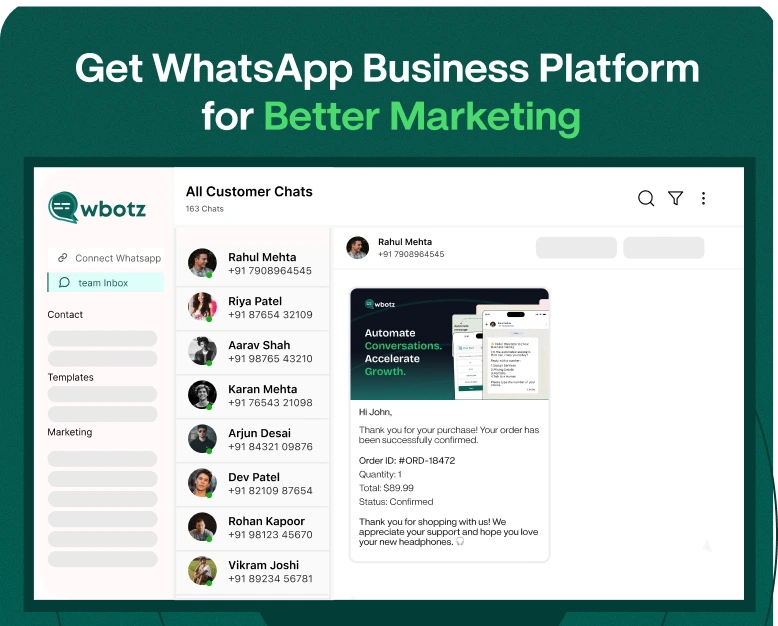
Today’s customers want quick answers, easy conversations and updates on the channels they already use.” For many companies, that channel is WhatsApp. However, with the growth of your customer base, it’s difficult to handle messages manually on a regular WhatsApp account. You can drop leads, push back follow-ups, and your marketing team cannot cope with hundreds or thousands of conversations.
That’s where the WhatsApp Business Platform can really help.
The platform enables businesses to connect with customers at scale using automated messaging, customer support workflows, notifications, marketing campaigns, chatbots and integrations. WhatsApp is not just a messaging app for businesses, it can play an important role in their sales and customer communication strategy.
This guide will assist you to understand what the WhatsApp Business Platform is, how it works, how businesses can use it for their marketing efforts, what to consider in terms of WhatsApp Business API pricing and how to begin using it.
What’s the WhatsApp Business Platform?
WhatsApp Business Platform is Meta’s enterprise solution for medium and large businesses to communicate with customers at scale.
Built for companies that require more sophisticated features than the standard WhatsApp Business app offers. The platform allows businesses to link WhatsApp to customer relationship management (CRM) systems, marketing tools, customer support software, chatbots and other business apps.
The platform is useful for many types of communication such as:
- Marketing messages
- Customer support
- Order and delivery information
- Appointment Notifications
- Lead Follow-up
- Promotional campaigns
- Alerts for your account
- Automated replies
- Customer Questionnaires
- Sales conversation
Let’s say an online retailer receives 500 customer enquiries a day. Each message has to be handled individually and this can take time. Using the WhatsApp Business Platform, the company can automate common questions, route conversations to team members, send approved notifications and follow up with potential customers.
WhatsApp Business App vs WhatsApp Business Platform
New users often get confused between the WhatsApp Business app and the WhatsApp Business Platform. Both are designed for businesses but they serve different purposes.
WhatsApp Business App:
The WhatsApp Business app is great for smaller businesses that conduct conversations with customers directly.
It has useful features such as:
- Company Profiles
- Quick Answers
- Catalogues
- Tags
- Standardised auto-replies
- Direct customer communication
If you have a small customer base and few people managing WhatsApp, the app might suffice.
WhatsApp Business Platform
WhatsApp Business Platform This is for businesses that need to scale and automate, integrate and communicate as a team.
For businesses it can be useful:
- Use WhatsApp with CRM software
- Automate customer journeys
- Handle High Volume Conversations
- Chatbot creation
- Send approved message templates
- Connecting multiple business systems
- Monitor client engagement
- Develop structured marketing processes
The right option to choose would depend on your business size, volume of messaging, marketing goals, and automation needs.
Why Use WhatsApp Business Platform For Marketing?
Marketing isn’t just about reaching people anymore. Businesses also need to be in front of customers at the right time and provide a seamless path from interest to purchase.
WhatsApp can help facilitate this as customers can interact with a business directly through a conversation.
Here are a few ways businesses can use the platform for marketing:
1. Create More Leads
WhatsApp can serve as a direct channel for lead generation for businesses.
For example, a real estate company can run an advertisement asking potential buyers to start a conversation on WhatsApp. Once the person sends a message, the business can ask simple questions like:
- What sort of property are you after?
- Where do you want to go?
- What’s your ballpark budget?
- When do you want to buy?
The information can then be handed down to the sales team.
2. Automate the follow-ups of leads
Most leads don’t buy immediately. They might require extra information or a nudge before they decide.
Automated follow-up workflows can be supported by the WhatsApp Business Platform.
For instance:
Day 1: Thank the customer for their interest.
Day 2: Distribute Product Info
Day 4: Answer some of the most common questions or provide useful information.
Day 7: Provide a relevant offer or ask the customer to speak with a sales rep.
This enables businesses to stay connected without forcing employees to manually send every follow-up.
3. Promotion Campaigns
Businesses can use WhatsApp to send promotional messages, as long as they have the proper consent from customers and the messages adhere to WhatsApp’s guidelines for business messaging.
Promotional campaigns may include:
- Product launches
- Season specials
- Special Offers
- New product launches
- Invitations to events
- Short term contracts
- Tailored recommendations
Instead of blasting the same generic message to everyone, businesses can segment audiences based on what they’re interested in or how they’ve interacted in the past.
4. Boost Customer Support
Marketing doesn’t end once a customer makes a purchase.
Good customer support can be the reason a customer comes back to your business.
With WhatsApp, businesses can offer help for:
- Question order
- Details of product
- Help with booking
- Changes to appointments
- Returns & Exchanges
- Update on delivery
- FAQ’s (Frequently Asked Questions)
Simple queries can be addressed by automated responses, and more complex conversations can be escalated to a human agent.
How to access the WhatsApp Business Platform
It can look complicated to begin with, but it gets easier when you break it down into small steps.
Step 1: Identify Your Business Objective
Before you set up the platform, you need to decide why you want to use WhatsApp.
Your goal may be:
- Generating leads
- More sales
- Automated support
- Sending notifications.
- Marketing campaigns
- Driving more client engagement
- Management of sales follow-ups
With a clear goal you will be able to select the right tools and workflows.
Step 2: Select a WhatsApp Business Solution
Businesses can work directly with Meta’s WhatsApp Business Platform or through a business solution provider or software platform.
A provider can make managing features like:
- Campaigning
- Management of Contacts
- Automation.
- Team Mailboxes
- Chatbots
- statistics.
- Integrations with CRM
Don’t just look at the advertised monthly price when comparing providers. Check out features available, messaging costs, automation capabilities, support, integrations and scalability.
Step 3: Open a business account
You will need to provide relevant business information and complete the necessary account setup and verification procedures.
Depending on your setup you may need:
- Business Information
- A phone number for your business
- Company Information
- Access to Meta business account
- Verification details required
Maintain consistent and accurate business information across your business assets.
Step 4: Link Your Phone Number
Your business needs a suitable phone number to use the WhatsApp Business Platform.
Choose a number that customers will be able to recognise as being yours. If you’re a WhatsApp user with a number, check the migration requirements before making any changes.
Step 5: Make Message Templates
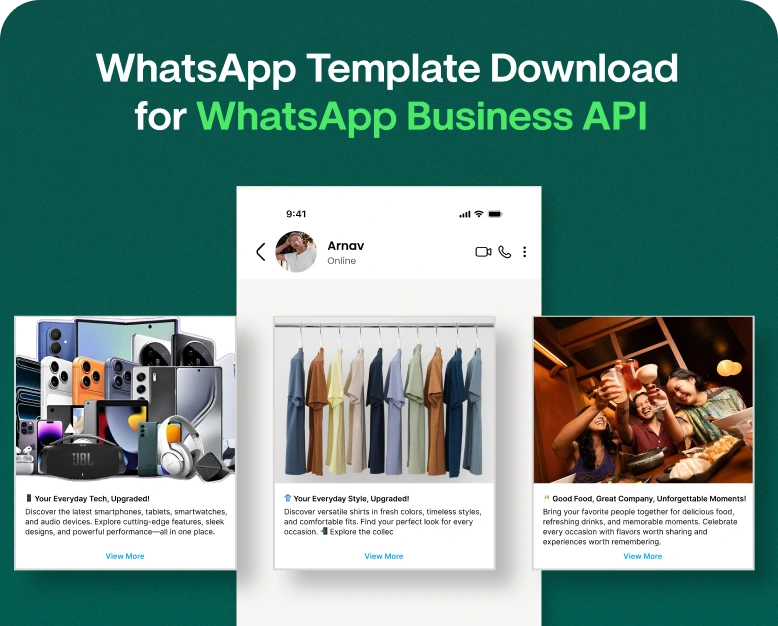
WhatsApp approved message templates are required for some business-initiated conversations.
Templates are available for use cases such as:
- Advertising
- Appointment alerts
- Order updates
- Payment notification
- Shipping information
- See Also
A good template is clear, useful and relevant to the customer’s context.
For instance:
Hello {{name}}, this is a reminder that you have an appointment with {{business}} on {{date}} at {{time}} If you need any help please reply to this message.
Avoid making messages that seem spammy or misleading.
Step 6: Construction Automation
Automation can assist your team with repetitive conversations.
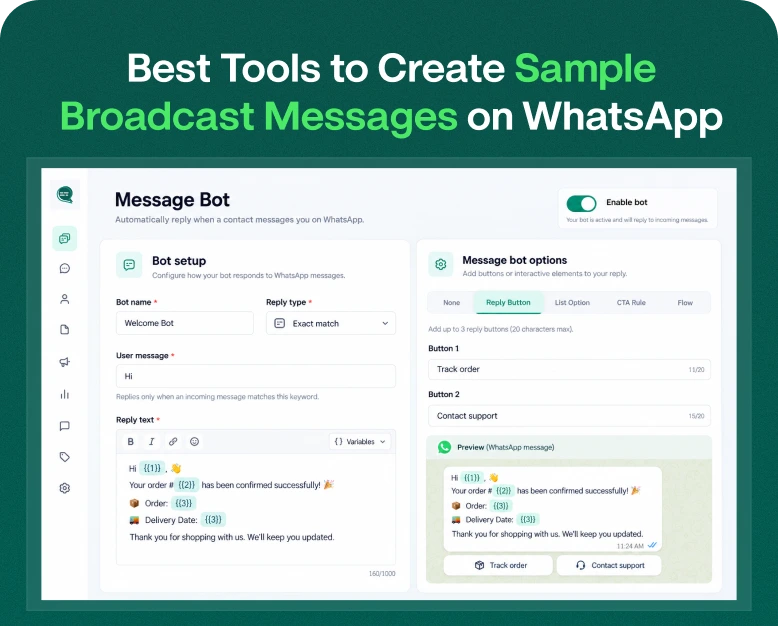
For example, when a customer sends “Hi,” an automated workflow could reply:
“Welcome to ABC Store! What can we do for you?”
- 1. See Products
- 2. Track Order
- 3. Contact Support
- 4. Sales Get in Touch
The customer can pick an option and proceed with the relevant journey.
Step 7: Integrate your CRM
CRM integration allows your marketing and sales teams to keep customer data in one place.
For example, if someone contacts your business via WhatsApp, your system could gather data such as:
- Customers Name
- Telephone number
- Lead source
- History of conversation
- Interest in goods
- Stage of Sale
- Follow-up status
This can help sales teams understand more about each lead before they even reach out to them.
WhatsApp Business API pricing: an explainer
The WhatsApp Business API cost is one of the most important questions businesses ask before getting started.
The total cost may be impacted by a number of factors like the messaging model, market, message category, volume and the solution provider you use.
Additional costs may be incurred from third party providers for software features such as:
- Automation
- Team mail box
- CRM integration
- Chatbots
- Analytics for Business
- Handling the campaign
- Customer service
Pricing structures are subject to change, so businesses should review current Meta pricing information and the pricing offered by their selected provider before making a purchasing decision.
Don’t choose a platform just because it advertises the lowest price. A cheaper plan might lack the automation, integrations, reporting or support your team actually needs.
WhatsApp Marketing Tips to Get the Results You Want
Getting on the platform is only the first step. The effectiveness of your marketing strategy depends on how well you use it.
Focus On Your Audience
Do not treat all customers alike.
You can create groups by:
- Past purchases
- Product interests
- Place
- Type of customer
- Degree of engagement
- Lead stage
Relevant messages are more helpful than generic blasts.
Individualise Your Message
Make messages more relevant by using customer information where appropriate.
For example;
Hi Rahul, the running shoes you viewed are back in stock.
is more useful than:
“Hi customer, check out our new products.
Keep Messages Short
WhatsApp is a messaging channel. Long blocks of promotional text are difficult to read.
Concentrate on:
- One thing is clear
- One main offer
- One simple call to action.
Have A Clear CTA
Provide customers with an action.
Some examples are:
- Buy Now
- Schedule a Demo
- See Products
- Contact Sales
- Order Tracks
- Offer claim
Don’t Over-message Customers
Sending too many messages can annoy customers and ruin your relationship with them.
Build campaigns based on real customer value, not just because you can send messages.
Example In Practice How Retail Business Can Use WhatsApp
Imagine a clothing store that generates leads from Instagram and their website.
In the past, employees manually answered each question. Some leads were replied to in a few hours, some were forgotten.
The business applies a workflow on WhatsApp.
When a customer begins a conversation an automated message asks what they need:
1. Men’s Wear
2. Women’s wear
3. Just In
4. Offers
The customer selects an option and is given relevant information. If the customer is ready to buy, the conversation can be transferred to a sales rep.
Once the purchase is made, the business can also use WhatsApp to send relevant order updates and offer customer support.
This results in a better organised customer journey from first touch point through to post purchase support.
Advantages of WhatsApp Business Platform
A well planned strategy for WhatsApp can bring multiple benefits.
Enhanced Client Engagement
Customers can chat with your business on a messaging channel they already use.
Fast replies
Automation allows common questions to be answered instantly, instead of leaving customers waiting for a sales or support agent.
Large-scale communication
Businesses can build workflows that support a growing customer base without relying on manual messaging alone.
Better Lead Management
Integrations can help sales teams better organise and follow up on leads.
Niche Marketing
Using customer data and segmentation can help businesses deliver more relevant messages.
More Effective Team Collaboration
Instead of one person’s phone, a shared inbox or customer communication platform can enable a few members of your team to handle conversations.
Mistakes to Avoid
Sometimes companies get caught up in sending more messages and not enough in creating better customer experiences.
Here are some common mistakes to avoid:
- Sending messages without the proper consent of the customer
- Using deceptive promotional materials
- Sending Campaigns That Don’t Matter
- Inundating customers with messages
- Customer reply ignored.
- Leading not organised
- Using low-quality message templates
- Not checking integrations before picking software
- Focusing on message volume rather than customer value
The ambition should be to turn WhatsApp into a valuable communication channel, not merely another source of unwanted notifications.
Is the WhatsApp Business Platform Right For You?
If your business has a lot of customer conversations or wants to set up more advanced automation, the platform can be useful.
You might want to ask yourself whether you:
- Many enquiries via WhatsApp
- Build a growing sales team
- Need automated follow ups
- Want to connect a CRM with WhatsApp?
- Conduct marketing campaigns
- Customer support automation required
- Want to handle conversations at scale
If your business only gets a few messages a day, the regular WhatsApp Business app might be enough.
Frequently Asked Questions (FAQs)
1. What does WhatsApp Business Platform do?
The WhatsApp Business Platform is for businesses that want to communicate with customers at scale. It can support marketing, customer service, notifications, automation, lead management and integration with other business systems.
2. WhatsApp Business Platform is not the same as WhatsApp Business.
No. WhatsApp Business is specially designed for small businesses to communicate directly with their customers. The WhatsApp Business Platform offers more advanced capabilities for businesses that need automation, integrations and higher-volume communication.
3. How much does the WhatsApp Business API cost?
There are a few variables that affect the cost of using the WhatsApp Business API, such as the type of message you’re sending, who you’re sending it to, the number of messages you send, and the provider or software solution you choose. Businesses should review current Meta pricing and provider fees before selecting a plan.
4. Can I use WhatsApp Business Platform for marketing purposes?
“Yes. Businesses will be able to use the platform for eligible marketing communication like product announcements, offers, promotions and personalised campaigns, subject to WhatsApp’s business messaging policies and customer consent requirements.
5. Is WhatsApp Business Platform integrated with a CRM
Yes. Businesses can integrate WhatsApp with compatible CRM and business software. This can help teams manage leads, customer information, conversations, and follow-ups better.
Getting started with WhatsApp Business Platform
The WhatsApp Business Platform can turn WhatsApp from a basic communication channel into a more structured marketing, sales and customer-support tool.
It’s not just about messaging more on WhatsApp. Build useful customer journeys, automate repetitive tasks, personalise your communication, segment your audience and give customers an easy way to reach your team.
If you are looking for a way to manage WhatsApp marketing, automation, customer conversations, and lead follow-ups from a single place, explore a WhatsApp business solution like Wbotz. Define your core business goal, select the necessary features for your team, and create a WhatsApp strategy that guides customers from their initial contact to a significant outcome.
Written by
Kalpit Parmar
Part of the Wbotz team, writing about WhatsApp Business API, automation and the campaigns that actually convert.