Buy WhatsApp Verified Services to Grow Your Brand Online
Introduction When your customers find you on WhatsApp, one of the first questions they may ask is a simple one: Do I trust this brand? If your business connects with new clients, distributes offers or handles orders…
Introduction
When your customers find you on WhatsApp, one of the first questions they may ask is a simple one: Do I trust this brand? If your business connects with new clients, distributes offers or handles orders using WhatsApp, building that trust is a must. If you don’t have a professional business profile, your clients won’t be likely to respond, ask enquiries or buy.
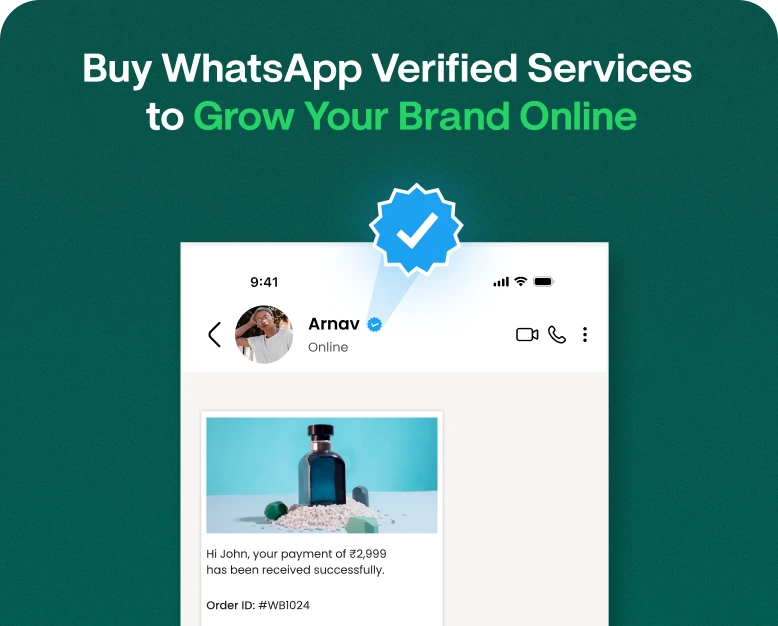
WhatsApp verified services can help here. Getting verified as a business and getting your account recognised as official can help clients identify your brand and know that they are interacting with an authentic firm. But verification is more than simply earning a badge. It’s also about increasing reputation, enhancing consumer communication and generating a more professional web presence.
If you are looking to acquire WhatsApp verified services, you need to know what verification implies, what solutions are officially available and how to stay away from dubious companies who promise you guaranteed badges.
In this article, we’ll walk you through WhatsApp verification, its advantages for businesses, how to get official verification, what to consider before paying for a service, and how verified business communication may help your brand flourish.
What are verified services on WhatsApp?
What are WhatsApp verified services? WhatsApp verified services are services that allow the businesses to comprehend or finish the official process of validating their business on WhatsApp.
These services may include help with opening a business account, information about your business, eligibility checks, help with making an application and understanding the procedures to become an official account.
But it is vital to distinguish between reputable verification help and unauthorised badge-selling services. It is safe to believe that no independent source is capable of issuing an authentic WhatsApp verification badge only because it charges a fee.
Where applicable, businesses should use official WhatsApp channels and authorised suppliers. Please be aware that qualifying requirements, criteria, badges and verification costs may change by account type, location and current WhatsApp guidelines.
What does it mean to be verified on WhatsApp?
WhatsApp verified generally refers to an account or business that has achieved an official verification or recognition status by WhatsApp under the respective program.
Verification indicators may be displayed on qualifying business accounts. Its exact appearance and meaning varies depending on the current WhatsApp product and verification program.
A verification badge can be helpful for customers to identify a legitimate business presence, but that doesn’t mean every product, service or message from that business is trustworthy. But customers should still exercise smart judgement while making transactions or giving sensitive information.
The WhatsApp Verified Tick – What is it?
The WhatsApp verified tick is a visual marker of an account that is eligible and officially recognised. The most common reason why businesses want to get verified is to make their brand look more legitimate and easier to spot.
It is worth noting that the verification options have been updated . All of the verification or paid subscription options available now are not exactly the same as the old green badge that certain official company accounts used to have.
Check what verification program the service you’re buying comes with, what status or badge, and whether your business qualifies.
Why Should Businesses Go for WhatsApp Verification
Businesses use WhatsApp to engage with clients, answer issues, provide updates and assist sales. Official verification could help reinforce such communication by making it easier to recognise the business’ authenticity.
Here are some of the key reasons why businesses look into verification.
1. Build Consumer Trust
Customers are more inclined to engage with a firm when they know who they are talking to. An authentic verification badge can assist distinguish an eligible company account from an impostor with a similar name.
Imagine you have an online clothes company and you use WhatsApp to give order updates. A consumer who knows the official business identity of the store may feel more comfortable in calling its support service.
Verification should be consistent branding, with accurate contact information and responsible customer service.
2. Build Your Brand Image
A consistent business identity makes your brand more recognisable across digital media.
Businesses should use the same business name, logo, website and contact data on WhatsApp as they do anywhere possible. Official acknowledgement, if possible, might be a supplement to these efforts.
This is especially helpful for organisations who constantly engage with clients regarding orders, appointments, services and promotions.
3. Build customers confidence in communication
Customers may receive SMS regarding delivery updates, bookings, payments or product information. A recognisable business brand might assist them know which company is calling them.
But verification is no replacement for safe payment methods or appropriate communications. Don’t use a verification badge as an excuse to ask clients for personal information they don’t need.
4. Help with Marketing & Sales Activities
WhatsApp can be integrated into a bigger marketing effort that includes customer service, lead nurturing, order alerts and promotional campaigns.
A well-crafted business profile might assist clients feel more comfortable to initiate a discussion. Your team may then help steer prospective clients toward a purchase with useful answers, relevant product information, and timely follow-ups.
Verification doesn’t automatically mean more sales, better message delivery rates or greater engagement. Those results will depend on your offer, your audience, how well you communicate and your entire marketing plan.
5. How to Help Customers Find Your Official Business
If a company has a well-established internet presence, they may be subject to impersonation or confusion with unofficial accounts. Where permitted, official verification may provide an extra identity signal.
List your official WhatsApp contact details on your website and other recognised brand channels to help clients identify the right account.
How to Verify your Business on WhatsApp
Are you looking for WhatsApp verified services? Learn the formal process before paying the first company you see. The best way to go depends on whether you are using the WhatsApp
Business app or the WhatsApp Business Platform (API)
Here’s how to get your business ready for verification.
Step 1: Pick the Right WhatsApp Business Solution
WhatsApp Business app: Ideal for many small enterprises that manage customer conversations directly from a business phone.
WhatsApp Business Platform (API): Built for organisations that want sophisticated messaging capabilities, integrations, automation, and team-based customer communications.
These goods may have different verification options available. Please see the latest official requirements before applying.
Step 2: Fill Out Your Business Profile
Make sure your business profile has accurate and consistent information.
Throw in things like:
- Your Company Name
- A professional logo for your company.
- The business description is clear.
- Your website address (if applicable).
- Your email and company contact details.
- Type of business and operational hours.
Use the same logo whenever feasible across your website, social media profiles and other business listings. Mixed messages might be confusing to potential consumers and when reviewing accounts.
Step 3: Gather Your Business Information
Depending on the verification program, you may be asked to provide business information, proof that you are representing the brand, or other documentation.
Please obtain the needed information through official sources. Requirements may vary by location, account type and program.
Do not submit identity papers, account credentials or verification codes to an unknown supplier. A good service will spell out exactly what help it can offer and why it needs the information you give it.
Step 4: Confirm Eligibility and Apply via the Appropriate Channels
Check the most recent WhatsApp or Meta business help center articles to see which verification options apply to your account.
For certain programs it could be business verification, or an application to be recognised as an official business, or a paid subscription that comes with verification privileges.
These are not interchangeable choices. A paid subscription doesn’t necessarily imply your business gets all the recognition that official accounts can get.
Apply via the official interface that is suitable for you and follow the steps therein.
Step 5: Follow Up on Your Application
Apply and then check your account and official alerts for updates.
If you are unsuccessful, look at the explanation provided and put the application right before reapplying. Avoid companies who claim they can avoid eligibility checks or ensure approval using backhanders.
Once your account is given an official status, make sure you keep your business information correct and follow the necessary WhatsApp policies.
What to Consider Before Buying WhatsApp Verified Services
Choosing a service provider is more than simply comparing pricing. You need to know precisely what the supplier is offering and if the business is following the official procedures.
1. Check what the service includes
Before you pay, ask the company whether it provides:
- Assistance with Business Account creation
- Providing guidance on business information.
- Help in understanding eligibility requirements.
- Assistance in the official application process.
- Help in troubleshooting application problems.
If the vendor promises they can sell you an official badge directly, without any eligibility checks or official clearance, be suspicious.
2. Check the Provider’s Credentials
If the service being offered requires authorisation, verify that the provider is listed or recognised through applicable official Meta business resources.
Don’t presume an agency is officially authorised just because its website utilises WhatsApp or Meta logos.
Ask for a written description of the service, its restrictions and the procedure it follows.
3. Shop Around for Pricing
WhatsApp verification services: Pricing WhatsApp verification services vary in price depending on the program and what the vendor offers.
Some organisations will merely need coaching, others will pay for an eligible official subscription or expert on-boarding help.
Before you buy, check out:
- If the pricing includes fees from the official platform
- If there are any subscription charges that reoccur.
- Whether the provider charges separately for set-up or support.
- What if the application is refused?
If refunds are available under the above terms.
Compare the price with any official fees that may be relevant. Don’t pay a big advance payment just because someone promises you a speedier badge or a guaranteed badge.
4. Secure Your WhatsApp Account
Your WhatsApp account holds essential business interactions and consumer data.
Never supply a supplier with your one-time verification code, account PIN, or password. Don’t give unneeded access to accounts and utilise the security options offered to keep your business account secure.
If a supplier is demanding full access or asking you to turn off security safeguards, consider it a major red flag.
How to Select the Best WhatsApp Verification Service
The greatest service is the one that delivers clear and real help, and fits your business needs.
Use the following comparison while assessing suppliers.
| Evaluation factor | What to look for |
| Official process | Clear guidance based on current WhatsApp requirements |
| Transparent pricing | Written details of fees and recurring charges |
| Eligibility guidance | An honest assessment without guaranteed approval claims |
| Account security | No unnecessary requests for passwords or verification codes |
| Customer support | Clear communication and help with the stated service |
| Service terms | Defined deliverables, limitations, and refund conditions |
If a service claims to provide a guarantee for verification, ask them how they guarantee it and what happens if WhatsApp rejects the account. An independent supplier can not guarantee that WhatsApp will approve an application unless the applicable official program expressly supports such result.
Role of WhatsApp Verification for Different Industries
The verification of WhatsApp might be interesting for companies of different sectors, however, the benefits will depend on their demands of connection with customers.
Online retailers may answer product queries, communicate order updates, explain return policies and help clients post-purchase over WhatsApp.
Having a recognisable legitimate corporate identification helps clients recognise the store’s account from impersonators. Transparency in orders and responsive customer service are key to establishing confidence.
Real Estate Firms
Property pricing, location, availability, site inspections are some of the common requests received by real estate agents.
Agents have a professional WhatsApp presence to reply to potential buyers and schedule appointments. Verification can help with brand recognition, but property information still needs to be examined thoroughly.
Health Care Providers
Clinics and healthcare organisations can utilise WhatsApp to coordinate appointments, hours of operation and other administrative enquiries.
They are to adhere to the relevant privacy regulations and must not transmit sensitive medical data over improper communication methods. Verification is not a replacement for professional licensing or healthcare compliance.
Education & Training Industry
Schools, coaching centers and training providers can utilize WhatsApp to answer queries about courses, costs, admissions and timetables.
Having a consistent business identity may assist students and parents know the right place to contact an institution.
Mistakes to Avoid When Buying WhatsApp Verification
Avoid These Common Mistakes When Buying WhatsApp Verification Service
- Thinking all paid badges are the same: Not all programs have equal account status and perks.
- Claims of guarantee approval: Final eligibility and approval are subject to the official process in effect.
- Ignoring account security: Never disclose login details or verification codes.
- Price is not enough: Low-cost services may be of little value or use unauthorised methods.
- Expect immediate marketing results: Verification generates leads, sales, or customer loyalty instantly.
- Ignoring the customer experience: A professional credential won’t get you out of terrible assistance or deceptive offers, or late replies.
The best practice is to check the provider, know what the service is and go through official channels.
FREQUENTLY ASKED QUESTIONS (FAQ)
1. Is it possible to buy a WhatsApp verified tick?
Depending on your account type and location, you may be able to get an approved official verification or subscription program. Do not buy from an illegitimate merchant who promises they provide official verification independently. Be sure to check WhatsApp or Meta for the latest prerequisites.
2. What are the charges of verified services on WhatsApp?
The price of WhatsApp verification services is not the same. The price depends on the official program, your account eligibility, the region, the subscription terms and any additional support you purchase. Before you make any payments, be sure to check the official pricing and get a precise quote from a third-party service provider.
3. What is the difference between WhatsApp verification and WhatsApp verified tick?
WhatsApp verification is the process of validating or recognising an account under a suitable program. The verified tick is a visual indicator that is linked to a qualified account. The current verification software determines the specific badge and how it is interpreted.
4. Can WhatsApp verification increase sales?
Verification can help clients recognise your business and feel more confident contacting the official account. It does not, however, promise more sales. Quality of product, cost, customer assistance, relevant offers and good follow-ups influence the purchasing decisions.
5. How can you know if a WhatsApp verification provider is legit?
Look at the provider’s business data, terms of service, pricing and any claims to authorisation. Cross reference its method with official WhatsApp or Meta manuals. Do not deal with any seller that promises you clearance, asks for your verification credentials, or claims they can skip official eligibility standards.
Conclusion: Building a More Trustworthy WhatsApp Business Presence
If your business is looking to create a more professional profile and assist customers identify its official account, it may be worth considering buying WhatsApp verified services. The main thing you should know is the difference between legitimate help with verification, official account recognition and paid membership offers.
Check your eligibility before you spend money. Give accurate company information Review service providers Protect your account Remember, verification is just one piece of the trust-building puzzle with customers. Equally vital are consistent branding, useful communication, secure company processes, and reliable customer support.
Looking to grow your brand on WhatsApp? Discover the official verification choices available to your organization and select a solution that suits you. Also check out the business solutions for WhatsApp that Wbotz offers and analyse which functions fit your workflow, if you also want to manage conversations with customers, automate routine replies and improve communication within your team.
To establish a WhatsApp presence that fosters long-term client relationships, you should start with a well-defined strategy and use dependable services.
Written by
Kalpit Parmar
Part of the Wbotz team, writing about WhatsApp Business API, automation and the campaigns that actually convert.