Buy WhatsApp Integration Tools for Seamless Communication
Businesses strive to offer their customers quick, accurate and simple ways to communicate with them. However, managing customer communication across multiple channels makes it difficult for businesses to follow up on…
Businesses strive to offer their customers quick, accurate and simple ways to communicate with them. However, managing customer communication across multiple channels makes it difficult for businesses to follow up on customer communications, which results in frustration for the customer and leads to lost sales opportunities.
Business integration with WhatsApp solves the above mentioned problems. Businesses can integrate WhatsApp with their customer communication management systems, marketing and sales systems and customer support systems to efficiently manage conversations with customers.
These systems can also be integrated with eCommerce systems to help automate the selling process for customers.
Whether you are a business owner, a marketer, or a part of a growing customer support team, WhatsApp integration tools can help simplify your daily communication and improve your business processes.
In this post, we will cover the benefits of using WhatsApp integration, the important features to consider when selecting a WhatsApp integration tool, and how to choose the best WhatsApp integration tool for your business.
What is WhatsApp Integration?
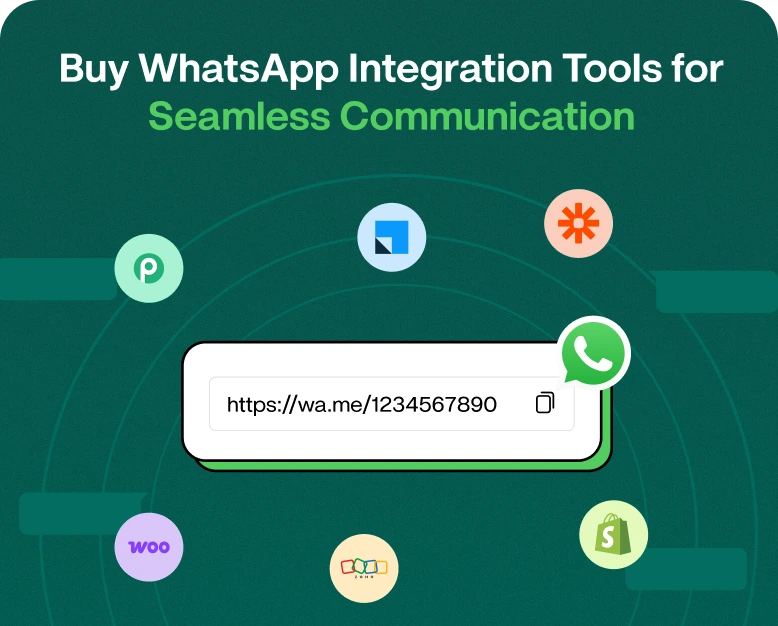
WhatsApp integration enables businesses to integrate the WhatsApp Business Solution with other business applications to help organize and manage customer communications, automate messages and leads, and optimize their business communication processes.
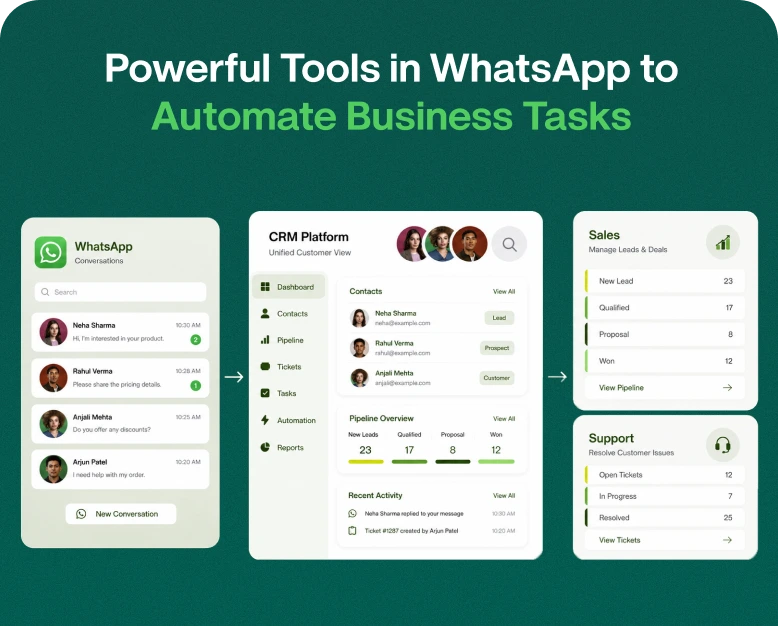
An integrated system, for instance, would be able to capture the contact information of the customer who sent the WhatsApp message, assign the conversation to a sales representative, and store the conversation in one centralized location.
Businesses are using WhatsApp integration to:
- Consolidate customer conversations in a centralized inbox
- Simplify and automate lead management
- Send order and appointment reminders
- Create follow up workflows
- Integrate WhatsApp with CRM
- Provide support with multiple agents
- Track conversations and campaigns
The right integration allows businesses to implement connected communications instead of managing customer interactions in a manual and disconnected manner.
Why do businesses need WhatsApp integration tools?
WhatsApp is a popular personal and business communication platform. Customer messages can quickly pile up if not managed properly.
A business can benefit from an integrated system that helps manage customer communications and automate repetitive tasks without creating unnecessary workloads.
1. Manage Customer Conversations in One Place
When multiple team members handle customer messages, communication can become disorganized. Employees may respond to the same customer twice, overlook an important inquiry, or lose track of previous conversations.
WhatsApp integration tools allow businesses to centralize conversations in a shared inbox. Team members can access customer history, understand the context of a query, and respond without repeatedly asking customers for the same information.
2. Improve Lead Management
Because each customer inquiry is a potential lead, businesses should automate and streamline the process of storing lead information. Manually entering leads in a spreadsheet or CRM wastes time, increases the opportunity for errors, and takes the salesperson away from selling.
Integrating WhatsApp with CRM software automatically captures lead information, organizes leads, adds notes, and helps manage the progress of sales conversations.
Let’s say a customer is interested in a specific property, and the real estate company receives the lead. They can store different information about the customer including, the customer’s budget, the customer’s preferred location, and the type of property the customer is interested in. Using this information, sales reps can assign leads to the most relevant property instead of grouping all leads under one category.
3. Automate Repetitive Communication
A large portion of a business’s day to day communication is repetitive and mundane. These communications include order confirmations, appointment reminders, payment updates, and FAQs.
For more challenging and detailed customer requests, employees should be available to help.
A customer who books a consultation can be automatically confirmed, and receive a reminder for the appointment.
4. Support Multiple Agents
As a business continues to grow and thrive, one person will no longer be able to handle all conversations. Integrating WhatsApp with a CRM will help multiple employees manage conversations in a shared workspace.
Depending on the CRM, employees will be able to monitor and manage the activity of their colleagues, assign chats, and transfer conversations to different departments. This helps employees of different sales and support teams to work together and communicate consistently with the customer.
Key Features of WhatsApp Integration Tools You Should Consider
When integrating WhatsApp into your business, you should know which features would increase your business operations. WhatsApp integration should help you manage conversations, help you save time, and make your employees more productive.
1. WhatsApp CRM Integration
A WhatsApp CRM connects a business’s customer conversations to the business’s sales and customer relationship management activities.
A connected CRM helps your team access contact details and conversation history, and manage leads, sales activities, and tasks.
When looking for a WhatsApp CRM, check if it can:
- Automatically sync contacts
- Create and manage leads
- Log customer conversations and conversations history
- Manage sales activities and tasks
- Pipeline sales and revenue activities
- Segment contacts and leads
- Set follow-up tasks and reminders
Sales team members can maintain and manage customer conversations history. This feature helps manage customer conversations as sales team members often receive customer inquiries through different communication channels.
A shared team inbox is useful for businesses that employ many team members to manage customer conversations.
A shared team inbox allows members to manage WhatsApp customer conversations as a team, instead of having the responsibility of a single team member.
Some useful features of a shared inbox include:
- The ability to assign conversations to specific agents
- The ability to transfer chats to different departments
- The ability to add internal notes
- Tracking conversation status and progress
- The ability to manage unread messages
- The ability to view previous customer conversations
For example, a customer may contact the sales team and later reach out to the support team for help. If the various communications are all logged in a shared inbox, the support team member can easily see the context of the communication without having to contact the sales team for assistance.
3. WhatsApp Automation and Chatbots
Automation enables businesses to respond to customer requests, even when agents are not available to help.
An integration tool for WhatsApp that includes automation features allows businesses to create workflows for automated messages such as:
- Welcome messages
- Frequently Asked Questions
- Lead qualification
- Booking appointments
- Notifying customers of the status of their orders
- Requesting customers to give feedback
- Sending notifications to customers for follow-up
- Notifying customers of delays in their orders
Chatbots can respond to customer questions regarding prices, available products, and when orders will be delivered.
Customer communication should not be handled in a way that it feels impersonal. A good communication system should enable the customer to communicate with a human agent, if needed.
4. Message Templates and Personalized Communication
Consistent communication with customers is important for businesses. Message templates help employees communicate in a standardized way. Message templates can also be used to send standardized messages for:
- Confirming a customer’s order
- Notifying customers of a payment
- Reminding customers of an appointment
- Helping customers to learn how to use a new product
- Notifying customers of new products
- Following up on a customer
Some templates also allow message personalization based on customer data.
Businesses need to familiarize themselves with message template requirements and the rules governing customer opt-in for messages, when using the WhatsApp Business Platform.
5. Analytics and Reporting
A good integration platform provides transparency into communication performance.
Reporting features allow businesses to track:
- The number of conversations received.
- Average agent response time.
- The number of conversations that are left unaddressed.
- Message delivery and engagement.
- Lead conversion.
- Agent performance.
- Customer satisfaction.
Providing these metrics helps managers identify communication performance roadblocks, and pinpoint which campaigns are generating conversations. All of this helps improve the customer journey.
Benefits of WhatsApp Integration for Various Businesses
There are numerous ways that the WhatsApp integration can help a variety of businesses. Although each business differs, the common thread between all of them is helping customers with their queries in an effective and efficient way.
Here are some examples.
E-Commerce
WhatsApp can integrate with e-commerce solutions to automatically send order confirmations and updates, as well as deliveries and customer support messages.
A customer no longer has to contact the support team to check on the status of their order.
WhatsApp can also help manage product inquiries and support abandoned cart workflows, subject to customer consent and messaging policies.
Real Estate
Real estate agents get lots of various types of inquiries. WhatsApp integration can help organize and collect leads based on their preferences. Agents can use it to engage with leads, provide details and resources and schedule appointments.
Educational Institutions
Schools, colleges and training centers can provide admission, course and fee related information as well as send confirmation for registration and update participants about events, using WhatsApp integration with the student management system.
Connecting WhatsApp with student management systems helps institutions organize communication with students and reduce administrative work.
Healthcare and Appointment-Based Businesses
Clinics, Salons, Consultants and other appointment-based businesses can use WhatsApp integration for confirmation of bookings, sending reminders, sharing details of services, answering questions related to appointments and other such communication.
Use of automated reminders may also help reduce no-shows by customers.
Marketing and Sales Teams
Marketing teams can connect WhatsApp with their lead management systems to organize inbound leads and communicate about their campaigns.
Sales teams can have access to customer information, understand previous communication and help in following up based on customer’s interests.
How to Buy the Right WhatsApp Integration Tool for Your Business?
The first step is to define your business communication challenges. Some of the challenges could include customer messages being missed, taking too long to communicate with customers, leads being managed through manual processes, employees communicating with customers through multiple devices, follow-ups being inconsistent, and challenges in tracking customer interactions. Identifying these challenges will help you understand the features you need.
Step 1: Identify Your Communication Problems
Start by understanding where your current communication process is falling short.
Ask yourself:
- Are customer messages frequently missed?
- Does your team take too long to respond?
- Are leads stored manually?
- Do employees use separate devices to manage conversations?
- Are follow-ups inconsistent?
- Do you struggle to track customer interactions?
Identifying these problems will help you understand which features you actually need.
Step 2: Decide Which Integrations You Need
Integrating WhatsApp with multiple applications may not be necessary for every business.
A small business may only need a shared inbox and simple automation, while a bigger business may need integrations for marketing automation, e-commerce, analytics, and support.
Make a list of the applications your team uses, and check whether the WhatsApp integration platform supports them.
Step 3: Check Compatibility and Setup Requirements
Make sure the tool supports your WhatsApp account type and business requirements before making a purchase.
Some may need a WhatsApp Business account, an eligible phone number, Meta business verification, or other configurations.
Ensure the following:
- Supported WhatsApp account type
- CRM and third-party integration options
- API and webhooks, if needed
- Number migration and onboarding assistance
- Limitations on users and agents
- Integration configuration
Being clear on these up front will save you time during implementation.
Step 4: Analyze Automation Functionality
Automation can help replace and reduce repetitive tasks, but only if it can support your business processes.
Check if you can automate tasks based on customer actions or messages.
A business can set up a process like this:
- The customer fills out an inquiry form.
- Customer contact information is added to CRM.
- The customer receives a WhatsApp message.
- The inquiry is assigned to a sales rep.
- The sales rep follows up with the customer.
- The lead status is updated based on the conversation.
This standardizes your team’s response and reduces the chance of important leads falling through the cracks.
Step 5: Review Pricing and Scalability
WhatsApp integration tools may charge via monthly subscriptions, agent-based pricing, feature-based packages, messaging charges, or some combination of these.
When assessing plans, consider:
- How many members will be on your team?
- What are the monthly limits for conversations/usage?
- What are the automation and integration limits?
- How will the API be charged?
- Are there additional charges for messaging?
- What is the quality and availability of support and onboarding?
- Can the plan be upgraded?
Prioritize a plan that meets your current needs and consider how it will support future needs.
Step 6: Test the Platform Before Committing
If a provider has a free trial, demo, or onboarding session, be sure to utilize these to test the platform with your true workflow.
During your testing, be sure your team can use the platform to accomplish workflows like chat assignment, automation, customer detail syncing, message templating, and reporting.
Real World Example: Lead Management on WhatsApp
With WhatsApp integrated into their CRM and shared inbox, the agency can have an improved, structured process.
An Integrated Communication Workflow
1. Inquiry Received
A prospective customer reaches out to the agency through WhatsApp.
2. Lead Captured
Prospect information is automatically added to the agency’s CRM.
3. Conversation Assigned
The inquiry is given to the next available salesperson.
4. Follow-up Scheduled
The salesperson sets a reminder to contact the lead.
5. Performance Tracked
The sales manager views performance and engagement stats for leads and controls how the leads are followed up.
While this workflow does not guarantee an increase in sales, it can help organize communication, reduce the need for manual work, and let sales personnel focus on qualified leads.
This workflow can be used by service providers, online retailers, educational institutions, and customer support teams.
WhatsApp Integration vs. WhatsApp Business App
Many small businesses begin with the WhatsApp Business app because it provides basic tools for communicating with customers. However, as conversations increase, businesses may need more advanced features.
| Feature | WhatsApp Business App | WhatsApp Integration Platform |
| One-to-one customer chats | Yes | Yes |
| Basic quick replies | Yes | Usually more advanced |
| Multiple agents | Limited options | Shared team inbox |
| CRM integration | Limited | Often available |
| Automated workflows | Basic | Advanced automation |
| Lead management | Manual or basic | Centralized tracking |
| Team chat assignment | Limited | Usually available |
| Reporting and analytics | Basic | Advanced reporting |
| Business scalability | Suitable for smaller operations | Suitable for growing teams |
If you only communicate with a small number of customers, the WhatsApp Business app may be enough. But if your team manages hundreds of conversations, multiple sales agents, or complex follow-up processes, a dedicated WhatsApp integration tool can provide greater control and flexibility.
The key is to select a solution that fits your business operations instead of paying for features your team will never use.
Tips for Getting the Most Out of WhatsApp Integration
Buying the right software is just the beginning. You need to develop a communication strategy to get better results.
- Process workflows: Decide how you’ll manage incoming and outgoing communication, assignment, and follow up.
- Message personally: Customize your response to customers based on their needs rather than using the same message for everyone.
- Be proactive: Use workflows to automatically respond to common questions and reminders.
- Keep data fresh: Update and edit customer records with latest notes and lead status.
- Train your team: Teach the team how to use the shared inbox and how to assign chats, and how to communicate professionally.
- Regulate performance: Look for patterns in response times, unanswered messages, feedback, and conversion goals.
- Respect user preferences: Obtain appropriate consent, follow WhatsApp messaging policies, and do not send promotional messages.
In order to utilize WhatsApp for business communication, a company must rely on the aforementioned practices.
Frequently Asked Questions (FAQs)
1. What does a WhatsApp integration tool do?
A WhatsApp integration tool brings WhatsApp into contact with other business applications, for example CRM systems, help desks, e-commerce platforms, or marketing apps. It helps in managing conversations and communicating with customers via different channels.
2. What are the benefits of using WhatsApp integration software?
Using WhatsApp integration software, businesses can manage customer requests, chat with customers automatically, capture leads, assign conversations to team members, and track all customer requests and communication.
3. Can WhatsApp be connected to CRM software?
Yes, WhatsApp can be integrated with CRM software to store customer information, log conversations, track leads, and/or automate messages based on data.
4. Is WhatsApp integration useful for small businesses?
Yes, small businesses can utilize WhatsApp integration to manage requests, provide faster responses, automate frequent messages, and organize sales requests/follow-ups. It is also helpful when the number of messages increases to a level that managing it becomes unmanageable.
5. How much does WhatsApp integration software cost?
Depending on your requirements, features, integrations and automation, cost can vary. Many providers have entry-level plans, and some charge higher fees based on the level of CRM integration, automation, and team management features. Be sure to check a provider’s full pricing before buying.
Conclusion
As your business grows, managing customer communication across numerous business applications can be time-consuming and chaotic. Your team may miss customer requests, provide poor service, and experience inconsistent follow-ups.
The right WhatsApp integration can merge customer communication into your business process and automation apps, simplify follow-ups, and provide reporting and analytics.
Identify your business needs and compare features and integrations before buying. The best WhatsApp integration should help your team provide better service and communicate easily.
When you are ready to easily communicate with your customers and create process automation for your business, consider WhatsApp integration and the other features and tools available to your business.
Written by
Kalpit Parmar
Part of the Wbotz team, writing about WhatsApp Business API, automation and the campaigns that actually convert.