Choose the Best Chatbot Quick Reply Tool for Your Business
Introduction Customers expect timely responses when they engage with a business online. Customers may want to know the price of a product, check the status of an order, book an appointment, or understand what services…
Introduction
Customers expect timely responses when they engage with a business online. Customers may want to know the price of a product, check the status of an order, book an appointment, or understand what services a business offers, and may get frustrated if they do not receive a timely response. Unreplied-to messages may even drive customers to the business’s competitors.
As a business grows, it becomes increasingly difficult to have support personnel manage every customer conversation. Employees of a growing business may end up answering the same customer questions dozens of times in a day, leaving little time to address more complex customer issues and sales opportunities. A chatbot quick reply tool can alleviate this burden on the business.
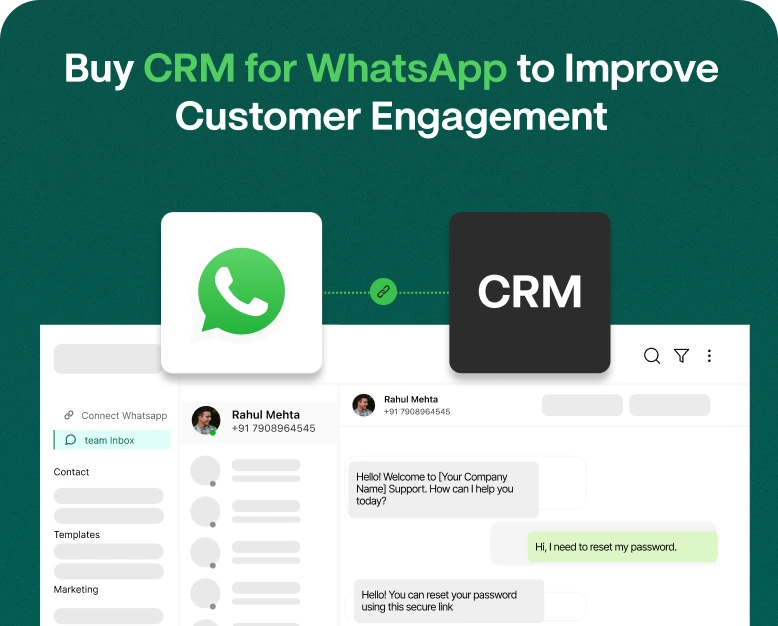
The tool can help a business manage common questions, engage customers in automated conversations, and ultimately improve the customer experience. It helps the sales and support teams manage the messages received through different channels, e.g., WhatsApp and the website chat.
Given the existence of multiple chatbot tools,
How can you select a tool that aligns with your business needs and is budget friendly?
In this article, we describe what a chatbot quick reply tool is, the key features and benefits of the tool, and provide tips on how to select the right tool for your business.
An example would be having your chatbot provide a message regarding your shipping policy if customers inquire about shipping charges frequently. Additionally, if a customer wants to speak with your sales staff, your chatbot can provide a message that allows the customer to connect with an agent.
Quick Replies can be used a few different ways including but not limited to the following:
- Predefined Replies: Provide canned answers to frequently asked questions.
- Chatbot Automation: Automate responses to questions based on options customers select or messages they type.
- Interactive Quick Replies: Use quick replies to guide customers to the next step of the conversation by displaying buttons or other messages.
- Agent Assisted Quick Replies: Allow agents to send canned responses to customers.
- Frequently Asked Questions: Answer common questions customers may have about pricing, services, returns, etc.
The specific available features will depend on the solution your business chooses. Some solutions may simply allow your team to save and send canned messages. Other more robust solutions may include chatbot automation features, CRM and team inbox features and other integrations.
Managing a large volume of WhatsApp conversations can be difficult, time consuming and redundant. This is why quick reply systems can help automate customer engagements and reduce the amount of repetitive work your staff needs to do.
Why Does Your Business Need a Chatbot Quick Reply System?
Having quick response systems in place encourages quick communication and improves the customer experience. Customers can lose interest in a product if questions and concerns remain unanswered.
A quick reply system can help answer questions employees may not have the time to answer due to other tasks or responsibilities they must perform. This gives employees time to perform higher order tasks they may not have time to do if they must answer all customer questions.
Some other benefits quick reply systems may have on your business can include the following:
1. Increase first contact resolution rates and customer satisfaction scores.
An online clothing store can create many replies about sizes, payment methods, delivery timelines, and return policies.
2. Lessen Repetitive Work
A common question among customers can be turned into a quick reply and help automate or simplify repetitive conversations among support staff. This helps employees focus on questions that require individual attention.
3. Generate Leads
A chatbot can collect information about a prospective customer’s need, budget, and preferred service and then hand off the conversation to a salesperson.
For example, a chatbot for a digital marketing agency can ask if a prospect needs SEO, paid advertising, or website development. The chatbot can then collect the lead’s budget, if needed, and help the salesperson tailor the next step of the process.
4. Offer Consistent Information
Because multiple employees can respond to customers, information can be inconsistent. Message templates can help provide business information about prices and policies.
Your team can update a message once and have it available for use in future conversations, depending on how your platform manages templates.
5. Help Customers Outside Business Hours
Certain chatbots can answer frequently asked questions when your team is offline. These types of bots can offer business hours and instructions and help collect a customer’s information and explain how to get further assistance.
Top Features to Look for in the Best Chatbot Quick Reply Tool
Different chatbot platforms have different features. Knowing what is most important to your business, you can evaluate tools accordingly and make an informed decision.
Quick Reply Message Creation
Choose a tool that lets you easily edit and reorder quick replies. Team members should be able to find the answer to a customer’s question without having to scan through a lengthy list.
Some features include:
- Templates to save messages
- Categorizing similar questions
- Editable fields
- Replies shared among team members
- WhatsApp Integration
To fit your business needs, a tool should provide you with a WhatsApp integration that lets you follow your preferred WhatsApp workflow. Some tools partner with the official WhatsApp Business Platform while others use alternate means of messaging. Based on your needs, number setup and features, understand the difference between saved messages and WhatsApp Business Platform automation.
No-Code Chatbot Builder
A visual chatbot builder allows non-technical users to create conversation flows without writing code.
For example, a customer could select:
- Product information
- Pricing details
- Order tracking
- Talk to an agent
Each selection can lead to a relevant response or the next step in the conversation. This makes it easier for customers to find information without navigating complicated menus.
Team Inbox and Agent Handover
A shared inbox can help employees handover a customer message to the next team member.
Examples of useful features are conversation assignment, internal notes, team permissions and the capability to hand off a chatbot conversation to a human agent.
Features such as these are appealing to sales teams, customer service teams, or businesses that manage communication channels to deliver messages to customers.
Chatbot report suites can provide insight into your customer communication.
Examine your team’s performance to find unanswered customer questions, automate common answers, and address reasons customers may abandon a chat.
Pricing Options That Fit Your Budget
- Defining your budget may influence your choice of vendor.
- Look for pricing transparency when evaluating a chatbot tool.
- Check what is included in the pricing, such as
- Conversation limits and the number of agents.
Evaluating the chatbot tools pricing and features against your core business objectives will better assist you with choosing the right tool.
How to Choose the Right Quick Reply Chatbot Tool for Your Business
Step 1. Identify Your Core Business Objective
Use your core objective to guide your evaluation of potential chatbot vendors.
Do you need to speed up response times, capture more leads, ease the burden on your support team, or enhance how you communicate over WhatsApp?
An online store may need quick replies for product or order information. A business may need lead qualification and appointment booking. A larger support team may need conversation routing and management reports.
Your goals should inform your decisions.
Step 2: Look for Your Most Common Customer Questions
Identify the questions your customers ask that are repeated throughout your conversations. Typically, these may include:
- What is your price?
- Is your delivery free?
- How can I track my order?
- What payment methods do you accept?
- How can I book a consultation?
- When is your support available?
Answer these questions to create a quick reply library.
Step 3: Consider Saved Replies and Full Automation
With this distinction in mind, compare the offerings of various services.
Saved replies let your team quickly send canned messages to customers.
Automated chatbots allow customers to make selections or send messages to trigger an automated response. This may help your team save time and effort by offloading simple and repeated tasks.
Finding the right balance of chatbot automation and human support may be ideal for your business.
If the conversations in your business are simple and routine, full chatbot automation may work for you. However, if your business supports are complex and require a high level of sensitivity, human support may be better.
Step 4: Check Integrations and Compatibility
Your chatbot needs to work with the communication channels and business systems you already use.
Depending on your needs, you may need integrations with WhatsApp, your website, a CRM, an e-commerce platform, or a customer support platform.
Find out what integrations come with your plan, if any, require additional configuration, or come with an extra cost.
Step 5: Test the User Experience
Get a free trial or product demonstration if available, before purchasing a plan.
Test some scenarios.
- Can a customer get the correct answer quickly?
- Does the chatbot follow the conversation flow?
- Is a human agent reachable?
- Can your team members edit and reuse messages?
- Does the system work well on the devices your team uses?
The tool may impress in a demo, but is it workable in your day to day business? Test the workflow to see if it fits your business.
Step 6: Evaluate the Total Cost and Expected Benefit
Judge a tool by more than its subscription cost. Consider the time saved and the improvements made to the customer experience.
Suppose your team spends 30 seconds on each of the 100 routine queries they get each day.
That’s 50 minutes of time saved per day. The actual time saved will depend on the volume of queries, the quality of the saved replies, and how much human intervention is still required.
Track your results during a trial to see if the tool is worth its cost.
Real-World Example: Use of Quick Replies by a Small Business
Let us imagine a small skincare business that communicates with customers through WhatsApp and its website.
There are a lot of frequent questions that include the ingredients of the products, which skin type can use the product, how long will it take for the product to be delivered, what is the return policy, etc. The small business owner has to manually answer all of these questions.
After using a chatbot quick reply tool, the business creates quick replies to the most common questions. The chatbot gives options such as “check products,” “check delivery,” and “contact support.”
When a customer has a question about a product, the chatbot answers the question and gives information about that product and provides a link to the product page. The chatbot can transfer the conversation to a team member if the customer has more questions and is not satisfied with the chatbot.
The business reviews the questions and gives answers to those questions.
This example shows that quick replies can help with repetitive questions and still gives human support. The final results can vary depending on the customers and the quality of the support.
Common Mistakes Made When Buying a Chatbot Tool
There are some common mistakes that people make when buying a chatbot tool. These mistakes increase work and actually do nothing to reduce work. Let us look at some of these mistakes.
Buying only by Price
People think that the cheapest option is the best. That is not always the case. A cheap tool can lack important features and actually do more harm than good.
Automating Everything
There are some things that are better done by people. For example, if a customer has a complaint or a question and needs support, the chatbot can automatically redirect them to a human.
Ignoring Human Handover
There are some things chatbots simply can’t do. Offer alternatives for your customers to reach a human when your bot is stumped.
Forgetting to Update Quick Replies
Quick Reply messages can easily get out of date. Thing one: outdated prices. Thing two: outdated delivery windows. Thing three: outdated business policies. Take an hour every couple months to scour your saved replies to make sure your messages are up to sntual business practices.
Overlooking Privacy and Compliance
Not all automation services are created equal. Make sure your automation partner gives you the info you need on customer data, user permissions, data retention and security. If you are using WhatsApp automation, make sure you understand the applicable platform policies, consent and messaging rules before you run your campaign.
Best Practices for Creating Quick Reply Messages
The heart of any quick reply message campaign is, well, the messages. It’s up to you to provide quality responses.
- Keep it short: Give the relevant info and move on.
- Be nice: Use your best and most friendly tone.
- Personalize: If you are going to personalize the message, make sure you verify the info is correct.
- Give the next step: Don’t leave your customer hanging.
- Easy Escalation: Easy for the customer, easy for you.
- Review: Customer reviews, FAQs and feedback are amazing ways to update your messages.
Instead of “Delivery info is available,” use “Thanks for your interest! Standard delivery is between 3-5 business days. What delivery options do we have available?”
Frequently Asked Questions
1. What is the best chatbot quick reply tool for a small business?
The answer depends on the goals of your business, the channels you use for communication, the integrations you need, your budget and the size of your team.
2. Can I use a chatbot quick reply tool for WhatsApp?
Some tools provide support for WhatsApp quick replies and automated conversation flows as well as a team inbox for WhatsApp. Capabilities may vary from tool to tool.
3. Are quick reply messages and chatbot automation the same?
No. Quick reply messages are pre-defined message options. Chatbot automation is the ability to lead a conversation and send a variety of messages based on different options.
4. How much does a chatbot quick reply tool cost?
The cost varies from tool to tool. The price may change depending on integrations, the volume of messages, and the level of chatbot automation.
5. Can a chatbot replace my customer support team?
A chatbot can gather simple data and answer basic questions. It should not be used to fully replace your support team. Using both automation and human support can help address and resolve complex issues.
Conclusion: Choosing The Right Chatbot Quick Reply Tool For Your Business
Using a chatbot quick reply tool can help your business speed up customer response times, reduce repetitive work, enhance consistent communication, and create a smoother customer experience. The right solution can even help your team manage a large volume of messages and aid in lead generation.
Prior to making a purchase, decide on your goals, write down common customer questions, assess available automation features, check integrations, and compute total cost. Finally, test the tool with live customer situations before signing a long-term contract.
Have you determined your goals for improving your customer communication?
Compare features and pricing of available solutions, request demos and/or free trials, and test their tools for conversations. For businesses dependent on WhatsApp, Wbotz can be a good solution to manage automated conversations. Select a tool that facilitates easier conversations for customers and helps your team manage repetitive tasks.
Written by
Jayesh Makwana
Part of the Wbotz team, writing about WhatsApp Business API, automation and the campaigns that actually convert.