
Buy Tools for the Best Description for WhatsApp Profiles
A good WhatsApp profile description does more than just tell people what you do for a business. It can help you make a first impression, communicate your value, build trust, and even get potential customers to start a…
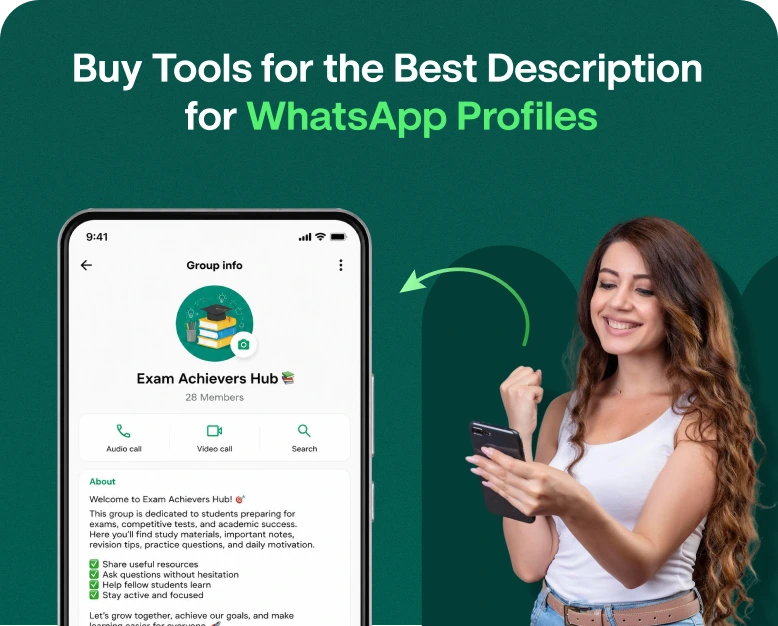
A good WhatsApp profile description does more than just tell people what you do for a business. It can help you make a first impression, communicate your value, build trust, and even get potential customers to start a conversation. Creating the best description for whatsapp can make your profile more engaging and help visitors quickly understand what your business offers.
But making the best WhatsApp description is not always easy. You might know your business inside out, but it can take time to find the right words, tone, and length. This is where WhatsApp description tools come in handy.
Whether you’re running a small business, managing a sales team, freelancing, or using WhatsApp for marketing, the right tool can help you write clear and engaging profile descriptions faster. This guide will cover what these tools are, how they work, what to put in your description, and how to choose a tool that is right for you.
What is WhatsApp Profile Description?
The description on your WhatsApp profile is a brief text that explains who you are or what your business does. It can be a mini introduction for a business account.
For example, instead of writing:
“We are product sales.”
You might write:
“Inexpensive home decor and lifestyle products to make your space feel special. Shoot us a message for orders and support.”
The second version gives the visitor more useful information and a clearer reason to contact the business.
A good description should normally answer questions such as:
- What does your company do?
- Whom do you serve?
- What does your business do?
- How can customers reach you?
- What kind of experience can customers expect?
When you use the best description for WhatsApp, your profile can tell your brand story even before a customer sends a message.
Why Use a Tool For the Best Description for Whatsapp?
Writing a short description is easy, but writing a professional, natural and relevant one can be hard.
A description tool can make this process easier by helping you come up with ideas, improve your wording, and create different versions for different audiences.
1. Save Time
Instead of spending 30 minutes trying to come up with a few lines, you can input basic details about your business and get ideas for descriptions in minutes.
For example, a bakery owner could type:
- Type of business : Bakery
- Local : Location
- Products: Cakes, Desserts
- Target: Families and events
- Tone : Friendly
Then, the tool can help you turn those details into a polished profile description.
2. Make Better First Impressions
Your WhatsApp profile could be the first time a prospect views your brand.
Good descriptions can immediately tell visitors what you offer and why they should contact you.
3. Generate Lots Of Ideas
Sometimes the first description you write is not the best one. A description tool can allow you to create a number of variations.
You could create:
- A Professional Edition
- A friendly version
- The short story
- Sales Focused Version
- A creative twist
then you can choose the version that fits with your brand.
4. Keep Your Branding Consistent
Many businesses promote their business with WhatsApp in combination with websites, social media, email and other marketing channels.
A good tool can help you come up with descriptions that are in sync with your overall brand voice.
WhatsApp is most commonly described as:
There isn’t one size fits all description that fits every business. The best description for WhatsApp will vary depending on your industry, audience, products and the way you communicate.
Strong descriptions tend to share a few characteristics.
Make it clear
Don’t use big words.
Rather than:
We make possible innovative solutions for lifestyle needs today.
Try it:
We provide busy families with simple, reliable home services.
The second version is easier to read.
Describe Your Value
Don’t just tell people what you sell. Tell them what the customer can expect.
For instance:
Custom Cakes For Birthdays, Weddings And Special Occasions. Fresh Baked And Made To Order.
That gives visitors useful information right away.
Maintain A Natural Tone
Your profile description should sound like your business and not like an ad.
A local clothing store might say:
Trendy everyday women’s fashion. New styles weekly. Message us for sizes, prices and orders.
It sounds conversational and direct.
Give Them a Reason to Phone You
If relevant, let customers know what they can message you about.
I see.
- “Contact us for a free quote.”
- “Chat with us for availability.”
- “Tell us what you want for your custom order.”
- “Product details & pricing, contact us.”
How Do WhatsApp Description Tools Work
Most description generation tools do it in a simple way.
Step 1: Provide Your Business Information
Start by giving basic details like:
- Name of business
- Industry
- Products and Services
- Target users
- Main advantages
- Brand voice
The more helpful information you give us, the more relevant the suggestions will be.
Step 2: Choose Your Style
You might be able to pick a writing style depending on the tool.
Common choices include:
- Professional
- Friendly
- Creative
- Brief and plain
- Promotional
- Relaxed
- Premium Content
Maybe a law firm wants a professional tone, but a café wants something warmer and more casual.
Step 3: Description Idea Brainstorm
The tool will give you different descriptions depending on what you input.
Don’t settle for the first result. Look at a few versions and choose the one that works for your company.
Step 4: Customise the Description
This is a major step.
AI or automated tools can give you a good starting point but your final description should sound like it’s from your business.
Add details like:
- Your expertise
- Service Areas
- Unique Selling Proposition
- Customer advantage
- Contact instructions
Step 5: Proofread before you publish
See the description for:
- Spelling errors
- Bogus claims
- Additional words
- Redundant expressions
- Information unclear
- Expired Offers
Then post the final version on your WhatsApp profile.
How to Write Best Description For WhatsApp For Business
If you want to attract customers, your description should go beyond a simple company introduction.
Here’s a simple formula:
What you do + who you do it for + key benefit + call to action
Here’s how to make them:
“Professional Website Design for Startups & Small Business. Get Fast, Mobile Friendly Websites to Grow Your Business. Message Us for FREE Consultation.
This format works because it instantly communicates the service, target market, benefit and call to action.
Daily fresh Indian food, snacks and desserts. Dine in, takeaway or order for your next event. Message us for today’s menu.
Example for a Real Estate Company
Helping families to find residential property that suits their needs and budget. View verified property options and connect with us for site visit.
Example of a Digital Marketing Agency
Helping businesses grow online through SEO, social media, paid ads and content marketing. Contact our team about your next growth campaign.
Example of Internet Shop
Shop daily essentials at reasonable prices. New items weekly with convenient shipping methods. Enquire for product details and purchase.
Quotes Description WhatsApp Wise use of
People search for WhatsApp description quotes because they are looking for something short, memorable and creative.
Quotes are great for personal profiles, creators, entrepreneurs and lifestyle brands. But it should be used to supplement, not replace critical business information and should be in line with their brand.
For instance:
“Simple conversation starts big things”.
This might work for a consulting business.
Another case in point:
“Making everyday shopping easier. One order at a time.”
This is better for an e-commerce brand, because it communicates a benefit.
Description Quotes Tips for Using WhatsApp
- Keep the quote short.
- Make sure it fits your character or brand.
- Avoid clichés as much as possible.
- Don’t use the whole business description to write motivational quotes.
- Please include a quote to support your message.
Best Features to Look for in a WhatsApp Description Tool
If you’re looking to buy a tool, don’t just buy a tool that produces text.
Identify features to help you write useful and relevant descriptions.
A.I. Recommendations
A good tool should give you suggestions that are based on your business information, not random generic stuff.
Different styles of writing
Different tone options can help you write descriptions for different audiences.
Personalisation
You can edit the generated description before using it.
Different Variants
A good tool should give you the ability to explore different ideas and not just give you one result.
User-friendly interface
A description generator shouldn’t require you to be technical.
Content That Grows Your Brand
For businesses, it should help you to have a consistent tone across your various marketing messages.
Support for Various Business Types
The tool is more useful if it can generate content for industries like:
- Retailing
- Shopping online
- Real Estate Development
- Health Care
- Schooling
- Restaurants
- Travel
- Services Professionales
- Beauty & Fitness
- Technology 2
Common Mistakes to Stay Away From
If you use a description tool, your profile can be less effective if you don’t review the content that is created.
Too much writing
A WhatsApp profile is not meant to be a whole company history.
Stay on track
Emoji Over-Use
Emojis can make some profiles appear friendlier, but too many can make a professional business appear too unpolished.
Making Unsubstantiated Claims
Do not comment on:
- “Best company in the world”
- “Guaranteed “100% success rate”
- “Number one in all aspects”
Unless you can genuinely support such claims, keep your description factual.
The Customer is Lost
What you write should not just tell who you are. It should also help visitors understand what you can do for them.
Copying Generic Descriptions
A description copied from another business might not reflect your brand.
Tools are for ideas, then customize the final version.
Best WhatsApp Description – Examples Before & After
One way to see the difference is to compare a basic description with an improved one.
Previous:
We are a digital marketing agency.
Later:
We help small businesses get more customers with SEO, social media and performance marketing. Message us to discuss your goals.
The second version tells visitors what the company does, and gives them a reason to start a conversation.
Another example :
Prior to:
“Online clothes shop”
Then:
“Affordable everyday women’s fashion. Discover new styles, check sizes and order directly via WhatsApp.”
The revised version has more information and is more action-oriented.
How a Good WhatsApp Description Can Help Your Marketing
Your WhatsApp bio is just a piece of the puzzle, but it can help guide your customers along their journey.
A potential customer could find your business through:
- Search Google
- Social networks
- An ad
- Your web site
- Referring
- A WhatsApp link
They can then check your WhatsApp profile before starting a conversation.
A clear description can confirm they have found the right business.
This becomes even more useful for businesses that use whatsapp marketing tools in that customers may come through campaigns, ads, broadcasts, websites or automated conversations.
Benefits of Using the Right WhatsApp Description Tool
Investing in the right tool does have some practical benefits.
Speedier Content Creation
“Don’t write on a blank page, brainstorm multiple ideas.”
Enhanced Profile Communication
Make your business information easier to read for visitors.
More Professional Brandings
Keep the same tone in all your WhatsApp communications.
Easier Testing
Try different descriptions and see what style fits your audience and brand.
Small business friendly
Small business owners usually do the sales, marketing, customer support, and operations themselves. A writing tool can shave time off creating marketing copy.
Picking the Right Tool for Your Business
Before buying a tool, ask yourself some questions:
- Does it allow business descriptions?
- Yes, you can customize the content that is generated.
- Does it have different writing styles?”
- Can it produce multiple variations?
- Will my team find this easy to use?
- Does it support different WhatsApp marketing content?
- Is the pricing going to work for my business?
- Can I use the content across different campaigns and customer segments?
If you just need one profile description, a simple generator may be enough. If you are running regular WhatsApp marketing, automation, customer communication and campaigns, a broader WhatsApp marketing platform might provide more value.
Common questions
1. The best description of WhatsApp is:
The best description for WhatsApp says who you are, what you offer and how people can contact you. For companies, it should be short, useful, natural and brand-aligned.
2. Can I generate a WhatsApp description for business?
Yes. A description generator can be used by businesses to quickly generate professional profile descriptions. You should review and personalise the text that is generated before you publish it.
3. What should I write in my WhatsApp business description?
Add your main product/service, who your audience is, what your key benefit is, what your service area is relevant, and give a simple reason for your customer to contact you.
4. How are WhatsApp description quotes good for business profiles?
They can be useful if they are on-brand. But a business profile should generally focus on providing helpful information about the products or services and not just inspirational quotes.
5. Can WhatsApp descriptions attract customers?
A good description can help visitors quickly understand what your business is about and whether they want to strike up a conversation. It performs best when combined with a full profile, useful content, responsive customer support and a clear marketing strategy.
Final Thoughts
Your WhatsApp profile may seem like a tiny part of your business, but those few lines can influence how visitors perceive your brand. A vague description can leave your customers wondering what you actually offer, while a clear and engaging one can make the next step a lot easier.
You can describe WhatsApp in the best way with the help of a tool. It saves your time, gives you new ideas, and helps you make a professional profile without thinking of every word. The key is not to copy the first description that the tool gives you. Here is a starting point, insert your real business details, use natural language and make the final version useful for your audience.
If you are ready to take your WhatsApp presence to the next level, pick a WhatsApp description or marketing tool that fits your business needs, create a few profile variations, and start with the one that clearly communicates your value. A better profile can be the first step to better conversations with customers.
Written by
Prachi Soni
Part of the Wbotz team, writing about WhatsApp Business API, automation and the campaigns that actually convert.


