In today’s digital world users expect to sign up, log in and verify their identity within seconds. Nobody wants to wait for lengthy email confirmations or complicated authentication processes. Whether you run an eCommerce store, SaaS platform, banking application, healthcare portal, or a mobile app, secure user verification has become a necessity, not an option.
This is where an API of a Verification Code Message comes in handy.
A reliable verification code messaging solution enables businesses to send one-time passwords (OTPs), SMS verification codes, account authentication messages and login verification codes to users worldwide instantly. It enhances security, establishes customer trust and minimises fraudulent account activities.
In this complete guide, you will learn all about a Verification Code Message API, how it works, why businesses use it, its benefits, implementation steps and how to choose the right provider.
Table of Contents
What Is a Verification Code Message API?
Verification Code Message API is an application programming interface that allows websites, mobile applications and software platforms to automatically send verification codes by SMS.
These verification codes are generally short-term numeric or alphanumeric passwords, called:
- One-Time Passwords (OTP)
- SMS verification codes
- Verification code SMS
- Login verification codes
- Authentication messages
The API connects your application with an SMS gateway to send verification messages instantly without any manual intervention.
For instance:
A customer signs up on your site.
Your application generates a random 6 digit number.
The Verification Code Message API sends the code immediately by SMS.
The customer enters the code.
Your account is successfully verified.
The whole process usually takes only a few seconds.
Why Do Apps and Websites Need a Verification Code Message API?
Cybersecurity threats increase year after year. Fake registrations, account takeovers, spam accounts and unauthorised logins can harm both businesses and users.
These challenges can be overcome with the help of Verification Code Message API that verifies whether the person logging on to the account is the owner of the registered phone number.
Businesses commonly use SMS verification for:
- Sign up for free.
- Lost password
- Two-factor authentication (2FA)
- Recover your account
- Verify mobile number
- Confirm Transaction
- Authentication of payment
- Confirm Login
- Identity checks
With lack of strong verification, attackers get easier access to user accounts.
What Is a Verification Code Message API?
It’s terrifyingly simple.
Step 1: User provides their phone number
A customer signs up or logs in to your application.
For example:
- Tel. Number:
- +91 xxxxxxxxxx
Step 2: Your system creates a verification code
Your backend creates a secure OTP
For example:
483726
Step 3: API Sends the Verification Code via SMS
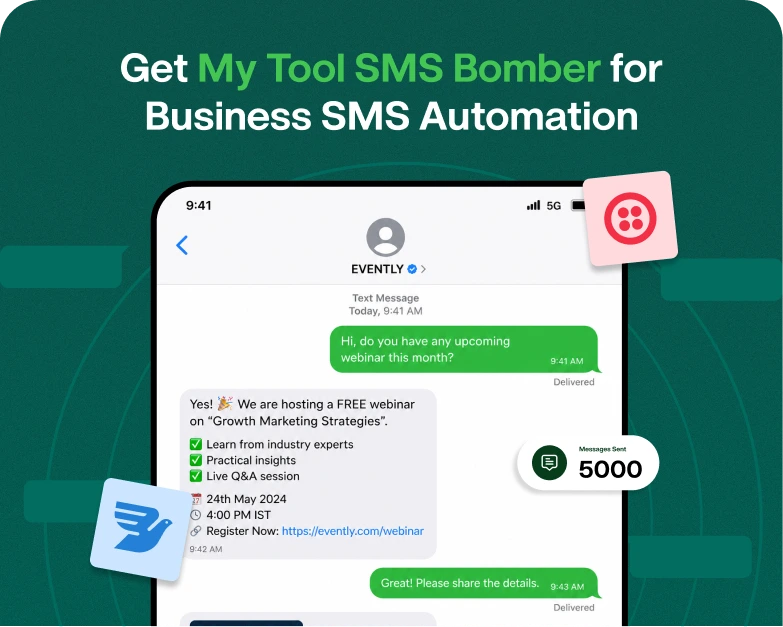
The Verification Code Message API sends an SMS as:
Your confirmation code is: 483726 Do not give this code to anyone.
In a few seconds, the SMS arrives on the mobile phone of the user.
Step 4: User Enters Code
The user enters the verification code they received on your website or app.
Step 5: Verification Completed
If the entered code is equal to the generated OTP then the user is successfully authenticated.
Typical Message Types for Verification Codes
Businesses use different verification messages to suit their needs.
Verification of Account
Your confirmation code is 384726.
Expires in 5 mins.
Authentication login
Securely log in to your account using code 682941
Password Reset
Your verification code for password reset is 194520.
Transaction Authentication
Your payment verification code is 456731
I’m not going to tell anyone.
Two-Factor Authentication (2FA)
Your verification is Google code 812934.
Advantages of a Verification Code Message API
1. Enhances Account Security
Verification codes are used to prevent unauthorized access to customer accounts.
Even if the person knows the password, they need the SMS verification code to log in.
2. Decreases fake registrations
Spam accounts are often created in the thousands by bots and fake users.
Phone verification ensures each registration is a real user.
3. More Rapid User Authentication
The login process is smooth as SMS messages come through almost instantaneously.
Users do not need to remember complicated passwords.
4. Establishes Customer Trust
Verified security makes customers feel more secure on your platform.
Security improves your brand reputation directly.
5. Supports 2 Factor Authentication.
In many businesses today 2FA is required for sensitive actions like:
- Banking
- Cryptocurrency exchanges
- Patient
- Portals
- Enterprise software
- Financial services
This is made possible by a Verification Code Message API.
6. SMS Delivery Worldwide
Most providers support international SMS delivery in hundreds of countries.
This enables global businesses to authenticate users from anywhere in the world.
7. Seamless integration
Developer-friendly documentation, SDKs and sample code are available for quick implementation with modern APIs.
The integration can be done by most developers in a matter of hours.
Verification Code Message API Examples in the Real World
Online shopping sites
An online fashion store checks each new customer before permitting the purchase.
Advantages:
- Avoids fake accounts
- Cuts down on coupon abuse
- Enhances safety for customers
Banking apps
Banks require SMS verification before:
- Login
- Money Transfer
- Password change
This provides an additional level of protection against fraud.
Ride-Sharing Apps
Taxi booking apps verify every passenger’s mobile number before activating an account.
This helps cut down on fake bookings and increases driver safety.
Hospitals must check identity before they can release sensitive medical reports.
SMS verification helps to protect patients’ privacy.
Software as a Service Platforms
Verification codes are also used by business software companies for signup and password recovery.
This reduces the chances of someone else getting unauthorized access to your account.
What Is Google Verification Code SMS?
When signing into a Google account, users receive authentication messages and many of them search for Google verification code SMS.
Google sends these messages to ensure that:
- The login attempt is okay
- The account owner is the phone number
- Account is protected against unauthorised access
Your application can implement a similar verification process using a Verification Code Message API.
Verification Code Text Messages Best Practices
Keep verification messages simple and secure.
Please add:
- Confirmation code
- Expiration time
- Security alert
- Company name
The problem is that a lot of people don’t know how to do this.
Your verification code for Example App is 482931.
Valid for 5 min.
Do not share this code with anyone.
Do not include any promotional content in OTP messages.
How to Integrate a Verification Code Texting API
Step 1: Choose an SMS API provider
Search for a provider who gives you:
- Fast Shipping
- Good up-time
- Worldwide reach
- Detailed API Docs
- Low prices.
- Reports of delivery
Step 2: Create API Credentials
Get your API Key from the Provider dashboard.
Step 3: Link Your Backend
Use the REST API or SDK to send SMS requests.
Step 4: Create Secure OTPs
53711 21387 49821 75019 89347 49821 34598 53711 75019 21387 34598 89347
Most companies use:
- 4 digits
- 6 digits
- 8 digits
Step 5. Check the code
Compare the user entered code with the stored OTP.
Delete obsolete or invalid codes.
Step 6: Full Verification
After verification:
- Activate account
- Sign in
- Finalise transaction
What to expect from a verification code message API
Before choosing a provider, ensure it offers:
- Instant SMS Transfer
- Coverage across the globe
- OTP Creation
- Track your delivery
- Retry logic
- REST API
- SDKs support
- Secure encryption
- Rate limiting
- Detecting Fraud
High availability Developer documentation
These features improve security and user experience.
Mistakes To Stay Away From
Many businesses make these mistakes and unknowingly reduce security:
- Sending OTPs with no expiry
- Verification codes for reuse
- Weak Random Number Generation
- Unlimited attempts to verify
- No status tracking of absent deliveries
- Storing OTPs in clear text
- No international SMS support
Following best practices keeps user accounts safe.
Why Businesses Favour SMS Verification Over Email Verification
Email verification still has its place, but there are several benefits to SMS verification:
- Fast Delivery
- Increased open rates
- More user engagement
- Better identity verification
- Better account security
- Fewer spam registrations
Critical authentication processes are often handled via SMS.
How to Select the Right Verification Code Message API
When looking at providers, think about:
- Speed of SMS delivery
- World coverage
- API Stability
- Price structure
- Customer Service
- Features of security
- Scalability
- Compliance to industry standards
- Ease of integration
- Reporting and Analytics
Choosing the right API means that your verification process will remain secure, reliable and scalable as your business grows.
Frequently Asked Questions (FAQ)
1. What is a message with a verification code?
Verification code message A verification code message is a type of SMS message that includes a temporary code to verify a user’s identity when registering or logging in to the account, resetting a password or performing secure transactions.
2. What is a Google verification code text message?
Google verification code sms is the one time security code sent by Google to verify your identity when you sign in , so you can use two-factor authentication or recover your account.
3. How long will a verification code remain valid?
Most companies set their verification codes to expire after 3 to 10 minutes. Short expiration times limit the risk of unauthorized access.
4. Is Verification Code Message API available for 2FA?
Yeah. A common use of the Verification Code Message API is for two factor authentication (2FA) that provides an additional layer of security on top of passwords.
5. Is it safe to verify via SMS?
Yes, if done correctly. When combined with strong OTP generation, expiration times, rate limiting and encrypted communication SMS verification is an effective authentication method.
Closing thoughts
For modern apps and websites, user authentication needs to be secure, fast, and reliable. A Verification Code Message API is an essential tool for this. Whether you are verifying new registrations, enabling two-factor authentication, or protecting sensitive transactions, an SMS verification solution can help protect your business and your customers.
You can build user trust, reduce fraud and provide a smooth authentication experience by choosing a trusted API provider, following security best practices and sending clear verification code text messages. Whether it’s SMS-style Google verification code workflows or custom OTP systems, investing in the right verification solution is a smart move to build a safer digital platform.
Ready to Secure Your Website or App?
Need a fast, scalable, developer friendly Verification Code Message API? Begin delivering OTPs, verification code messages and authentication SMS globally today with a trusted SMS verification solution. Enhance security, simplify user onboarding, and provide a seamless verification experience to all customers. Contact us or request a free demo and see how easy it is to add secure SMS verification to your application.