Today’s businesses are competing for one thing more than ever: attention. Every day people visit websites, scroll through Instagram, browse Facebook pages and watch videos on YouTube. But most people leave without doing anything, because contacting a business takes too long or is too complicated.
That’s where WhatsApp links change the game.
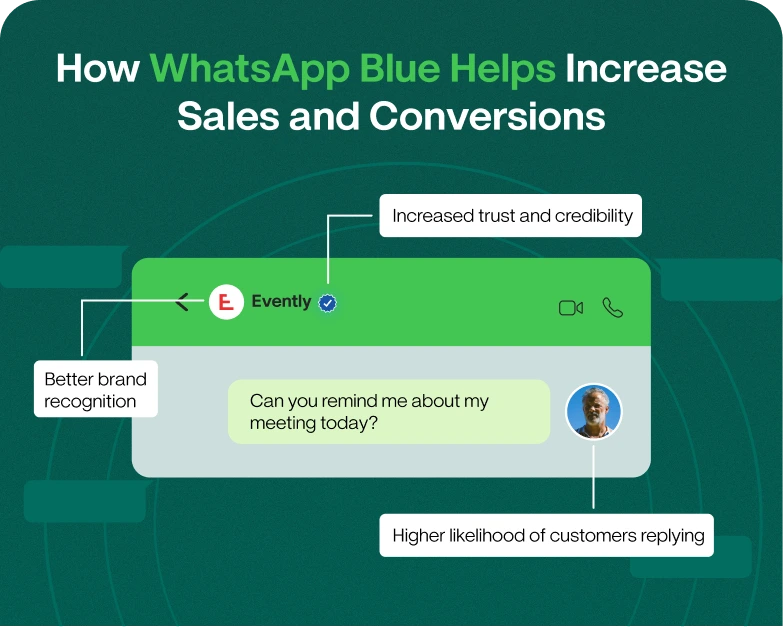
There is no need for customers to fill in forms or search for contact details, as a single click on a WhatsApp link allows you to start a chat. It speeds up communication, builds trust and helps businesses generate more leads and sales.
If you are a small business owner, freelancer, online seller, coach, or digital marketer, learning how to send WhatsApp links the right way will help you connect with customers more effectively.
This extensive guide will explain everything in plain English, covering:
- What is a WhatsApp link
- How to Make and Share It
- How to send a link on Whatsapp
- How to Share Group Link on WhatsApp
- How to add WhatsApp links to websites and social media
- Best Practices for Improved Results
- Common errors to avoid
So let’s start.
Table of Contents
What Is a WhatsApp Link?
A WhatsApp link is a direct URL which opens a chat window in WhatsApp. Once the link is clicked, users can start chatting immediately without having to save your contact number manually.
This allows for fast, user-friendly communication.
Here’s what a typical WhatsApp link looks like:
You can also create a link with a pre-filled message:
When customers click the link, WhatsApp opens automatically with the message already written.
This feature is frequently used by:
- Internet businesses
- Service providers
- Coaches
- Freelance
- eCommerce shops
- Support teams for customers
The Importance of WhatsApp Links for Businesses
Your customers want to contact you now. If it’s a long time to reach your business, many people just go to a competitor.
WhatsApp links help to solve the problem.
Advantages of WhatsApp Links
1. faster communication with customers
People can contact you immediately without searching for your contact details.
2. An improved user experience
Visitors will find one-click communication easier.
3. Improved Conversion Rates
Short conversations often lead to more questions and more sales.
4. Greater Customer Confidence
Customers are more comfortable chatting directly with businesses.
5. Mobile Friendly Interactions
WhatsApp becomes a powerful communication tool, as the majority of internet users surf on smartphones.
How to make a WhatsApp link
If you want to know how to send a whatsapp link, then it is very simple.
Step 1: Use The Right Link Format
Official WhatsApp format is as follows:
Replace your-number with your whatsapp Number with country code.
Don’t use:
- Spaces
- Dashes
- Brackets
- Plus Symbols
Step 2: Add a Pre-Filled Message
Insert a custom message for better engagement.
Example:
It gets our customer conversations off to a quicker start.
How to Create WhatsApp Link on Website
Your website is one of the best places to put WhatsApp links because visitors already have an interest in your business.
Method 1: Add a WhatsApp Button
There’s a prominent WhatsApp button to get in touch instantly.
Best Places to Put the Button
- Main page
- Get in touch
- Product pages
- Landing pages
- Checkout pages
Famous Calls to Action Examples
- WhatsApp chat
- Get in touch today
- Contact Support
- Expert Consultation
Simple HTML Example Chat on WhatsApp
Method 2 – Add a floating WhatsApp chat widget
A lot of companies use floating WhatsApp widgets that stay visible when the user scrolls down the website.
These widgets increase engagement as customers can contact you at any time without having to find your contact info.
Floating chat buttons work particularly well for:
- online shops
- Websites for Real Estate
- Agencies Advisors
- Education companies
Method 3: Add WhatsApp Link Contact Section
Another effective way is to put WhatsApp links beside:
- Email addresses
- Phone numbers
- Forms to reach us
This provides users with several ways to connect.
How to Post a WhatsApp Link to Social Media
Social media sites are good traffic sources. WhatsApp links help convert followers into real customers.
Add WhatsApp link on Instagram how to
Instagram users are often inclined to communicate directly before purchasing.
You can insert your whatsapp link in:
- Instagram biography
- Highlights
- Story stickers
- Reels Captions
- Posts
Example
Need help? Reach us on WhatsApp
This strategy is good for:
- Fashion brands
- Beauty businesses
- Coaches Influencers
- Contractors (independent)
How To Put WhatsApp Link On Facebook
Facebook Business Pages can now connect directly to WhatsApp.
Step
- Open up your Facebook Business Page
- Click Edit Action Button
- Select “WhatsApp”
- Link your WhatsApp account
Customers can now start chatting directly from Facebook.
How to Add WhatsApp Link to LinkedIn
LinkedIn is good for professional communication and lead generation.
Add WhatsApp Links in:
- About
- Featured
- Posts
- Articles Posts
This is helpful for:
- Organisations
- Employers
- Advisors
- B2B companies
How to Add WhatsApp Link on YouTube
WhatsApp – Many YouTube creators and businesses use WhatsApp for support and enquiries.
Include links in:
- Descriptions of Videos
- About section Channel
- Community posts
- Comments
For example:
For questions:
How to send a link via WhatsApp
Many users ask: How to send a link on WhatsApp?
It’s simple to do.
- On Cell Phones
- Copy website URL
- Open the WhatsApp
- Select a contact or group
- Copy link
- Send a message
Usually, WhatsApp generates an automatic preview for links.
On Desktop Using WhatsApp Web
Using WhatsApp Web:
- Start a chat
- Paste the link
- Press Enter Key
This method is used most commonly by businesses who take customer conversations from computers.
How to Share a Group Link on WhatsApp
Another popular search is: how to send WhatsApp group links?
WhatsApp group links allow people to join communities or customer groups easily.
Steps to create WhatsApp group link
- Open your group on WhatsApp
- Choose “Group info”
- Choose “Invite via Link”
- Copy group link
- Share it all over
You can share the group link on :
- Web sites
- Emails
- Telegram
WhatsApp Link Best Practices Blogs
Making WhatsApp links is easy but don’t expect the results to just come to you; use them strategically.
1. Use Clear Call to Action Text
Avoid weak phrases such as “Click Here.”
Replace with:
Chat with Us Get Immediate Assistance Order Through WhatsApp Speak to Our Team
2. Insert pre-completed messages
Pre-canned messages facilitate communication.
For example:
Hello, I would like to learn more about your services.
3. Place Links in Prominent Locations
Better placement = more clicks.
Top locations are:
- Header Footer Product pages
- Landing pages
- Blog Entries
4. Mobile User Optimisation
Most of WhatsApp traffic is through smartphones.
Make sure buttons are:
- Easy to hit on
- Fast loading
- Easy to view
5. Performance tracking
Measure with analytics tools:
- Click-through rates
- Customer Questions
- Lead generation
- Conversion rates
This helps improve your marketing strategy over time.
Real life example
For example a small online fashion store doing Instagram promotions.
Before you add a WhatsApp link:
- Visits to customer profile
- Many left without a question
- Sales conversations were few
After a WhatsApp CTA added:
“Text us on WhatsApp for latest arrivals 👇”
The business noted:
- More Customer questions
- Quicker Communication
- Greater trust
- Better conversion rates
A simple WhatsApp link has worked wonders for customer engagement.
Common Mistakes to Avoid
1. Incorrect Link Format
Links are not functional because of bad formatting.
Always follow the official structure.
2. Failure to check the link
Always test your WhatsApp links before you go live with them.
3. Using Too Many Chat Buttons
Too many buttons confused visitors.
Make it simple and easy.
4. Ignore desktop users
Make sure links are working with WhatsApp Business Web Login for desktop users as well.
SEO Tips to Improve Rankings
If you want your content to rank on search engines, here are some strategies.
Use Keywords Naturally
Related Keywords to Add Include:
- how do I share whatsapp link
- how to send link in whatsapp
- how to send group link in whatsapp
- whatsapp web login
- whatsapp business web login
Avoid keyword stuffing.
Add FAQ Sections
FAQs enhance SEO and answer common search queries.
Use Short Paragraphs
Short paragraphs enhance readability and mobile experience.
Add Internal Hyperlinks
Link related pages like:
- Marketing with WhatsApp
- WhatsApp automation
- Customer service tactics
FAQ
1. How to send a WhatsApp link to customers?
Create a WhatsApp URL and share it on your website, social media, emails, or ads.
2. How to send a link on whatsapp?
Copy the URL Open WhatsApp chat Paste the link and send it
3. Can a WhatsApp link be customised?
“Yeah. You can pre-fill messages by using the text parameter in the URL.
4. How to share group links on WhatsApp?
Go to group settings and choose Invite via Link. Then copy the link and distribute it.
5. Can you use the WhatsApp link on the desktop?
Yes. WhatsApp Web Login and the desktop app let users open links.
Final Thoughts
If you know how to send WhatsApp links on websites and social media, you can improve your communication with your customers a lot.
It helps businesses to:
- Boost customer engagement
- Create more leads
- Enhance support experience
- Gain trust more quickly
- Increase sales conversion rate
Own a local business, an online store, an agency or a personal brand? WhatsApp links are a quick and easy way to connect with your audience in no time.
It only takes a few minutes to set up, but the business benefits over the long term can be huge.
Want to Grow Your Business on WhatsApp?
Start adding WhatsApp links to your website, Instagram, Facebook, LinkedIn and marketing campaigns today.
If you are looking for advanced WhatsApp marketing solutions, automation tools, and customer engagement strategies, then this is the best time to explore professional WhatsApp business tools and take your communication to the next level.